User Registration Conditional Logic Addon
Antivirus scan
Powered by ClamAV
✅ Verified clean
This product file has passed our security filters.
Want to run a fresh ClamAV scan right now? Takes a few seconds and shows scanner version, signature DB and live result.
This can take 5 to 30 seconds.
Clean file Threat detected
No threats detected in this file.
- File
- Size
- Scanned
- ClamAV
- Signature database
⚡ Powered by ClamAV
Scan could not be completed
Report product
If you detected an issue (broken file, malware, inappropriate content, etc.) let us know and we'll review it ASAP.
Sign in to report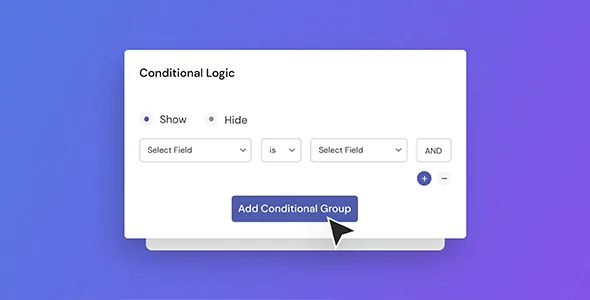
About User Registration Conditional Logic Addon
A long registration form scares off people who only wanted to sign up. If you ask everyone for the same things (company, license number, size, reason for applying), most abandon halfway or type junk just to get through. The problem is rarely the form itself, but that it makes no distinction between the people arriving.
Not everyone who signs up needs the same form
If your site receives different profiles (students and teachers, volunteers and suppliers, members and visitors), a single registration form forces you to choose between asking for little and ending up without data, or asking for a lot and losing sign-ups. This User Registration & Membership add-on resolves that tension: the form adapts to what the person answers, and each one sees only what applies to them.
What User Registration Conditional Logic Addon does with your fields
The mechanics are simple: you add two fields, define the rule that links them, and the second one appears or hides depending on what was chosen in the first. But the rule doesn't stop at showing or hiding:
- Show or hide fields based on earlier answers, to remove questions that don't apply.
- Redirect after registration: each person can end up on a different page depending on what they answered.
- Assign the user role automatically based on a condition in the form, instead of reviewing sign-ups by hand and changing roles one by one.
- Control the submit button: it can appear only once the fields that matter to you have been filled in, which reduces incomplete submissions.
It is an add-on, not a standalone plugin: it works on top of User Registration & Membership and requires that plugin to be installed. Nor does it build the form for you: rules are set up field by field, and the more branches you add, the more combinations you will have to test.
Questions from people about to install it
Is it good for more than hiding fields?
Yes. Besides showing or hiding fields, it allows redirecting after registration, assigning roles and conditioning the submit button.
Does it work without User Registration & Membership?
No. It is an add-on for that plugin and depends on it.
What does "Add Logic Branching" mean?
It is the option to take a person along different paths within the form depending on what they answered before.
Can I assign different roles depending on an answer?
Yes, the role is assigned during registration based on the conditions you define in the form itself.
Forms where conditions really make a difference
The cases that benefit most are those mixing profiles: event sign-ups, job applications, course enrollment, volunteering, supplier registration, patient intake forms or club forms. For patients, think carefully about which health data you collect and how you handle it, because the add-on doesn't solve that part.
Test the rules with every type of user before publishing
A poorly planned condition can hide a required field or send someone to the wrong page. Before opening registration, fill in the form once for each profile you expect: check which fields appear, which page they land on and which role ends up assigned. Also check that the submit button behaves as you expect when data is missing.
Topics
Version history
-
v
1.5.9 Current 23 May 2026
-
v
1.5.7 31 Mar 2026
Customer reviews
Sign in to leave a review. Only people who have the product can review it.
No reviews for this product yet.
Frequently asked questions
-
GPL (General Public License) is the license under which WordPress and most premium plugins/themes are distributed. It grants you the right to use, modify and redistribute the software in as many projects as you want, with no domain restrictions.
-
Yes. With membership you get automatic updates via our GPLClub Updater plugin (installed on your WP, detects new versions and applies them). With individual purchase, you get one year of manual updates from your account.
-
Depends on the plan. Monthly: 3 domains. Semi-annual: 7. Annual and Lifetime: 15. Individual purchase: 1 domain.
-
GPLClub offers its own support for installation, configuration and compatibility. For direct support from the original author (feature requests, product-specific bugs), a license purchased from the author is required.