Visitor Traffic Real Time Statistics pro
Antivirus scan
Powered by ClamAV
✅ Verified clean
This product file has passed our security filters.
Want to run a fresh ClamAV scan right now? Takes a few seconds and shows scanner version, signature DB and live result.
This can take 5 to 30 seconds.
Clean file Threat detected
No threats detected in this file.
- File
- Size
- Scanned
- ClamAV
- Signature database
⚡ Powered by ClamAV
Scan could not be completed
Report product
If you detected an issue (broken file, malware, inappropriate content, etc.) let us know and we'll review it ASAP.
Sign in to report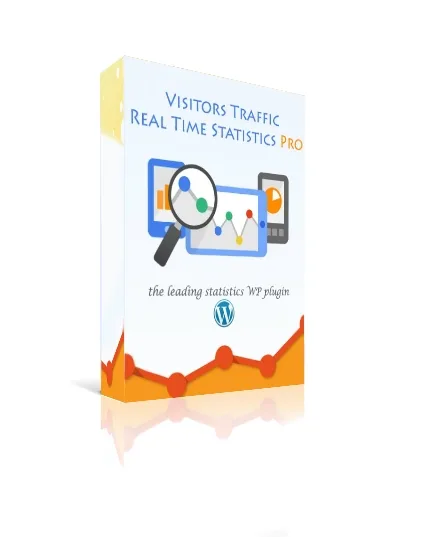
About Visitor Traffic Real Time Statistics pro
You get visits, but you don't know where they come from or what they read
Many people install an analytics tool, open it twice and never come back: too many menus, too much setup and figures that never turn into decisions. What really changes a website is knowing which page works and which country or search engine that audience comes from, and that only happens if the dashboard makes sense at a glance.
Visitor Traffic Real Time Statistics pro gathers that data in a dashboard inside WordPress, with no code and no separate Google Analytics account to set up.
What you see in the Visitor Traffic Real Time Statistics pro dashboard
- Real time: how many people are on your site right now, with stats that refresh as visits arrive.
- Location: country, city and region for each visit, plus a world map to see where your audience is concentrated.
- Traffic sources: search engines, sites that link to you and the most recent search keywords, so you know what people type before landing on your site.
- Content: the pages, posts, authors and categories that perform best, with daily, weekly and monthly trends.
- Device and browser: the split between desktop and mobile, operating system and browser, useful to decide whether the mobile version deserves more attention.
- Per-visitor journey: for each IP, the pages viewed in order and the time spent on each, plus visit duration.
It also includes bot filtering so your numbers aren't inflated by automated traffic, shortcodes to show stats on any page or post, and export of reports and data. Part of the above (real time, per-visitor journey, duration, full per-country history) is what the pro version adds to the free one.
Three websites, three ways to get value from it
Blog or publication with several authors
The author and category reports answer something a newsroom often debates blindly: which topics attract readers and who writes them. Recent keywords give you ideas for upcoming articles.
Shop or service website
Seeing which countries and cities your visits come from helps you check whether your real audience matches the one you imagine. The per-IP journey shows which pages someone goes through before leaving, and the device split warns you if mobile matters more than you thought.
Someone who manages several client websites
A clear dashboard that a non-technical client can read saves you from explaining complex reports. Shortcodes let you show specific figures without giving access to anything else.
Questions before installing Visitor Traffic Real Time Statistics pro
Do I need to connect Google Analytics? No. Stats are collected and displayed inside WordPress.
Do I need a cookie banner? It is designed to work without a consent banner, but what your specific case requires depends on your country and how you use the data, so check with whoever advises you.
Does it slow down the site? It is a lightweight plugin and users highlight that they notice no slowdown, but you should test it on your own hosting.
Can I take my data with me? Yes, reports and data can be exported.
Does it tell people from bots? It includes bot filtering to make the data more reliable, although no tool does this perfectly.
Email reports and AI: not part of the plugin yet
The scheduled email summary and the AI-generated behavior reports are listed as future additions, not features available today. If you need them from day one, don't count on them. Nor is it an advanced analytics suite with conversion funnels: it is a dashboard for quickly reading traffic, location and content.
Topics
Version history
-
v
11.26 Current 19 Oct 2026
-
v
11.23 30 Sep 2026
-
v
11.22 12 Sep 2026
-
v
11.21 5 Sep 2026
-
v
11.16 9 Aug 2026
-
v
11.8 1 May 2026
Customer reviews
Sign in to leave a review. Only people who have the product can review it.
No reviews for this product yet.
Frequently asked questions
-
GPL (General Public License) is the license under which WordPress and most premium plugins/themes are distributed. It grants you the right to use, modify and redistribute the software in as many projects as you want, with no domain restrictions.
-
Yes. With membership you get automatic updates via our GPLClub Updater plugin (installed on your WP, detects new versions and applies them). With individual purchase, you get one year of manual updates from your account.
-
Depends on the plan. Monthly: 3 domains. Semi-annual: 7. Annual and Lifetime: 15. Individual purchase: 1 domain.
-
GPLClub offers its own support for installation, configuration and compatibility. For direct support from the original author (feature requests, product-specific bugs), a license purchased from the author is required.