WooCommerce Bookings
Antivirus scan
Powered by ClamAV
✅ Verified clean
This product file has passed our security filters.
Want to run a fresh ClamAV scan right now? Takes a few seconds and shows scanner version, signature DB and live result.
This can take 5 to 30 seconds.
Clean file Threat detected
No threats detected in this file.
- File
- Size
- Scanned
- ClamAV
- Signature database
⚡ Powered by ClamAV
Scan could not be completed
Report product
If you detected an issue (broken file, malware, inappropriate content, etc.) let us know and we'll review it ASAP.
Sign in to report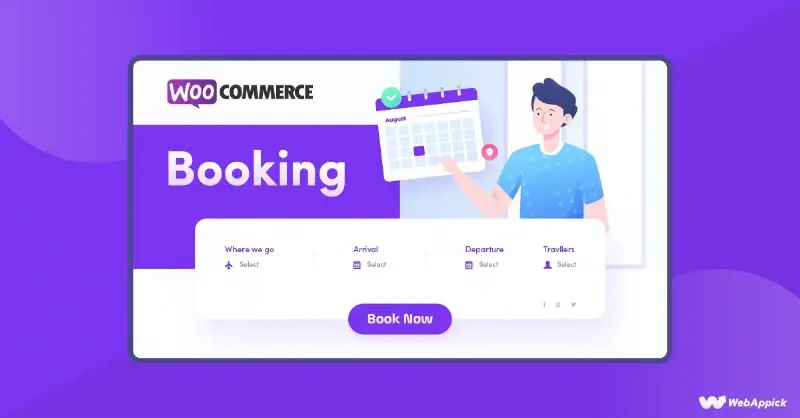
About WooCommerce Bookings
When booking means calling, jotting down and crossing out
Anyone who sells time (classes, appointments, rentals) usually runs the schedule through calls, messages and a calendar that never matches reality. The result: double bookings, gaps nobody fills and customers who don't show up. WooCommerce Bookings turns each service into a bookable product inside your store, with the same cart and payment as always.
Your business sells hours that expire
An unbooked hour can't be sold tomorrow: it is lost. That's why in this kind of business the schedule details matter as much as the price. With WooCommerce Bookings you can offer fixed slots (a class, a guided tour) or let the customer choose how much time they need, as in a rental. Duration is measured in minutes, hours, days, weeks or months, and for day-based bookings you can enable a range picker on the calendar.
What WooCommerce Bookings does with your schedule
- Layered availability: rules at store, product and resource level, with minimum lead time and buffers between bookings.
- Resources: staff, rooms or equipment, each with its own schedule and capacity. The same stylist or room can't be booked twice across different services. The customer can choose a resource or let the first free one be assigned.
- People: minimum and maximum participants, person types (adults, children) with their own price.
- Flexible pricing: base cost per booking, cost per block, different rates by time slot, discounts for groups or per person.
- Customer time zone: useful for virtual classes or online appointments.
- Manual confirmation: the customer submits a request and, once you approve it, receives an email to pay.
- Email notices: on booking, on confirmation and one day before.
- Calendar: day or month view, filters by service or resource, bookings added by hand for people who phone in, and Google Calendar sync.
You should know the limits: deposits are not included, you need the Deposits extension. A calendar of available slots on a page or post requires Bookings Availability. For hotels and hostels, the manufacturer offers Accommodation Bookings separately. And service extras (an oil massage, for example) are added with Product Add-Ons.
Questions buyers ask before installing
Can I approve a booking before taking payment?
Yes. You enable confirmation on the bookable product: the customer submits their details and you decide whether to accept.
Can I charge just a deposit?
Yes, but with the Deposits extension, as a fixed amount or a percentage of the total.
Can I book for several people at once?
Yes. You set a minimum and maximum, and you can count each person as a place so that capacity and resources are reserved accordingly.
Does it sync with Google Calendar?
Yes, your store's bookings can be seen in Google Calendar.
Is it suitable for renting equipment?
Yes: you can define equipment as resources with their own availability.
WooCommerce Bookings relies on one bookable product per service
Getting started means creating one bookable product for each service and setting duration, availability, price, people and resources. There are bookable product templates for common scenarios, or you can start from scratch. Before opening to the public, make a complete test booking: check that the schedule, the assigned resource and the emails come out as you expect, and if you use manual confirmation, review the flow through to the payment email.
Topics
Version history
-
v
3.13.0 Current 30 Oct 2026
-
v
3.12.1 23 Oct 2026
-
v
3.12.0 15 Oct 2026
-
v
3.11.0 9 Oct 2026
-
v
3.10.0 5 Sep 2026
-
v
3.9.0 21 Aug 2026
-
v
3.5.1 26 Apr 2026
Customer reviews
Sign in to leave a review. Only people who have the product can review it.
No reviews for this product yet.
Frequently asked questions
-
GPL (General Public License) is the license under which WordPress and most premium plugins/themes are distributed. It grants you the right to use, modify and redistribute the software in as many projects as you want, with no domain restrictions.
-
Yes. With membership you get automatic updates via our GPLClub Updater plugin (installed on your WP, detects new versions and applies them). With individual purchase, you get one year of manual updates from your account.
-
Depends on the plan. Monthly: 3 domains. Semi-annual: 7. Annual and Lifetime: 15. Individual purchase: 1 domain.
-
GPLClub offers its own support for installation, configuration and compatibility. For direct support from the original author (feature requests, product-specific bugs), a license purchased from the author is required.