WooCommerce Dwolla Gateway
Antivirus scan
Powered by ClamAV
✅ Verified clean
This product file has passed our security filters.
Want to run a fresh ClamAV scan right now? Takes a few seconds and shows scanner version, signature DB and live result.
This can take 5 to 30 seconds.
Clean file Threat detected
No threats detected in this file.
- File
- Size
- Scanned
- ClamAV
- Signature database
⚡ Powered by ClamAV
Scan could not be completed
Report product
If you detected an issue (broken file, malware, inappropriate content, etc.) let us know and we'll review it ASAP.
Sign in to reportNewer version out, or a problem?
About WooCommerce Dwolla Gateway
Taking Dwolla payments when cost per transaction matters for your store
For a store that wants to offer an alternative payment method at checkout, what usually weighs most is how much each transaction costs and how much technical responsibility you take on when charging. WooCommerce Dwolla Gateway connects your store with Dwolla to process payments through that network.
Dwolla works as a cash-based payment network, so fees are nominal and security is easier, because you don't have to worry about PCI compliance. Using SSL is recommended to protect sensitive data, although it is not required.
What the customer sees at checkout and the settings you control
In the WooCommerce settings, under Checkout, you enable or disable Dwolla and decide how it appears:
- Title and description: the text shown for the payment at checkout and on the order received page, plus the text under the title, which allows limited HTML.
- Guest checkouts: lets customers without a Dwolla account pay with Dwolla. It has no additional fee, which is why enabling it is recommended.
- Test mode: makes every transaction return as accepted.
- Debug mode: writes information to the WooCommerce error log. To maximize performance, it is best to enable it only when there are problems.
When to choose WooCommerce Dwolla Gateway as your payment gateway
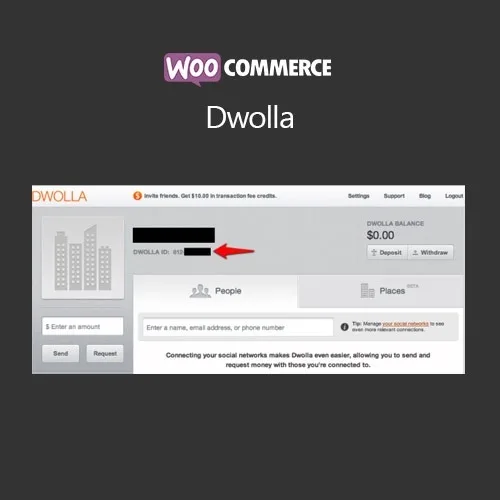
It makes sense if you have a WooCommerce store and a Dwolla account. To connect it you need your Dwolla ID and the App Key and App Secret of an application you create in your account, details you enter in the WooCommerce settings. As an extension of WooCommerce, it needs WooCommerce installed to work.
There are two things worth knowing before you decide. The product is no longer available on WooCommerce.com and its documentation is no longer updated. Also, Dwolla has no proper sandbox of its own: the plugin's test mode marks every transaction as accepted, and Dwolla's documentation describes a reflector account you can switch your ID to, which returns the money you send directly back to you.
Frequently asked questions about WooCommerce Dwolla Gateway
Do I have to pay more to use Dwolla?
Dwolla has nominal fees because it is a cash-based payment network. The guest checkout option has no additional cost.
Do my customers need a Dwolla account?
Not necessarily. If you enable guest checkouts, anyone without an account can still pay with Dwolla.
Do I need an SSL certificate?
It is recommended to protect sensitive data, but it is not required.
Is there a Dwolla testing environment?
There is no proper sandbox. The plugin's test mode marks every transaction as accepted, and the reflector account returns the money you send.
Topics
Version history
-
v
1.7.0 Current 14 May 2024
Customer reviews
Sign in to leave a review. Only people who have the product can review it.
No reviews for this product yet.
Frequently asked questions
-
GPL (General Public License) is the license under which WordPress and most premium plugins/themes are distributed. It grants you the right to use, modify and redistribute the software in as many projects as you want, with no domain restrictions.
-
Yes. With membership you get automatic updates via our GPLClub Updater plugin (installed on your WP, detects new versions and applies them). With individual purchase, you get one year of manual updates from your account.
-
Depends on the plan. Monthly: 3 domains. Semi-annual: 7. Annual and Lifetime: 15. Individual purchase: 1 domain.
-
GPLClub offers its own support for installation, configuration and compatibility. For direct support from the original author (feature requests, product-specific bugs), a license purchased from the author is required.