WooCommerce Email Verification
Antivirus scan
Powered by ClamAV
✅ Verified clean
This product file has passed our security filters.
Want to run a fresh ClamAV scan right now? Takes a few seconds and shows scanner version, signature DB and live result.
This can take 5 to 30 seconds.
Clean file Threat detected
No threats detected in this file.
- File
- Size
- Scanned
- ClamAV
- Signature database
⚡ Powered by ClamAV
Scan could not be completed
Report product
If you detected an issue (broken file, malware, inappropriate content, etc.) let us know and we'll review it ASAP.
Sign in to reportNewer version out, or a problem?
About WooCommerce Email Verification
Fake accounts that clutter your store and your emails
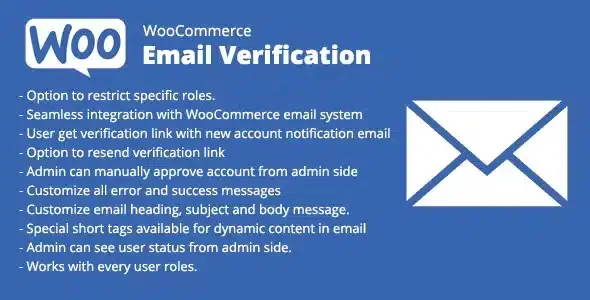
Registrations with made-up emails, bots creating accounts by the dozen and customers who mistype their address end up in your user base, in orders you cannot confirm and in notifications that bounce. WooCommerce Email Verification adds a simple step: when signing up, the customer receives a link to prove the email is theirs.
An online store talks to its buyers almost only by email: order confirmation, shipping notices, password recovery. An account with an email that does not exist is not a customer, it is a gap in that communication that you discover when the parcel is already packed.
What changes with WooCommerce Email Verification depending on your type of store
If bots are signing up
The verification link arrives inside the WooCommerce new account email. Anyone who does not confirm stays unverified and you see their status from the admin area, so you can tell real registrations from the rest at a glance.
If your customers mistype their email
A one-letter mistake leaves someone without confirmations. If the customer lost the first link, they can ask for it to be resent, and they can generate as many links as they need. And if a trusted customer cannot manage to verify, you approve their account manually from the admin area.
If you work with several user roles
It works with every role and you can limit verification to the ones you choose. The administrator role is not forced to verify, so you do not lock yourself out.
Emails and messages, written your way
Verification does not have to sound like cold paperwork. The plugin integrates with the default WooCommerce email system and lets you adjust:
- Heading, subject and body of the verification email.
- Short tags to insert customer details into the text and personalize it.
- Success and error messages shown when verifying or when it fails.
- Link resending and manual account approval from the panel.
Take the chance to write the subject in your brand's tone and explain in one sentence why you ask to confirm the email: a customer who understands the reason drops off less.
Frequently asked questions
Does it work without WooCommerce?
No. It is a WooCommerce addon and only makes sense with it installed.
Does the link arrive in a separate email?
It arrives together with the WooCommerce new account notification email, so there is no need to set up a different sending system.
What happens if the customer loses the link?
They can request a resend and generate new links without limit.
Can I approve an account without it being verified?
Yes, you can approve it manually from the admin area.
Do I have to verify myself as administrator?
No, the administrator role is not forced to verify.
It only checks emails, it does not detect bots
The plugin does not analyze behavior or replace a captcha or an antispam tool for forms and comments. It is an addon that does not work without WooCommerce. Before buying, check in the demo how it behaves with your registration and checkout flow.
Topics
Version history
-
v
3.0.7 Current 21 Nov 2026
-
v
3.0.6 29 Oct 2026
-
v
3.0.5 10 Oct 2026
-
v
3.0.4 1 Oct 2026
-
v
3.0.3 5 Sep 2026
-
v
3.0.1 5 Aug 2026
-
v
2.7.2 8 Jan 2025
Customer reviews
Sign in to leave a review. Only people who have the product can review it.
No reviews for this product yet.
Frequently asked questions
-
GPL (General Public License) is the license under which WordPress and most premium plugins/themes are distributed. It grants you the right to use, modify and redistribute the software in as many projects as you want, with no domain restrictions.
-
Yes. With membership you get automatic updates via our GPLClub Updater plugin (installed on your WP, detects new versions and applies them). With individual purchase, you get one year of manual updates from your account.
-
Depends on the plan. Monthly: 3 domains. Semi-annual: 7. Annual and Lifetime: 15. Individual purchase: 1 domain.
-
GPLClub offers its own support for installation, configuration and compatibility. For direct support from the original author (feature requests, product-specific bugs), a license purchased from the author is required.