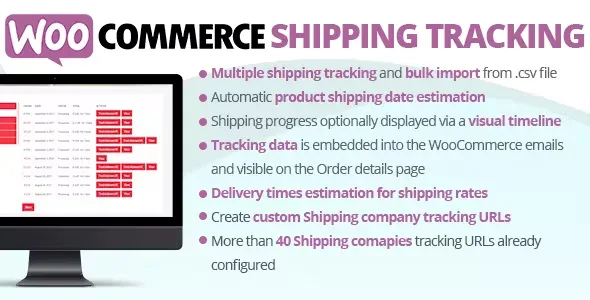
WooCommerce Integration for MEC
Antivirus scan
Powered by ClamAV
✅ Verified clean
This product file has passed our security filters.
Want to run a fresh ClamAV scan right now? Takes a few seconds and shows scanner version, signature DB and live result.
This can take 5 to 30 seconds.
Clean file Threat detected
No threats detected in this file.
- File
- Size
- Scanned
- ClamAV
- Signature database
⚡ Powered by ClamAV
Scan could not be completed
Report product
If you detected an issue (broken file, malware, inappropriate content, etc.) let us know and we'll review it ASAP.
Sign in to report
About WooCommerce Integration for MEC
Two payments for one purchase: the classic flaw of ticket sellers
People who run events with MEC often run into the same thing: the customer wants to book a ticket and, while there, buy something else from the shop, but finds one payment for the tickets and another for everything else. Every extra step is a chance for them to leave without paying. An event order is rarely just the ticket: it is the ticket plus whatever the buyer thinks of adding while deciding, and that only happens if everything fits in the same cart.
WooCommerce Integration for MEC is the add-on that takes the tickets from Modern Events Calendar into the WooCommerce cart, so the user pays for everything at once.
What changes in the cart with WooCommerce Integration for MEC
- Single payment: the user adds tickets to their cart and pays for them together with everything else they have in it. They see their tickets and the other products in the same place.
- Easy activation: once the add-on is activated, with a single click you add the add-to-cart option to your payment methods.
- Name and date in view: both the cart and the orders show the name and date of the reservation, which makes it easy to know what was bought and for when.
- WooCommerce gateways: payment is handled with the gateways you already have in WooCommerce. Google Wallet, Bitcoin and Square are among them.
Three situations where it makes sense
You already have a WooCommerce shop
If your customers already buy there, keeping tickets in the same purchase flow saves them from learning a second payment process.
Your attendees buy more than one thing
When the same person books tickets and also takes other products, the shared cart lets them pay for everything in one operation instead of several.
You manage the orders
Seeing the name and date of each reservation inside the order helps you tell at a glance which event each line belongs to, which is useful when you sell several dates at once.
Common questions before connecting MEC with WooCommerce
Can I mix tickets and other products in the same order? Yes, that is exactly its purpose: the user sees their tickets and other products in the cart and pays for them together.
Which payment gateways can I use? Those available in WooCommerce. Google Wallet, Bitcoin and Square appear as examples.
Can I see which event each reservation belongs to? Yes, the name and date of the reservation are shown in the cart and in the orders.
Is it complicated to activate? There is no long setup: after activating it, with one click you add the add-to-cart option to your payment methods.
It needs MEC Pro and WooCommerce to work
It is an add-on, so it does not work on its own: it depends on MEC Pro and a WooCommerce shop. Nor is it a payment gateway or something that adds new payment methods by itself; it uses the ones you already have in WooCommerce. Before deciding, check in the demo how the reservation appears inside the cart.
Topics
Version history
-
v
2.4.0 Current 7 Oct 2026
-
v
2.3.0 15 Apr 2026
Customer reviews
Sign in to leave a review. Only people who have the product can review it.
No reviews for this product yet.
Frequently asked questions
-
GPL (General Public License) is the license under which WordPress and most premium plugins/themes are distributed. It grants you the right to use, modify and redistribute the software in as many projects as you want, with no domain restrictions.
-
Yes. With membership you get automatic updates via our GPLClub Updater plugin (installed on your WP, detects new versions and applies them). With individual purchase, you get one year of manual updates from your account.
-
Depends on the plan. Monthly: 3 domains. Semi-annual: 7. Annual and Lifetime: 15. Individual purchase: 1 domain.
-
GPLClub offers its own support for installation, configuration and compatibility. For direct support from the original author (feature requests, product-specific bugs), a license purchased from the author is required.