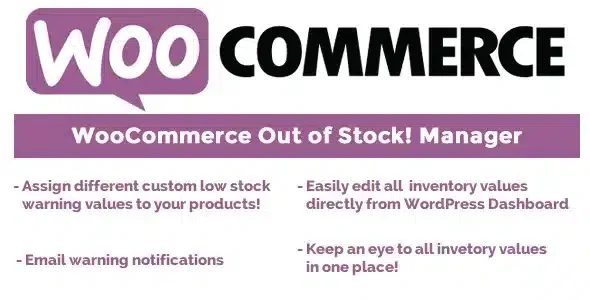
WooCommerce Out of Stock! Manager
Antivirus scan
Powered by ClamAV
✅ Verified clean
This product file has passed our security filters.
Want to run a fresh ClamAV scan right now? Takes a few seconds and shows scanner version, signature DB and live result.
This can take 5 to 30 seconds.
Clean file Threat detected
No threats detected in this file.
- File
- Size
- Scanned
- ClamAV
- Signature database
⚡ Powered by ClamAV
Scan could not be completed
Report product
If you detected an issue (broken file, malware, inappropriate content, etc.) let us know and we'll review it ASAP.
Sign in to reportNewer version out, or a problem?
About WooCommerce Out of Stock! Manager
A single low stock threshold for the whole catalog does not work
In a shop with hundreds of products, low stock rarely means the same thing for every item. A bestseller that sells out in two days needs an alert much earlier than a catalog piece that sells once a month. If the alert fires the same way for both, it either arrives too late for what matters or floods your inbox with false alarms.
Custom thresholds per product, variation or category
WooCommerce Out of Stock! Manager lets you create threshold rules: you assign a custom low stock warning value to a set of products, variations or categories. Products that don't match any rule use a default warning value that you set.
From the WordPress dashboard you can edit all inventory values, and a widget on the dashboard shows the items under their custom level or all stock-managed items, which speeds up editing and monitoring them.
If you sell in several languages with WPML, the texts shown on the product page (in stock, out of stock, above or under the custom stock level) are translated by switching language in the WPML selector.
What it needs to alert you and what it works with
It is a WooCommerce plugin, so it needs a shop running on WooCommerce. Alerts are triggered when an order is placed: after checkout, the plugin checks the stock left for the purchased items and notifies the administrator if any of them has reached its configured warning level.
Orders created by hand from the admin have a nuance: by default WooCommerce does not reduce stock in that case. For the alert to arrive, after adding the order line items you must select them, choose the Reduce line item stock option in the bottom dropdown and click the circle button. That step updates the stock and triggers the email.
Alerts go to the administrator email by default, but you can configure multiple recipients.
Frequently asked questions about WooCommerce Out of Stock! Manager
Can I set a different alert for each category?
Yes. Threshold rules can apply to products, variations or categories, and products that don't match any rule use the default value.
Can more than one person receive the alert?
Yes. By default the email goes to the administrator, but you can add several recipients.
Does it work for shops in several languages?
Yes, it is WPML compatible: the product page texts are translated by switching language in its selector.
Why don't I get the alert for a manual order?
Because WooCommerce does not reduce stock on manually created orders by default. Reduce the stock of its line items from the bottom dropdown so the value updates and the email is sent.
Topics
Version history
-
v
4.8 Current 8 Jan 2025
Customer reviews
Sign in to leave a review. Only people who have the product can review it.
No reviews for this product yet.
Frequently asked questions
-
GPL (General Public License) is the license under which WordPress and most premium plugins/themes are distributed. It grants you the right to use, modify and redistribute the software in as many projects as you want, with no domain restrictions.
-
Yes. With membership you get automatic updates via our GPLClub Updater plugin (installed on your WP, detects new versions and applies them). With individual purchase, you get one year of manual updates from your account.
-
Depends on the plan. Monthly: 3 domains. Semi-annual: 7. Annual and Lifetime: 15. Individual purchase: 1 domain.
-
GPLClub offers its own support for installation, configuration and compatibility. For direct support from the original author (feature requests, product-specific bugs), a license purchased from the author is required.