WooCommerce Product Catalog Mode & Enquiry Form
Antivirus scan
Powered by ClamAV
✅ Verified clean
This product file has passed our security filters.
Want to run a fresh ClamAV scan right now? Takes a few seconds and shows scanner version, signature DB and live result.
This can take 5 to 30 seconds.
Clean file Threat detected
No threats detected in this file.
- File
- Size
- Scanned
- ClamAV
- Signature database
⚡ Powered by ClamAV
Scan could not be completed
Report product
If you detected an issue (broken file, malware, inappropriate content, etc.) let us know and we'll review it ASAP.
Sign in to report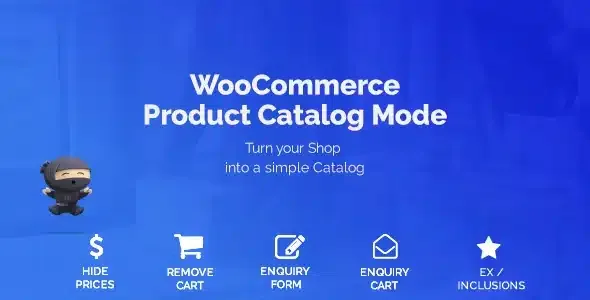
About WooCommerce Product Catalog Mode & Enquiry Form
Removing the buy button from a WooCommerce store seems simple until you have to do it properly: the price must disappear from the listing and the product page, and nobody should reach the cart by typing the address by hand.
If you sell by catalog (wholesale, made-to-order products, technical supplies), the price rarely closes the sale: the reply does. Once the cart is gone, the bottleneck becomes who answers the enquiries and how long it takes. This plugin gives you a storefront without direct purchase; the conversation with the customer is still your job.
Hide price and cart without dismantling the shop
WooCommerce Product Catalog Mode & Enquiry Form turns catalog mode on or off with a switch, and you decide how far it goes:
- It removes the add to cart button.
- It removes the price, with a forced removal option for themes that do not follow WooCommerce standards.
- It redirects the cart and checkout pages, so nobody gets in through the back door.
Who sees the catalog and what keeps selling
The mode can apply to all users, only to logged-in users or only to logged-out ones. That lets you run a storefront without purchase for visitors and keep the normal shop for another group, depending on how you set it up.
There are also exclusion lists by product and by category: if part of your range does sell online (accessories, samples, spare parts), you leave it out of catalog mode and it is bought as usual.
WooCommerce Product Catalog Mode & Enquiry Form: listing buttons and pop-up window
On category and archive pages, the buy button can be replaced with another one carrying the text you choose. That button leads to the product page or to a custom URL, with an option to choose how the link opens.
On the single product page you can add an enquiry button that opens a form in a pop-up window, with its own title. The demo includes a simple product, a variable product with variation selection and the admin panel so you can try it. There are also custom CSS and JavaScript fields to adjust the look.
The form needs a separate contact plugin
The plugin displays the form but does not build it. The real split of work:
- Already solved: hiding price and cart, replacing the button and opening the enquiry in a pop-up window.
- You cover it with another plugin: creating the contact form (for example with Contact Form 7) and pasting its shortcode into the settings.
- You cover it yourself: answering each enquiry, preparing quotes and organizing follow-up outside the plugin.
- You check it by hand: that your theme follows WooCommerce standards; if not, verify that the price really disappears in every view.
Common questions about Catalog Mode & Enquiry Form
Can I keep selling some products?
Yes. Add those products or categories to the exclusion list and they will keep their price and buy button.
Does it work with Contact Form 7?
You can add the shortcode of any contact form, Contact Form 7 included, so it appears in the enquiry window.
My theme still shows the price, what do I do?
Turn on forced price removal, designed for themes that do not meet WooCommerce standards, and check listings and product pages.
Can I send the listing button to another page?
Yes: on category and archive pages the button can go to the product page or to your own URL, with an option for the link target.
Topics
Version history
-
v
1.8.10 Current 18 Dec 2025
Customer reviews
Sign in to leave a review. Only people who have the product can review it.
No reviews for this product yet.
Frequently asked questions
-
GPL (General Public License) is the license under which WordPress and most premium plugins/themes are distributed. It grants you the right to use, modify and redistribute the software in as many projects as you want, with no domain restrictions.
-
Yes. With membership you get automatic updates via our GPLClub Updater plugin (installed on your WP, detects new versions and applies them). With individual purchase, you get one year of manual updates from your account.
-
Depends on the plan. Monthly: 3 domains. Semi-annual: 7. Annual and Lifetime: 15. Individual purchase: 1 domain.
-
GPLClub offers its own support for installation, configuration and compatibility. For direct support from the original author (feature requests, product-specific bugs), a license purchased from the author is required.