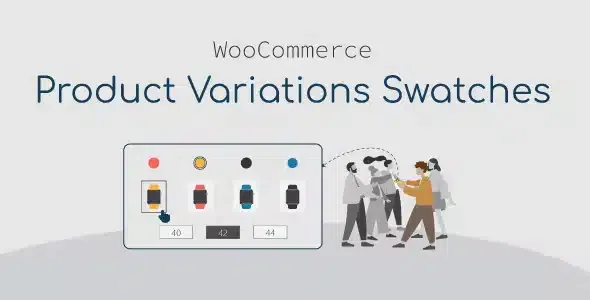
WooCommerce Product Variations Swatches
Antivirus scan
Powered by ClamAV
✅ Verified clean
This product file has passed our security filters.
Want to run a fresh ClamAV scan right now? Takes a few seconds and shows scanner version, signature DB and live result.
This can take 5 to 30 seconds.
Clean file Threat detected
No threats detected in this file.
- File
- Size
- Scanned
- ClamAV
- Signature database
⚡ Powered by ClamAV
Scan could not be completed
Report product
If you detected an issue (broken file, malware, inappropriate content, etc.) let us know and we'll review it ASAP.
Sign in to reportNewer version out, or a problem?
About WooCommerce Product Variations Swatches
Color, image or button swatches instead of a dropdown
Customers find it more comfortable to view variations as swatches, and it helps them buy more quickly. WooCommerce Product Variations Swatches turns the variations into visible swatches: once activated, the ones that were in a dropdown appear as swatches with a couple of clicks.
You can choose the swatch type among button, color, image, variation image, radio or select, and place them horizontally or vertically.
Global attributes and custom attributes by category
WooCommerce global attributes are configured from the plugin settings, with a search bar to find them quickly. For each one you decide the style, the swatch type, the visual profile and whether it appears in the product list. For terms with image or color you can edit the swatch directly.
Custom attributes have their own tab. You give them a name and choose the categories they apply to, so only products in those categories use that configuration.
Swatch profiles for each state and tooltip
Three swatch profiles come ready to use, and you can duplicate or remove them until you have the ones you need. Each profile is adjusted in three states: normal, hover and selected, with color, background, border and shadow. You can also customize the tooltip that appears when hovering over a swatch, with color, border, font size and position.
If your theme needs fine adjustments, the plugin lets you add custom CSS to design the swatches.
Swatches on the product page and in the shop listing
You can decide where the swatches appear:
- On the individual page of each product.
- In the product list.
The plugin also lets you show swatches on widgets and change the product image when switching attributes.
What to watch in the listing conditions field
To show swatches only on certain pages, the plugin uses WordPress conditional tags in a specific field. To process them it uses eval(), which can execute arbitrary PHP code, so only paste tags that have been validated or provided by trusted developers.
Frequently asked questions about WooCommerce Product Variations Swatches
Do I have to recreate my variations to make them appear as swatches?
No. When you activate the plugin, the variations that were shown in a dropdown are converted into swatches, and then you adjust each global or custom attribute.
Can I show swatches only in some categories?
Yes. With custom attributes you assign specific categories, and only products in those categories apply that configuration.
How many swatch profiles can I create?
Three come included, and you can duplicate or remove them to create as many as you need.
Do I need WooCommerce?
Yes. It is a WooCommerce plugin, so the store must have WooCommerce installed and active.
Topics
Version history
-
v
1.1.12 Current 20 Mar 2026
Customer reviews
Sign in to leave a review. Only people who have the product can review it.
No reviews for this product yet.
Frequently asked questions
-
GPL (General Public License) is the license under which WordPress and most premium plugins/themes are distributed. It grants you the right to use, modify and redistribute the software in as many projects as you want, with no domain restrictions.
-
Yes. With membership you get automatic updates via our GPLClub Updater plugin (installed on your WP, detects new versions and applies them). With individual purchase, you get one year of manual updates from your account.
-
Depends on the plan. Monthly: 3 domains. Semi-annual: 7. Annual and Lifetime: 15. Individual purchase: 1 domain.
-
GPLClub offers its own support for installation, configuration and compatibility. For direct support from the original author (feature requests, product-specific bugs), a license purchased from the author is required.