WooCommerce Store Catalog PDF Download
Antivirus scan
Powered by ClamAV
✅ Verified clean
This product file has passed our security filters.
Want to run a fresh ClamAV scan right now? Takes a few seconds and shows scanner version, signature DB and live result.
This can take 5 to 30 seconds.
Clean file Threat detected
No threats detected in this file.
- File
- Size
- Scanned
- ClamAV
- Signature database
⚡ Powered by ClamAV
Scan could not be completed
Report product
If you detected an issue (broken file, malware, inappropriate content, etc.) let us know and we'll review it ASAP.
Sign in to report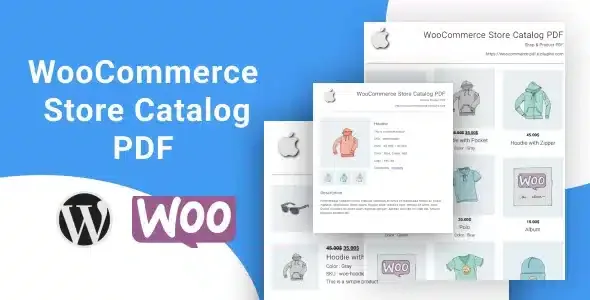
About WooCommerce Store Catalog PDF Download
A catalog that gets read far from your store
Many buyers don't decide in front of the screen where they found you: they print, forward the file to a partner, read it without signal or save it for when it's time to order. If your catalog only exists online and live, that decision gets made without you.
WooCommerce Store Catalog PDF Download lets the customer take away a PDF generated by WooCommerce with your products. A downloaded PDF is a snapshot: nobody updates it when your offer changes. That is why it matters that every product in the PDF carries a link back to your store, which connects the paper with what is actually on sale today.
List, grid or single sheet: what the PDF contains depends on the page
The PDF is generated dynamically from the product page the customer is looking at, and it can also come from a single product with all its details. These are the pieces:
- List layout: consecutive rows, built for reading and comparing.
- Grid layout: more visual, useful if your products sell through their images.
- Single product sheet: a PDF with the detail of one item, to save or print.
- Your own branding: custom logo, header and footer.
- A PDF you upload: a file covering the whole store that you offer in addition to the generated ones.
Now the limits. The layout options are those: list, grid and single sheet. The generated PDFs include names, prices, descriptions and images depending on the chosen layout. If you want an editorial catalog, with a cover and pages per collection, the way to go is to upload your own PDF, made in your design tool, and accept that you update it by hand. Also, the PDF reflects what that page shows: someone downloading from a category gets that category, not the whole store.
Questions before offering the download
Can I upload my own catalog PDF? Yes. In addition to the automatic options, you can upload a ready-made PDF of your entire store.
Does the PDF include details and images? It includes names, prices, descriptions and images, depending on the layout you choose.
Do the products in the PDF lead to my store? Yes. Each product included has a clickable link back to your online store.
Can I put the button outside the shop? Yes, with the shortcode that comes with the plugin you can show it on pages, posts or widgets.
The shortcode takes the download to where you already have visitors
The download button appears on the product archive pages, but not all the traffic that decides a purchase goes through there. With the shortcode you can place it on a wholesale terms page, in a post about a collection or in a sidebar widget. Think about which page someone reads when comparing suppliers and put the button there.
Test the download on several devices before announcing it
Before sending traffic, download a PDF yourself from your phone and from your computer, in different browsers and from several archive pages. Check that the logo, header and footer appear where you expect, that each product link opens the right page and that the texts appear in the language you want to show your customers. If you upload your own PDF, put a visible date on the cover: that way anyone who receives it weeks later knows how old it is and goes into the store to see what is current.
Topics
Version history
-
v
3.0.0 Current 3 Jul 2026
-
v
2.4.0 12 Nov 2025
Customer reviews
Sign in to leave a review. Only people who have the product can review it.
No reviews for this product yet.
Frequently asked questions
-
GPL (General Public License) is the license under which WordPress and most premium plugins/themes are distributed. It grants you the right to use, modify and redistribute the software in as many projects as you want, with no domain restrictions.
-
Yes. With membership you get automatic updates via our GPLClub Updater plugin (installed on your WP, detects new versions and applies them). With individual purchase, you get one year of manual updates from your account.
-
Depends on the plan. Monthly: 3 domains. Semi-annual: 7. Annual and Lifetime: 15. Individual purchase: 1 domain.
-
GPLClub offers its own support for installation, configuration and compatibility. For direct support from the original author (feature requests, product-specific bugs), a license purchased from the author is required.