WooCommerce Tabs Manager
Antivirus scan
Powered by ClamAV
✅ Verified clean
This product file has passed our security filters.
Want to run a fresh ClamAV scan right now? Takes a few seconds and shows scanner version, signature DB and live result.
This can take 5 to 30 seconds.
Clean file Threat detected
No threats detected in this file.
- File
- Size
- Scanned
- ClamAV
- Signature database
⚡ Powered by ClamAV
Scan could not be completed
Report product
If you detected an issue (broken file, malware, inappropriate content, etc.) let us know and we'll review it ASAP.
Sign in to report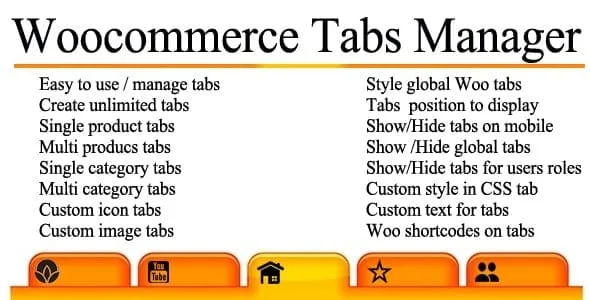
About WooCommerce Tabs Manager
The global tab that allows no exception
You create a Shipping tab, apply it to the whole shop and days later one product needs a different lead time. You open that product, look for the text and find it cannot be changed there: a global tab shows the same thing on every product where it appears, and Tab Manager for WooCommerce does not let you edit it for just one.
That rule is the key to the plugin. Your real work is deciding what is global, what depends on the category and what belongs to a single product, and it is worth deciding at the start, because the plugin has no import or export to redo the split in bulk later.
With that map settled, tabs are managed from the WordPress dashboard, with no filters, templates or theme changes.
Four kinds of tab and a default layout
- Core: reorder, remove or rename Description, Additional Information and Reviews.
- Global: shared across several products and can be limited to specific categories.
- Product-level: tabs of its own for a product, as many as you want.
- Third-party: detects and lets you sort most of those added by other plugins.
- Default layout: sets which tabs every product shows and in what order.
- Override per product: by ticking "override default tab layout," that product uses its own layout.
For the opening example there are two ways out: limit the global tab by category, or override that product's layout, remove the global tab and add a tab of its own.
Forms, videos and what site search finds
A tab accepts text, images and videos. Shortcodes are expanded inside its content, so you can embed a Gravity Forms pre-sale form or a YouTube video. Most work; some function only in the product description.
Tab content can also appear in site search. It is enabled under WooCommerce > Settings > Products > Tab Manager. With the feature on, the text in product tabs is always searchable; the text in global tabs is optional. The Update Products & Tabs button is there too; it updates the search data and normally runs once. It has built-in Relevanssi compatibility, and other search plugins need extra setup.
Four restrictions that shape the setup
- Third-party tabs: they can be sorted or hidden, but not renamed.
- Editor: the product edit screen has a simple HTML editor. The rich editor becomes available once the tab appears under WooCommerce > Tab Manager.
- Import: there is no built-in tool. Product tabs need a product import and export plugin.
- Known incompatibility: it should not be active alongside WordPress Post Type Switcher.
Building the tab map in your shop
It is a WooCommerce extension and needs it active. First make a list of your repeated texts, then follow these steps:
- Install and activate the extension from Plugins.
- Go to WooCommerce > Tab Manager and create the global tabs.
- Assign categories to those that do not apply to the whole shop.
- Build the default layout with those tabs and the core ones.
- Open a product, go to Product Data and add its own tabs.
- Enable search if you want it and run the product update.
Three tab plugins with a different split
YITH WooCommerce Tab Manager brings gallery, video, FAQ, contact, download and map tabs, and lets you hide a global tab on specific products. It does not import or export its content either.
WooCommerce Product Tab Pro offers eleven tab types, and a global tab can be disabled from the product edit screen.
In WPC Product Tabs, tabs can depend on the user role and, in its Premium version, overwrite the global tabs on a product or be added before or after them.
Common cases with Tab Manager
Can I change a global tab on a single product?
No. You have to override that product's layout and create a tab of its own with the different text.
Why is the Description tab not showing?
Check that it is in the default layout or the product's layout, and that the product has a description.
What do I do if a third-party tab disappears?
Give that plugin's developer the third-party compatibility section of the Tab Manager documentation, because the fix is made in their code.
Topics
Version history
-
v
1.16.6 Current 14 Oct 2026
-
v
1.16.5 9 Oct 2026
-
v
1.16.4 24 Jun 2026
-
v
1.16.3 14 Jan 2026
Customer reviews
Sign in to leave a review. Only people who have the product can review it.
No reviews for this product yet.
Frequently asked questions
-
GPL (General Public License) is the license under which WordPress and most premium plugins/themes are distributed. It grants you the right to use, modify and redistribute the software in as many projects as you want, with no domain restrictions.
-
Yes. With membership you get automatic updates via our GPLClub Updater plugin (installed on your WP, detects new versions and applies them). With individual purchase, you get one year of manual updates from your account.
-
Depends on the plan. Monthly: 3 domains. Semi-annual: 7. Annual and Lifetime: 15. Individual purchase: 1 domain.
-
GPLClub offers its own support for installation, configuration and compatibility. For direct support from the original author (feature requests, product-specific bugs), a license purchased from the author is required.