WooCommerce Two Factor Authentication
Antivirus scan
Powered by ClamAV
✅ Verified clean
This product file has passed our security filters.
Want to run a fresh ClamAV scan right now? Takes a few seconds and shows scanner version, signature DB and live result.
This can take 5 to 30 seconds.
Clean file Threat detected
No threats detected in this file.
- File
- Size
- Scanned
- ClamAV
- Signature database
⚡ Powered by ClamAV
Scan could not be completed
Report product
If you detected an issue (broken file, malware, inappropriate content, etc.) let us know and we'll review it ASAP.
Sign in to reportNewer version out, or a problem?
About WooCommerce Two Factor Authentication
Stores with customers who log in to their account and want a code by email
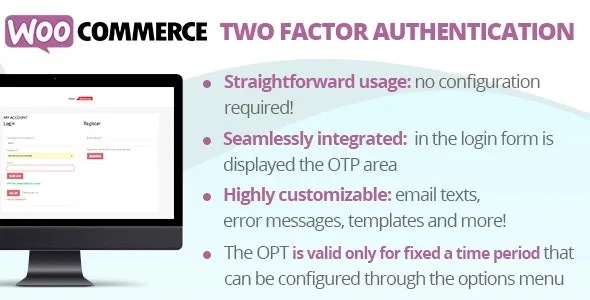
This plugin adds a second step to the login: the customer enters their username or email, requests a code and receives it in their inbox.
It needs WooCommerce active, because it works on its login page.
There are limits worth knowing. Any change to the login page made with third-party software may stop the plugin from working as you expect, and in that case restoring the original page is the answer.
What the customer sees when logging in with the WooCommerce Two Factor Authentication code
The login screen adds an OTP field and an «OTP send» button next to the username and password. The flow has four steps:
- The customer sees the OTP field and the button, and the login button stays hidden until the code is sent.
- They enter their username or email and press «OTP send»; the code arrives by email and the login button appears.
- They type the code.
- They continue with the login.
Since the code goes to the registered email, the security of each login also depends on that inbox staying in the hands of its owner. It helps if customers have an address they check regularly.
12-character code, expiry and three failed attempts
The code is a 12-character string generated at random. By default it expires after 5 minutes, and after 3 failed attempts it stops being valid. That attempt control stops brute force attacks, which try combinations one after another against an account.
All these parameters can be edited from the options menu, so you can adjust them to your store's risk level.
Messages, code length and validity controlled by the store
From the admin area you customize the subject and text of the code email, the error message and other texts. You also set the OTP length and how long it stays valid.
If your store works in several languages, the plugin supports WPML. Each text can be translated for every installed language.
Templates to adapt the code area to your theme
The code area can be adapted to your site's design. Templates are copied into your theme folder and edited there. wc-login-form.php is used on the WooCommerce login and wp-login-form.php on the WordPress login; both are in the templates/frontend folder of the plugin.
What happens with autologin after creating an account
By default, WooCommerce logs the customer in automatically after they create an account from «My account». The plugin can disable that autologin, so the customer must log in through the login page and use the code sent to their registered email.
The autologin that happens when registering at checkout cannot be disabled. If you want to avoid it, disable the create account option completely in WooCommerce > Settings > Accounts and Privacy.
Frequently asked questions about WooCommerce Two Factor Authentication
What happens if the code expires?
By default, after 5 minutes the code expires. The validity time can be changed from the plugin options.
How many attempts does the customer get?
Three by default. After three failed attempts, the code stops being valid.
Can I change the email text and the error message?
Yes. The subject, the email text, the error message and the code length are set in the admin area.
Does it work for multilingual stores?
Yes, since it supports WPML and each text can be translated for every installed language.
Topics
Version history
-
v
2.3 Current 17 Jun 2025
Customer reviews
Sign in to leave a review. Only people who have the product can review it.
No reviews for this product yet.
Frequently asked questions
-
GPL (General Public License) is the license under which WordPress and most premium plugins/themes are distributed. It grants you the right to use, modify and redistribute the software in as many projects as you want, with no domain restrictions.
-
Yes. With membership you get automatic updates via our GPLClub Updater plugin (installed on your WP, detects new versions and applies them). With individual purchase, you get one year of manual updates from your account.
-
Depends on the plan. Monthly: 3 domains. Semi-annual: 7. Annual and Lifetime: 15. Individual purchase: 1 domain.
-
GPLClub offers its own support for installation, configuration and compatibility. For direct support from the original author (feature requests, product-specific bugs), a license purchased from the author is required.