WooCommerce Variation Swatches Images
Antivirus scan
Powered by ClamAV
✅ Verified clean
This product file has passed our security filters.
Want to run a fresh ClamAV scan right now? Takes a few seconds and shows scanner version, signature DB and live result.
This can take 5 to 30 seconds.
Clean file Threat detected
No threats detected in this file.
- File
- Size
- Scanned
- ClamAV
- Signature database
⚡ Powered by ClamAV
Scan could not be completed
Report product
If you detected an issue (broken file, malware, inappropriate content, etc.) let us know and we'll review it ASAP.
Sign in to report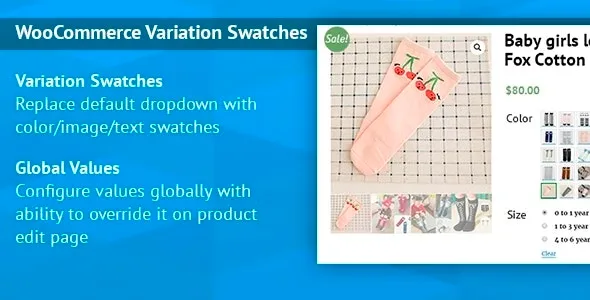
About WooCommerce Variation Swatches Images
A dropdown doesn't let you see the color you're buying
A list that says "Choose an option" forces the customer to imagine what "petrol blue" or a fabric print looks like. In stores with color, material or finish variations, that doubt often ends in an abandoned cart or a return because "it wasn't what I expected". WooCommerce Variation Swatches Images replaces that menu with swatches you can see before choosing.
It is designed for WooCommerce stores with variable products where appearance weighs on the decision.
Color, image or text swatches in WooCommerce Variation Swatches Images
For each attribute you decide how it is presented to the customer:
- Color: you pick the shade with a color picker or by typing the HEX value.
- Image: you upload a photo of the material, the print or the product itself.
- Text, radio buttons or a normal dropdown: useful for sizes or other attributes where a visual swatch adds nothing.
Swatches come in several sizes, from small to large, and you can show the option name underneath. Image swatches have a tooltip on mouse hover, which can be turned off with a constant in the code. The plugin works on mobile devices, which matters if a good part of your visits come from phones.
Global values or different swatches on each product
WooCommerce handles two types of attributes: global ones, which serve the whole store, and custom ones for a single product. The plugin works with both.
With global attributes you define the color or image once, under Products > Attributes, and it is reused on every product that uses that term. If you sell twenty garments in "red", the red is set up once. With custom attributes, the Swatches tab of each product lets you choose the type per attribute (no swatch, the global attribute's colors and images, your own colors and images, or radio buttons), the size and whether you want a label.
You have to prepare the swatch images yourself
The plugin changes how options are displayed; it doesn't create the visual material or the store logic. Here is how the work is split:
- Already solved: turning attributes into swatches, assigning a color or image to each term, choosing sizes and showing the option name.
- You prepare it: photographing or cropping each fabric, finish or print, and keeping a consistent visual style across swatches.
- You set it up in WooCommerce: the variations, their prices and their stock. Swatches only work on variable products, not on simple products.
- Check it in the demo: whether choosing a swatch changes the main product photo. If you need that behavior, verify it before counting on it.
A practical tip: an image swatch works better with a close-up of the texture than with a photo of the whole product, which can't be told apart at that size.
Questions before setting up WooCommerce Variation Swatches Images
Does it work for simple products?
No. Photo and color swatches are available only for variable products.
Can I use color on one product and image on another?
Yes. With global attributes each term has its own color or image, and with custom attributes you choose the type product by product.
Can I keep the dropdown for some attributes?
Yes. You can leave sizes as a dropdown or radio buttons and use swatches only for color.
Do I need to know how to code?
Only turning off the image tooltip requires adding a constant in the code.
Topics
Version history
-
v
1.0.10 Current 26 Aug 2024
Customer reviews
Sign in to leave a review. Only people who have the product can review it.
No reviews for this product yet.
Frequently asked questions
-
GPL (General Public License) is the license under which WordPress and most premium plugins/themes are distributed. It grants you the right to use, modify and redistribute the software in as many projects as you want, with no domain restrictions.
-
Yes. With membership you get automatic updates via our GPLClub Updater plugin (installed on your WP, detects new versions and applies them). With individual purchase, you get one year of manual updates from your account.
-
Depends on the plan. Monthly: 3 domains. Semi-annual: 7. Annual and Lifetime: 15. Individual purchase: 1 domain.
-
GPLClub offers its own support for installation, configuration and compatibility. For direct support from the original author (feature requests, product-specific bugs), a license purchased from the author is required.