WooCommerce Zapier
Antivirus scan
Powered by ClamAV
✅ Verified clean
This product file has passed our security filters.
Want to run a fresh ClamAV scan right now? Takes a few seconds and shows scanner version, signature DB and live result.
This can take 5 to 30 seconds.
Clean file Threat detected
No threats detected in this file.
- File
- Size
- Scanned
- ClamAV
- Signature database
⚡ Powered by ClamAV
Scan could not be completed
Report product
If you detected an issue (broken file, malware, inappropriate content, etc.) let us know and we'll review it ASAP.
Sign in to report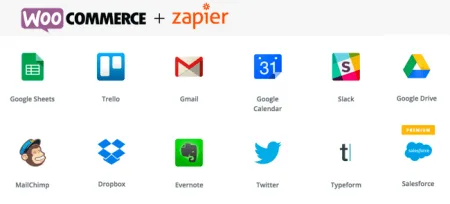
About WooCommerce Zapier
Copying orders by hand between tools is work nobody keeps track of
Every new order ends up in a spreadsheet, in the CRM, in a team alert and on an invoice, and almost always someone copies it by hand. That works while you sell little. Once volume grows, you get duplicated data, untagged customers and alerts that arrive late. WooCommerce Zapier sends those store events to Zapier, and from there to other apps, without writing code.
Which events in your store can start an automation
In Zapier each automation is called a Zap and starts with a trigger: something that happens in your store. With WooCommerce Zapier you can use, among others:
- Orders: created, paid, updated, deleted, restored or with a status change.
- Products and variations: created, updated, with a stock status change or with low stock.
- Customers and coupons: created, updated or deleted.
- Order notes: created or deleted.
A useful example: a new customer generates a unique coupon and Gmail sends it to them. Another: a new order adds the buyer to your MailChimp list. You set it up once and it repeats on its own.
Zapier can also write to your store, not just read from it
The connection works in both directions for orders, order notes, coupons, customers and products with their variations. From a Zap you can create, find and update that data. For products there are also specific actions to change the price or the stock quantity. That lets, for example, a spreadsheet with your inventory update the store, or an external form create a customer.
If you use WooCommerce Subscriptions, Memberships or Bookings, you can also fire triggers from subscriptions (for example, a failed renewal) and from memberships. Bookings only work one way: they send data to Zapier, but you cannot create or modify bookings from a Zap.
What to decide before choosing WooCommerce Zapier
It is a connector, not a marketing or accounting tool on its own. All the value depends on the apps you link it to and the Zaps you design. You need a Zapier account, free or paid. It is worth checking your account limits before building flows for every order.
Do I need to know how to code?
No. Zaps are built from the Zapier interface, with ready-made templates. There are advanced options for those who want to go further.
Does it work with other WooCommerce extensions?
Yes, it is compatible with Subscriptions, Bookings, Memberships, Groups, Pre-Orders, Order Status Manager, URL Coupons and Sequential Order Numbers Pro, among others. It also works with High-Performance Order Storage (HPOS) and with the Cart and Checkout blocks.
What does it not do?
It does not create bookings or membership plans from a Zap (plans can only be searched), and it does not replace your CRM or your invoicing software: it passes data to them. It also does not work without WooCommerce or without the Zapier account.
Is the data sent securely?
Store data is sent to Zapier over an encrypted connection. You can also filter notifications so they reach only specific users, groups or teams.
Topics
Version history
-
v
2.22.0 Current 31 Jul 2026
-
v
2.20.0 17 Apr 2026
Customer reviews
Sign in to leave a review. Only people who have the product can review it.
No reviews for this product yet.
Frequently asked questions
-
GPL (General Public License) is the license under which WordPress and most premium plugins/themes are distributed. It grants you the right to use, modify and redistribute the software in as many projects as you want, with no domain restrictions.
-
Yes. With membership you get automatic updates via our GPLClub Updater plugin (installed on your WP, detects new versions and applies them). With individual purchase, you get one year of manual updates from your account.
-
Depends on the plan. Monthly: 3 domains. Semi-annual: 7. Annual and Lifetime: 15. Individual purchase: 1 domain.
-
GPLClub offers its own support for installation, configuration and compatibility. For direct support from the original author (feature requests, product-specific bugs), a license purchased from the author is required.