Wordpress Multisite Sync
Antivirus scan
Powered by ClamAV
✅ Verified clean
This product file has passed our security filters.
Want to run a fresh ClamAV scan right now? Takes a few seconds and shows scanner version, signature DB and live result.
This can take 5 to 30 seconds.
Clean file Threat detected
No threats detected in this file.
- File
- Size
- Scanned
- ClamAV
- Signature database
⚡ Powered by ClamAV
Scan could not be completed
Report product
If you detected an issue (broken file, malware, inappropriate content, etc.) let us know and we'll review it ASAP.
Sign in to report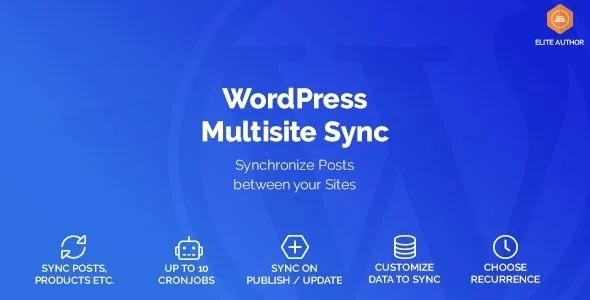
About Wordpress Multisite Sync
If you run a main store and several sister stores inside the same network
Keeping the same catalog or content across several sites of a multisite ends up as copy and paste, products that differ from one site to another, and nobody knowing which version is the right one. This plugin is built for that scenario: one source site and one or more destinations that receive its content through cronjobs.
It suits someone who has, for example, one store per country or per brand sharing a large part of the catalog. It is not for you if you want any of the following:
- Syncing sites that are not in the same WordPress Multisite installation: a multisite network is a requirement.
- Copying the entire media library: the Attachments content type is not available for syncing.
- Editing in several sites at once and expecting everything to merge: you pick a source and copy from it.
More than ten cronjobs, each with its own rule
Wordpress Multisite Sync does not work with a single global setting. You can create more than ten cronjobs and configure each one separately.
Cronjobs run on their own, so you do not depend on remembering to start the copy. If you need to get ahead (you have just changed prices or loaded new products), you can also run any of them manually.
What gets copied from a WooCommerce product
The sync covers WordPress content types and also WooCommerce products. For products, you decide the filter:
- Product type you want to copy.
- Product status, so you do not move drafts if you only want what is published.
- The specific data that travels to the destination site.
It also copies the featured image and the gallery images.
One source, several destinations and a limit with images
In each cronjob you choose the source site and one or more destination sites. Before using it in production, test in the demo or on a staging environment what happens with a product that already exists in the destination and that someone has edited there.
About images: product images (featured and gallery) are copied, but syncing the Attachments type as its own content is not available. Do not use it to replicate a whole media library.
Questions before setting up your network with Wordpress Multisite Sync
Does it work on a regular WordPress, without multisite?
No. It requires a WordPress Multisite installation, because it syncs between sites of the same network.
Can I send the same content to several sites at once?
Yes. Each cronjob supports one source site and several destination sites.
Do I have to start the copy myself?
No: cronjobs run automatically. You can run them manually whenever you want to force a copy.
Can I copy only published products?
Yes, you can choose the product status, in addition to the product type and the data that gets copied.
Does it sync file attachments?
Not as a content type. It does copy the featured image and the gallery of products.
Version history
-
v
1.1.15 Current 8 Jan 2025
Customer reviews
Sign in to leave a review. Only people who have the product can review it.
No reviews for this product yet.
Frequently asked questions
-
GPL (General Public License) is the license under which WordPress and most premium plugins/themes are distributed. It grants you the right to use, modify and redistribute the software in as many projects as you want, with no domain restrictions.
-
Yes. With membership you get automatic updates via our GPLClub Updater plugin (installed on your WP, detects new versions and applies them). With individual purchase, you get one year of manual updates from your account.
-
Depends on the plan. Monthly: 3 domains. Semi-annual: 7. Annual and Lifetime: 15. Individual purchase: 1 domain.
-
GPLClub offers its own support for installation, configuration and compatibility. For direct support from the original author (feature requests, product-specific bugs), a license purchased from the author is required.