WordPress Restrict Email Domains
Antivirus scan
Powered by ClamAV
✅ Verified clean
This product file has passed our security filters.
Want to run a fresh ClamAV scan right now? Takes a few seconds and shows scanner version, signature DB and live result.
This can take 5 to 30 seconds.
Clean file Threat detected
No threats detected in this file.
- File
- Size
- Scanned
- ClamAV
- Signature database
⚡ Powered by ClamAV
Scan could not be completed
Report product
If you detected an issue (broken file, malware, inappropriate content, etc.) let us know and we'll review it ASAP.
Sign in to reportNewer version out, or a problem?
About WordPress Restrict Email Domains
Sign-ups from anyone on a site that should only open to a few people
On an intranet, a school or a corporate network, letting anyone register usually ends in accounts that should not exist and an inbox full of spam. The problem arrives before the person has access, so it makes sense to filter in the sign-up form itself. WordPress Restrict Email Domains does that filtering based on the email address the person uses to register.
Rules by domain, extension or email with WordPress Restrict Email Domains
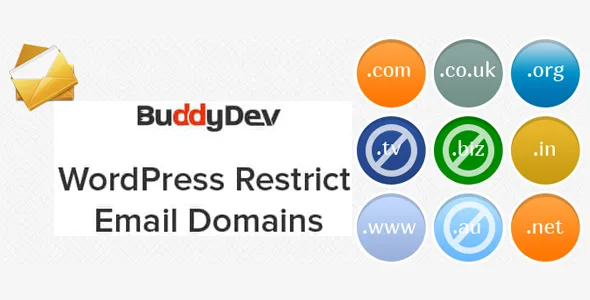
You can allow registrations in three ways. With a domain name, such as example.com, only people with that address can join. With an extension, such as .edu, every email ending in it gets through. And with exact addresses, such as [email protected], you can let in specific people even if they do not share a domain.
All rules are set in the plugin's admin panel. Regular expressions give plenty of flexibility if you need finer combinations than the simple cases.
Where it filters sign-ups: WordPress, BuddyPress and other forms
The filter works on WordPress sign-up, on Multisite networks and on BuddyPress and BuddyBoss Platform. It also covers these registration plugins:
- WooCommerce, only for customers with allowed domains
- Paid Memberships Pro, WP Members, UsersWP and Ultimate Member
- Elementor Essential Addons, Login/Signup Popup, User Registration and Easy Digital Downloads
Only filters new sign-ups, and each integration needs its own plugin
The filter acts on new registrations. Each integration depends on its matching registration plugin, so WooCommerce, Paid Memberships Pro or Ultimate Member must be installed for their form to be covered.
In the settings, enter one entry per line, with no commas and in lowercase. Email matching ignores capital letters, but the domains you save must be lowercase.
Frequently asked questions about WordPress Restrict Email Domains
Can I allow only my company's domain?
Yes. Enter your network's domain name in the settings and only emails from that domain can register.
Does it work for schools that use .edu?
Yes. If you enter .edu, only emails ending in that extension are accepted.
Does it help against spam?
Yes, the plugin also helps fight spam in registrations.
Can I change the error message?
Yes. From the admin options you can update the list of allowed domains and the error message.
Intranets, schools and corporate networks: where it fits best
The plugin is designed for intranets, educational institutions and corporate networks, and for any site where you do not want everyone to register. If your community uses BuddyPress, WordPress or WooCommerce, the plugin lets you limit registrations on those sites.
Before choosing it, confirm which registration form you use and compare it with the list of integrations in this listing, so you know in advance whether your case is covered.
Topics
Version history
-
v
1.2.3 Current 30 Jun 2025
Customer reviews
Sign in to leave a review. Only people who have the product can review it.
No reviews for this product yet.
Frequently asked questions
-
GPL (General Public License) is the license under which WordPress and most premium plugins/themes are distributed. It grants you the right to use, modify and redistribute the software in as many projects as you want, with no domain restrictions.
-
Yes. With membership you get automatic updates via our GPLClub Updater plugin (installed on your WP, detects new versions and applies them). With individual purchase, you get one year of manual updates from your account.
-
Depends on the plan. Monthly: 3 domains. Semi-annual: 7. Annual and Lifetime: 15. Individual purchase: 1 domain.
-
GPLClub offers its own support for installation, configuration and compatibility. For direct support from the original author (feature requests, product-specific bugs), a license purchased from the author is required.