WP File Download Addon
Antivirus scan
Powered by ClamAV
✅ Verified clean
This product file has passed our security filters.
Want to run a fresh ClamAV scan right now? Takes a few seconds and shows scanner version, signature DB and live result.
This can take 5 to 30 seconds.
Clean file Threat detected
No threats detected in this file.
- File
- Size
- Scanned
- ClamAV
- Signature database
⚡ Powered by ClamAV
Scan could not be completed
Report product
If you detected an issue (broken file, malware, inappropriate content, etc.) let us know and we'll review it ASAP.
Sign in to report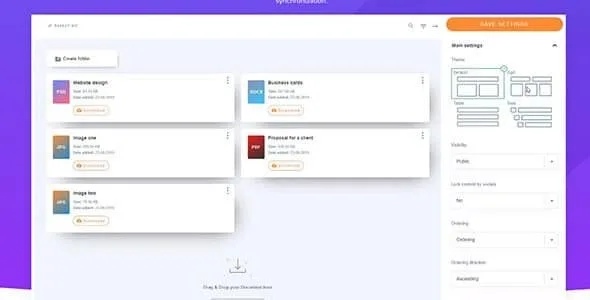
About WP File Download Addon
Your documents live in Drive, but your website can't see them
If your manuals, price lists or reports are already in Google Drive, publishing them on WordPress usually ends up as hand-uploaded copies that go out of date, or loose Drive links with no order and no look of your site.
WP File Download Addon is the add-on that connects Google Drive to WP File Download, the download manager from JoomUnited. The idea is that Drive is where the files live and WordPress is the shop window. And here is something almost nobody mentions: in many businesses the problem is not the download, but who keeps the list up to date. If updating depends on a single person with access to the admin panel, old documents stay published for weeks.
What WP File Download Addon adds to the base plugin and where it stops
The base plugin organizes files into categories created by dragging and dropping, and lets you insert a whole category or a single file into your content. It offers responsive themes to present them, navigation without reloading the page and file URLs designed for SEO. The add-on adds Google Drive as the source of those files. It helps to be clear about its limits:
- It needs WP File Download installed: on its own it does nothing.
- Your download catalog comes to depend on a Google account. If that account changes or is closed, you will notice it on your site.
- How it behaves with very large folders or many new files at once is something you should test with your own documents before taking it for granted.
Frequently asked questions before you decide
Does it work without WP File Download? No. It is an add-on and works on top of the base plugin.
Can I show the files on a specific page? Yes. From the base plugin you insert a whole category or a single file into the content.
Can I change how the list looks? The base plugin includes responsive themes for presenting downloads, and you can pick the one that fits your site best.
Is it meant for image galleries? That is not its purpose: it is designed for documents and downloads. JoomUnited has another plugin, WP Media Folder, with its own integration for the media library.
Connect Google Drive once WP File Download already shows a test category
The sensible approach is to install the base plugin first, create a category with a couple of files and insert it into a test page. That way you know the WordPress side works and that you like the presentation theme.
Then add the add-on and connect a small Drive folder, not your whole archive. Check how it appears on the page, what happens when you add or remove a document and whether the person who maintains the files understands the workflow. Once that is sorted, you can move over the rest of your folders.
Version history
-
v
4.8.10 Current 4 Jun 2026
-
v
4.8.8 4 Feb 2026
Customer reviews
Sign in to leave a review. Only people who have the product can review it.
No reviews for this product yet.
Frequently asked questions
-
GPL (General Public License) is the license under which WordPress and most premium plugins/themes are distributed. It grants you the right to use, modify and redistribute the software in as many projects as you want, with no domain restrictions.
-
Yes. With membership you get automatic updates via our GPLClub Updater plugin (installed on your WP, detects new versions and applies them). With individual purchase, you get one year of manual updates from your account.
-
Depends on the plan. Monthly: 3 domains. Semi-annual: 7. Annual and Lifetime: 15. Individual purchase: 1 domain.
-
GPLClub offers its own support for installation, configuration and compatibility. For direct support from the original author (feature requests, product-specific bugs), a license purchased from the author is required.