WPForms Form Templates Pack Addon
Antivirus scan
Powered by ClamAV
✅ Verified clean
This product file has passed our security filters.
Want to run a fresh ClamAV scan right now? Takes a few seconds and shows scanner version, signature DB and live result.
This can take 5 to 30 seconds.
Clean file Threat detected
No threats detected in this file.
- File
- Size
- Scanned
- ClamAV
- Signature database
⚡ Powered by ClamAV
Scan could not be completed
Report product
If you detected an issue (broken file, malware, inappropriate content, etc.) let us know and we'll review it ASAP.
Sign in to report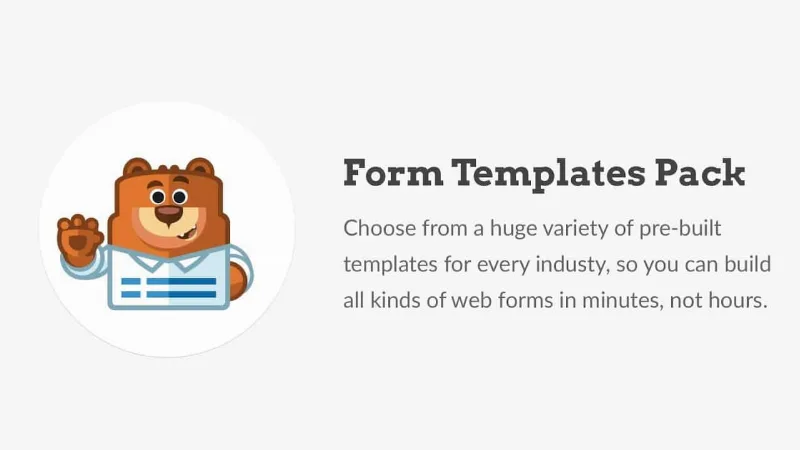
About WPForms Form Templates Pack Addon
A form's work begins when someone presses submit
You need sign-ups for next week's event. You pick a template, change two labels, publish and it works. A few days later someone asks why nobody replied, and it turns out the alerts were going to an inbox nobody checks and the final message was still the generic one.
A template hands you what shows on the form; what happens after it is submitted, who finds out and what the person who filled it in reads, is still your decision. That is the real value and the limit of any template collection: it saves you thinking up the fields, not the process.
WPForms Form Templates Pack adds 100 templates to the WPForms builder. Before installing it, check your version: from WPForms 1.6.8 the templates live inside WPForms itself and this addon is no longer needed.
One hundred starting points for older versions
The pack adds templates for everyday situations in a business or an organization. Some of them:
- People and team: employee referral and volunteer recruitment.
- Customers: support tickets, testimonials and file uploads.
- Events and spaces: RSVP, contest entry and meeting room registration.
- Orders and money: t-shirt orders and general donations.
They work just like the built-in templates: you pick one and add or remove fields in the drag-and-drop builder.
Which WPForms version you have, and what to do in each case
- Earlier than 1.6.8: this is where the addon makes sense; it was launched for the Pro and Ultimate plans.
- 1.6.8 or later: you do not need it. The addon deactivates when you update to that version and you can delete it, because the templates open in the builder with nothing else.
With a current WPForms, the library exceeds 2,100 templates and some advanced ones require WPForms Pro. If you update later on, you do not lose access to templates: they move to that built-in library.
Four settings no template decides for you
- The fields: remove what you will not use. A template asks for what its author had in mind for a general case, and each field you inherit is a question you did not choose.
- The notification: change the recipient, add copies if needed and write the alert in your own words or with smart tags. WPForms supports several notifications per form.
- The confirmation: show your own message or send people to another page. Say what happens now and how soon you will reply.
- The submit button: change the text and color to fit your site and what happens when it is pressed.
When you land on a setup that works, save it: WPForms lets you turn an existing form into your own template, and over time that collection may serve you better than any pack.
How to reach your template in each case
On a version earlier than 1.6.8, install and activate the addon and choose the template when creating a form. With a current WPForms there is nothing to install and the path is this:
- Go to WPForms, Form Templates, in the WordPress admin.
- Search by keyword or field name, or filter by category.
- Press View Demo to see the template working.
- Press Create Form to open it in the builder. From Add New, that button is called Use Template.
- Review fields, notification, confirmation and button, and send a test entry.
WPForms Pro, Form Locker and WS Form
The base is WPForms Pro, the builder where these templates are edited. WPForms Form Locker adds access control, with password, logged-in users and entry limits, useful when a sign-up template has limited places. If your site calls for conditional logic and real-time validation outside WPForms, WS Form PRO is another builder in the catalog with those features.
Five clarifications about the pack
Do I need it with a recent WPForms?
No. From version 1.6.8 the templates are in the builder with no addon.
What happens if I have it installed and update?
It deactivates when you move to 1.6.8 and you can delete it without losing access to templates.
How many templates does it add?
100. The current WPForms library exceeds 2,100.
Can I change a template after using it?
Yes. It is a normal form: you add, remove or move fields in the builder.
Can I save my own templates?
Yes, WPForms lets you create templates from existing forms to reuse them.
Topics
Version history
-
v
1.2.2 Current 8 Jan 2025
Customer reviews
Sign in to leave a review. Only people who have the product can review it.
No reviews for this product yet.
Frequently asked questions
-
GPL (General Public License) is the license under which WordPress and most premium plugins/themes are distributed. It grants you the right to use, modify and redistribute the software in as many projects as you want, with no domain restrictions.
-
Yes. With membership you get automatic updates via our GPLClub Updater plugin (installed on your WP, detects new versions and applies them). With individual purchase, you get one year of manual updates from your account.
-
Depends on the plan. Monthly: 3 domains. Semi-annual: 7. Annual and Lifetime: 15. Individual purchase: 1 domain.
-
GPLClub offers its own support for installation, configuration and compatibility. For direct support from the original author (feature requests, product-specific bugs), a license purchased from the author is required.