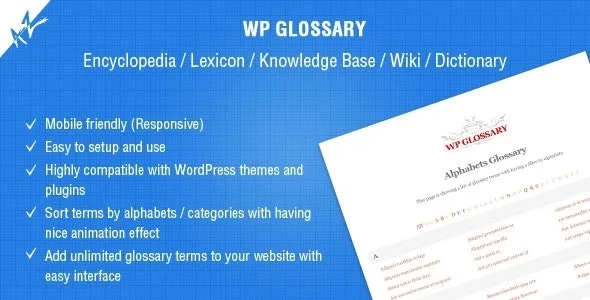
WP Glossary - Encyclopedia / Lexicon / Knowledge Base / Wiki / Dictionary
Antivirus scan
Powered by ClamAV
✅ Verified clean
This product file has passed our security filters.
Want to run a fresh ClamAV scan right now? Takes a few seconds and shows scanner version, signature DB and live result.
This can take 5 to 30 seconds.
Clean file Threat detected
No threats detected in this file.
- File
- Size
- Scanned
- ClamAV
- Signature database
⚡ Powered by ClamAV
Scan could not be completed
Report product
If you detected an issue (broken file, malware, inappropriate content, etc.) let us know and we'll review it ASAP.
Sign in to reportNewer version out, or a problem?
About WP Glossary - Encyclopedia / Lexicon / Knowledge Base / Wiki / Dictionary
A glossary the reader understands without leaving the page
WP Glossary starts from one simple idea: the reader understands each term without leaving the page.
How WP Glossary links each term in your content
You start by creating each term in a full editor, because the plugin works on its own custom post type. If you already have a post type, you can use it instead of the plugin's default one. From then on, automatic linking searches your content for those terms and turns them into links to their definition. You can adjust where and how this happens:
- Which content types trigger it and in which sections: article text, excerpts, category descriptions, text widgets and comments.
- Turning it off on the home page or on a specific page or post, without touching the rest of the site.
- Adding synonyms or tags so that variants of a term are linked too.
- Making matching case-sensitive.
- Excluding specific HTML tags or a particular term.
- Limiting how many times each term is linked, across the full page or only per section.
If you do not want clickable links, you can disable them and keep the terms highlighted without a link.
Common questions about WP Glossary when linking terms
Can I use WP Glossary with a post type I already have?
Yes. Instead of the plugin's default post type, you can choose any existing post type on your site to store the terms.
Are all occurrences of a term linked?
You can set a maximum number of links per term and decide whether that limit applies to the whole page or only to each section.
Does it work for a glossary in languages that do not use the Latin alphabet?
Yes. You can define custom filter letters and alphabets, for example for Hebrew, Greek or Cyrillic, and all the plugin's strings can be translated.
Does it work with multilingual sites?
It is compatible with WPML and Polylang, so you can keep the glossary in several languages.
What the reader sees when hovering over a term
When the mouse hovers over a linked term, a pop-up window appears with its definition, without leaving the page. There are several tooltip styles to choose from, and you can show or hide the term title inside the window. Tooltips also support keyboard use and screen readers. If you do not want them on the index or on a specific page, you can turn them off there.
A term index the reader can browse from A to Z
With a shortcode you place the glossary index on any page or post. Terms are filtered by letter or category with a smooth animation, and a search box responds while the reader types. You can choose between one and five columns, hide empty letters and categories, change the label of the all button and add a link back to the index from each definition. It adapts to mobile and touch screens.
The term slug can be customized to fit your SEO keyword. If you want an entry to be left off the index, you can exclude it.
Version history
-
v
2.6 Current 13 May 2024
Customer reviews
Sign in to leave a review. Only people who have the product can review it.
No reviews for this product yet.
Frequently asked questions
-
GPL (General Public License) is the license under which WordPress and most premium plugins/themes are distributed. It grants you the right to use, modify and redistribute the software in as many projects as you want, with no domain restrictions.
-
Yes. With membership you get automatic updates via our GPLClub Updater plugin (installed on your WP, detects new versions and applies them). With individual purchase, you get one year of manual updates from your account.
-
Depends on the plan. Monthly: 3 domains. Semi-annual: 7. Annual and Lifetime: 15. Individual purchase: 1 domain.
-
GPLClub offers its own support for installation, configuration and compatibility. For direct support from the original author (feature requests, product-specific bugs), a license purchased from the author is required.