WP Posts & WC Products Restrict Access / Scheduler
Antivirus scan
Powered by ClamAV
✅ Verified clean
This product file has passed our security filters.
Want to run a fresh ClamAV scan right now? Takes a few seconds and shows scanner version, signature DB and live result.
This can take 5 to 30 seconds.
Clean file Threat detected
No threats detected in this file.
- File
- Size
- Scanned
- ClamAV
- Signature database
⚡ Powered by ClamAV
Scan could not be completed
Report product
If you detected an issue (broken file, malware, inappropriate content, etc.) let us know and we'll review it ASAP.
Sign in to report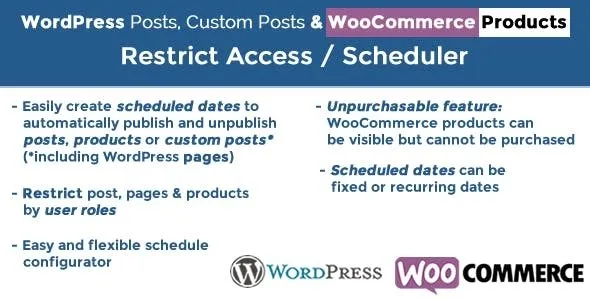
About WP Posts & WC Products Restrict Access / Scheduler
Outside opening hours, does the product vanish or just stop selling?
You take orders from 09:00 to 18:00 and you do not work on December 25. Outside those times someone reaches your product from a link they were sent. Ordinary scheduling only knows how to publish and unpublish, so that person finds the page gone.
Those are two different business decisions. Pulling a product tells the visitor it no longer exists; leaving it visible but not for sale tells them to come back later.
WP Posts & WC Products Restrict Access / Scheduler provides that third position. Its date rules publish, unpublish or restrict by role posts, pages, other content types and WooCommerce products, and for products they add the Unpurchasable status: visible, but impossible to add to the cart.
The parts of a scheduling rule
- Several dates per rule, each with its status: published or unpublished, and for products also Unpurchasable.
- Days of the week or month, months, and start and end hours with minutes.
- Week of the year as a scheduling criterion.
- Counting from the publish date of each item.
- Unmatched periods: you can invert the status for the remaining hours, as with a product published between 09:00 and 18:00 and pulled the rest of the day.
A rule is assigned directly to specific items or to a set of categories. It can also apply to everything except the selection, and extend to child categories. The same content accepts several rules, and the Scheduling rule(s) column shows in the lists which ones each item carries.
Three uses that change what each visitor sees
- A store with opening hours: products available each day in a time slot and pulled on set dates.
- Posts by day: a post available only on certain days of the week.
- Pages for logged-in users: restricting the shop, cart and checkout from anyone who is not logged in.
For restrictions, each period can also filter by user role. If you restrict by role, you can redirect to a page. To block people who are not logged in, you just select at least one role in the user role section.
How the Unpurchasable status behaves
During the marked period, the product stays in view and loses its add to cart button. You can show two different messages, one on the product page and one in the shop, and that is where you explain when it returns. When the period ends you choose whether the product moves to Purchasable or Unpublished.
Theme, clashing plugins and your first rule
Three points affect the Unpurchasable status:
- Theme: it must correctly use woocommerce_after_single_product, woocommerce_loop_add_to_cart_link and woocommerce_single_product_summary. Otherwise the plugin cannot remove the button.
- WooCommerce Availability Scheduler: if it is active, Unpurchasable does not work.
- Measurement Price Calculator: this feature is not compatible with it.
To get started, follow this order:
- Install the plugin and check those points on a copy of the site.
- Create a named rule and choose whether it applies to posts or products.
- Add its dates and the status of each one.
- Assign it to items or categories.
- Review the result as a logged-out visitor and with each affected role.
Three neighboring approaches in the catalog
If your concern is organizing and spreading an editorial calendar, SchedulePress Pro offers a visual calendar and automatic social sharing.
To control who sees prices and who can buy without relying on dates, WooCommerce Catalog Visibility Options hides prices and manages purchasing options by users, roles and locations.
If access is tied to a fee, Paid Member Subscriptions Pro charges on a recurring basis and decides what each member sees.
Questions about rules and restrictions
Does it work for pages and content from other plugins?
Yes. It covers WordPress pages, bbPress posts and other third-party custom content types.
Can it apply to a whole category?
Yes, and also to its child categories or to everything except your selection.
Does it show a countdown?
A countdown is not among its features. What it offers are the two Unpurchasable messages.
What happens to the publish date?
When a rule publishes an item, its publish date is updated with the rule's start time.
Topics
Version history
-
v
5.5 Current 30 May 2024
Customer reviews
Sign in to leave a review. Only people who have the product can review it.
No reviews for this product yet.
Frequently asked questions
-
GPL (General Public License) is the license under which WordPress and most premium plugins/themes are distributed. It grants you the right to use, modify and redistribute the software in as many projects as you want, with no domain restrictions.
-
Yes. With membership you get automatic updates via our GPLClub Updater plugin (installed on your WP, detects new versions and applies them). With individual purchase, you get one year of manual updates from your account.
-
Depends on the plan. Monthly: 3 domains. Semi-annual: 7. Annual and Lifetime: 15. Individual purchase: 1 domain.
-
GPLClub offers its own support for installation, configuration and compatibility. For direct support from the original author (feature requests, product-specific bugs), a license purchased from the author is required.