WPDM - Accordion
Antivirus scan
Powered by ClamAV
✅ Verified clean
This product file has passed our security filters.
Want to run a fresh ClamAV scan right now? Takes a few seconds and shows scanner version, signature DB and live result.
This can take 5 to 30 seconds.
Clean file Threat detected
No threats detected in this file.
- File
- Size
- Scanned
- ClamAV
- Signature database
⚡ Powered by ClamAV
Scan could not be completed
Report product
If you detected an issue (broken file, malware, inappropriate content, etc.) let us know and we'll review it ASAP.
Sign in to reportNewer version out, or a problem?
About WPDM - Accordion
For sites with downloads spread across many categories
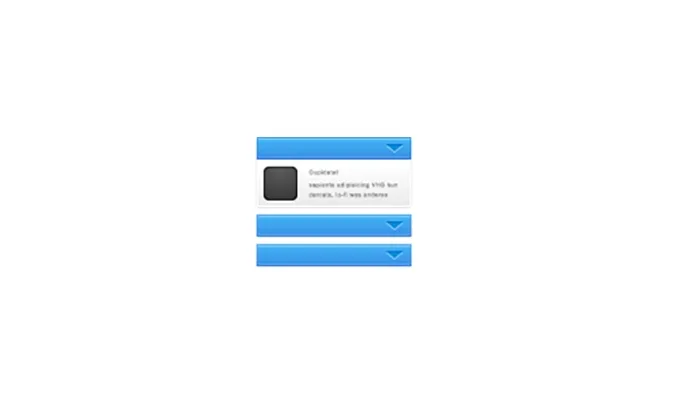
As a document library grows, the download page turns into an endless list of links: meeting minutes, forms and manuals mixed in a single column, and visitors end up scrolling without knowing where to find what they need. An accordion fixes that because each category opens where the visitor needs it and only takes up space when it is expanded.
It is for anyone who already has their files organized into categories and packages inside WordPress Download Manager, because the accordion is built directly on that structure. It needs WordPress Download Manager installed and active, since it is an add-on for it.
Subcategories that load when opened and can be browsed by keyboard
Subcategories and packages load with AJAX only when someone expands their level, so the initial page stays fast. Category hierarchies turn into nested accordions automatically.
Expanding and collapsing use smooth transitions, with an animated chevron. For accessibility it includes ARIA attributes such as aria-expanded and aria-controls, and it lets you navigate with the arrow keys, Home, End, Enter and Space.
Shortcode or editor block: what each parameter controls
You can insert the accordion with the Gutenberg block, by searching Accordion in the inserter, or with the shortcode [wpdm-accordion]. The block shows a preview with real styling inside the editor and offers sidebar controls for category, template, order and direction. With the shortcode, each parameter decides something specific:
- cats: IDs or slugs of categories separated by commas. If you leave it empty, all top-level categories appear.
- template: the link template used to display the packages, for example link-template-panel.php.
- orderby: the criterion for sorting packages, whether title, date, last modified, number of downloads, size or views.
- order: asc for ascending or desc for descending.
You can place several accordions on the same page with different settings, and each one works independently.
WPDM colors that the accordion inherits without changes
The accordion takes the primary color and interface variables you set in WordPress Download Manager, so it fits the rest of the site. It also follows the WPDM color mode (light, dark or system), and dark mode is applied server-side so the wrong colors do not appear when the page loads.
It does not load Bootstrap or Font Awesome: the spinner is pure CSS and the icons are inline SVG, so it adds no external libraries to your page.
Frequently asked questions about WPDM Accordion
Do I need WordPress Download Manager to use it?
Yes. It is an add-on for WordPress Download Manager, which must be installed and active, because the accordion displays its categories and packages.
Can I show only some categories?
Yes. With the cats parameter you list the IDs or slugs you want to show. If you leave it empty, all top-level categories appear.
How do I sort the packages?
orderby sets the criterion, such as title, date, downloads or views, and order decides whether the sort is ascending or descending.
Does it adapt to dark mode?
Yes. It follows the WPDM color setting (light, dark or system). If you want to see how it behaves with expanded levels before deciding, the live demo shows it.
Topics
Version history
-
v
2.1.2 Current 15 May 2024
Customer reviews
Sign in to leave a review. Only people who have the product can review it.
No reviews for this product yet.
Frequently asked questions
-
GPL (General Public License) is the license under which WordPress and most premium plugins/themes are distributed. It grants you the right to use, modify and redistribute the software in as many projects as you want, with no domain restrictions.
-
Yes. With membership you get automatic updates via our GPLClub Updater plugin (installed on your WP, detects new versions and applies them). With individual purchase, you get one year of manual updates from your account.
-
Depends on the plan. Monthly: 3 domains. Semi-annual: 7. Annual and Lifetime: 15. Individual purchase: 1 domain.
-
GPLClub offers its own support for installation, configuration and compatibility. For direct support from the original author (feature requests, product-specific bugs), a license purchased from the author is required.