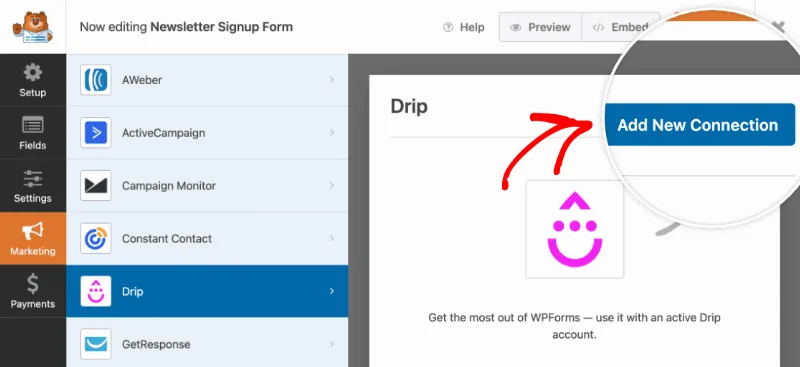
WPForms Drip Addon
Antivirus scan
Powered by ClamAV
✅ Verified clean
This product file has passed our security filters.
Want to run a fresh ClamAV scan right now? Takes a few seconds and shows scanner version, signature DB and live result.
This can take 5 to 30 seconds.
Clean file Threat detected
No threats detected in this file.
- File
- Size
- Scanned
- ClamAV
- Signature database
⚡ Powered by ClamAV
Scan could not be completed
Report product
If you detected an issue (broken file, malware, inappropriate content, etc.) let us know and we'll review it ASAP.
Sign in to reportNewer version out, or a problem?
About WPForms Drip Addon
Why the form decides how each subscriber reaches Drip
The WPForms Drip Addon makes the data the form collects leave the form and enter your Drip account without writing code.
The WPForms Drip Addon works on top of WPForms and connects to Drip with your API
The connection is made with the API key and API Secret of your Drip account, and from there you can create signup forms with no limit on how many.
- What it already handles: unlimited Drip signup forms, no code, with custom fields, events and confirmation emails.
- What it needs: WPForms installed and active.
Segmenting the list with conditional logic and custom fields
Conditional logic shows or hides fields depending on what each person answers, so the same form can ask one thing of some people and something else of others. Each answer can go to Drip in the field you assign to it. This lets you build highly segmented email lists for maximum engagement and more conversions.
With custom fields you send data from any form to Drip, mapped to the information you want to see in your account.
Drip events to record tags, IP addresses and subscriber data
Besides adding subscribers, the addon records events in Drip. It can send the subscriber's email address, the user's IP address and the prospect tag, as well as any other custom Drip event.
Form design, confirmation and the signup email
You control the look of the form, the confirmation message and the notifications. You can change colors, styles and typography so the form and messages fit your brand. If you don't want to start from scratch, the pre-designed templates give you a base to build the form faster.
The addon also automatically sends a custom confirmation email to each new subscriber. That first message is a good moment for the text to sound like your brand and not like a generic notice.
To publish the form, use the embed option or paste its shortcode anywhere on your site.
Frequently asked questions about the WPForms Drip Addon
Is there a limit to the number of subscribers I can collect?
There is no limit to the number of subscribers you can collect with the addon. Once it is set up, it works without you having to worry about your subscribers' bandwidth.
How do I connect Drip with WordPress?
With WPForms and the Drip addon active, connect your account using your Drip API key and API Secret. From there you create the form and insert it into your site.
Can I save entries to Google Sheets?
Yes, but with another addon: to save and back up your entries in a Google Sheet, you need to activate the Google Sheets addon.
Can I change the design of the signup form and the confirmation message?
Yes. You can change the color, style, font and other aspects of both the form and the confirmation message so they match your brand.
Topics
Version history
-
v
1.8.0 Current 8 Jan 2025
Customer reviews
Sign in to leave a review. Only people who have the product can review it.
No reviews for this product yet.
Frequently asked questions
-
GPL (General Public License) is the license under which WordPress and most premium plugins/themes are distributed. It grants you the right to use, modify and redistribute the software in as many projects as you want, with no domain restrictions.
-
Yes. With membership you get automatic updates via our GPLClub Updater plugin (installed on your WP, detects new versions and applies them). With individual purchase, you get one year of manual updates from your account.
-
Depends on the plan. Monthly: 3 domains. Semi-annual: 7. Annual and Lifetime: 15. Individual purchase: 1 domain.
-
GPLClub offers its own support for installation, configuration and compatibility. For direct support from the original author (feature requests, product-specific bugs), a license purchased from the author is required.