WSM Downloader
Antivirus scan
Powered by ClamAV
✅ Verified clean
This product file has passed our security filters.
Want to run a fresh ClamAV scan right now? Takes a few seconds and shows scanner version, signature DB and live result.
This can take 5 to 30 seconds.
Clean file Threat detected
No threats detected in this file.
- File
- Size
- Scanned
- ClamAV
- Signature database
⚡ Powered by ClamAV
Scan could not be completed
Report product
If you detected an issue (broken file, malware, inappropriate content, etc.) let us know and we'll review it ASAP.
Sign in to reportNewer version out, or a problem?
About WSM Downloader
Reusing social network videos and photos without copying by hand
When a blog wants to reuse a TikTok video or an Instagram photo, the process is usually messy: finding the link, trying unreliable download sites and uploading the file by hand. WSM Downloader puts that work into a form where you paste the link and choose what to download. Downloading a media file does not give you rights to it, so check who owns it before you publish it.
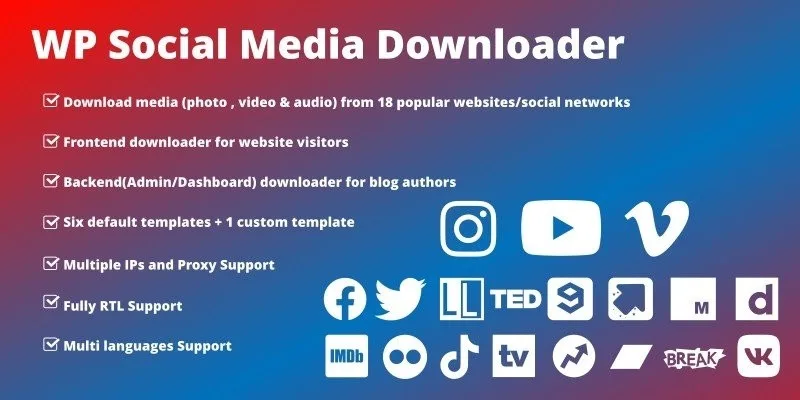
A download form for your visitors across 22 networks
The plugin downloads photos, videos and audio from 22 popular social networks with one click. These include YouTube (audio, video and muted versions), Vimeo, Instagram (photos, videos and posts with several images), TikTok, Imgur, SoundCloud, Pinterest, Facebook, Twitter or Bandcamp. You can turn each downloader on or off separately, so you keep only the networks you need.
Two uses: visitors who download, or you adding media to your site
- Visitors: anyone who reaches your page can download media from the supported networks through the form.
- Admin: you download a media file straight into the WordPress media library, with one click, to use it later in your posts.
- Direct links: besides the networks, it accepts a link to any media file, for example a photo you found on Google that you want to place in an article.
When a network blocks your server's IP
Over time, some networks block the server's IP and downloads stop working from it. For that, WSM Downloader offers two methods. The first is a proxy: you set it in the plugin settings and, if downloading from a network is restricted, the plugin retries through it. The second is using several IPs: if one is blocked, the downloader tries another.
This second option only works if the IPs you add are available to the server, which means buying extra public IPs and assigning them as static IPs. It is designed for dedicated servers.
Six templates and a form that fits your design
You can customize the form and the results: choose between a modal window or showing them below the form, change the text and icon of the start button and adjust the full style. It includes six default templates for the form and results, and RTL support for languages written from right to left.
In modal mode you can place ads in two fixed spots, before and after the results. You can also show sharing buttons and choose which ones, change the loading gif, and decide whether the form shows the names of the supported networks or whether the download starts when you paste the link.
Your own download site with the WSM Downloader shortcode
The form is inserted with the [wsmd_downloader] shortcode on a page of your WordPress installation. The product's demo was built with a free template from the WordPress directory and the Elementor page builder, dragging the shortcode into the design. With the deftab="audio", deftab="video" or deftab="photo" attribute you choose the tab shown by default in the results.
If you don't want to start from scratch, there is an easy installation package based on that demo, designed to set up a similar site in a few steps.
Frequently asked questions about WSM Downloader
Can I use WSM Downloader outside WordPress?
No. It is a WordPress plugin and the form is inserted with a shortcode inside a page of your site.
Can I download audio from YouTube?
Yes. The YouTube downloader lets you save audio, video and muted versions.
What do I do if a network blocks downloads from my server?
Set up a proxy in the plugin settings. If your server has several IPs available, you can also use them: if one gets blocked, the plugin tries another, although that option requires extra public IPs and, in practice, a dedicated server.
Can I change how the form looks?
Yes. You can adjust the full style, the button text and icon, and choose among six default templates.
Version history
-
v
3.1.0 Current 17 May 2024
Customer reviews
Sign in to leave a review. Only people who have the product can review it.
No reviews for this product yet.
Frequently asked questions
-
GPL (General Public License) is the license under which WordPress and most premium plugins/themes are distributed. It grants you the right to use, modify and redistribute the software in as many projects as you want, with no domain restrictions.
-
Yes. With membership you get automatic updates via our GPLClub Updater plugin (installed on your WP, detects new versions and applies them). With individual purchase, you get one year of manual updates from your account.
-
Depends on the plan. Monthly: 3 domains. Semi-annual: 7. Annual and Lifetime: 15. Individual purchase: 1 domain.
-
GPLClub offers its own support for installation, configuration and compatibility. For direct support from the original author (feature requests, product-specific bugs), a license purchased from the author is required.