YITH WooCommerce Bulk Product Editing Premium
Antivirus scan
Powered by ClamAV
✅ Verified clean
This product file has passed our security filters.
Want to run a fresh ClamAV scan right now? Takes a few seconds and shows scanner version, signature DB and live result.
This can take 5 to 30 seconds.
Clean file Threat detected
No threats detected in this file.
- File
- Size
- Scanned
- ClamAV
- Signature database
⚡ Powered by ClamAV
Scan could not be completed
Report product
If you detected an issue (broken file, malware, inappropriate content, etc.) let us know and we'll review it ASAP.
Sign in to report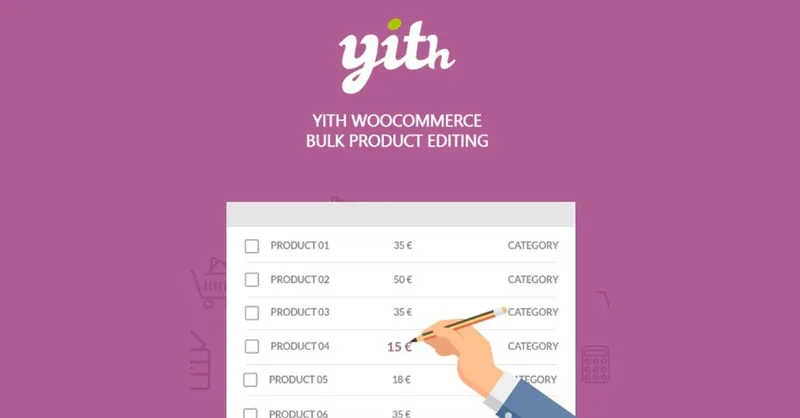
About YITH WooCommerce Bulk Product Editing Premium
Black Friday arrives and you need to raise or lower prices across the whole catalog. Or your supplier changes and categories need reassigning. Or you want to add a promotional image to every product. Doing it one by one, opening, editing and saving, eats up hours, and it happens again as soon as something changes. YITH WooCommerce Bulk Product Editing is built for that repetitive maintenance work.
A store is not changed once: it is tweaked every week
Whoever runs a WooCommerce store tends to think the catalog is set up and left alone. In reality prices, stock, categories and texts are touched constantly, and the real cost is not each change but repeating it across fifty, one hundred or five hundred products. This plugin gives you a products table and a bulk editing window so that a change like that becomes a single operation.
A real walkthrough: take 20% off only what does not sell
Imagine you want to launch a promotion on only part of the catalog. Here is how you would do it:
- You choose the fields. First, you decide which data can be edited in bulk. You can also enable taxonomies and custom fields, so you are not limited to the basics.
- You create a view. By default the table shows all products, but you can save unlimited views with filters: only on-sale products, those with fewer than 5 units, virtual ones, featured ones or those without an image. Each view is applied with one click and the table updates instantly.
- You select products. You tick the ones you want to change, all or only some of the view.
- You open the bulk editing window. There you change what you need and the change is applied to all selected products. For prices you can raise or lower an amount or a percentage, and schedule a discount.
One limit to keep in mind: the plugin applies the change you define, it does not decide which price is right. Check your selection carefully before confirming, because a percentage applied to the wrong view affects everything ticked.
What you can change inside the editing window
The window is organized in sections:
- General: add a word to the name of all selected products, add text to descriptions, disable reviews or hide products from the catalog.
- Images: remove all of them, upload a new one for all, empty galleries or add an image (for example, a promotional one).
- Categories, tags and attributes: move products from one category to another, add a tag to a hundred products or add the XXL size or the black color to T-shirts that did not have them.
- Shipping: dimensions, weight and shipping classes, useful if you have your own classes for bulky or light products.
- Stock: mark as out of stock or change the status of out-of-stock items, and set the same quantity for all.
- Advanced: featured, virtual or downloadable, product type, and which products will be upsells or cross-sells of the selected ones.
Beyond editing: duplicate, export, create and delete from the table
The table also lets you duplicate the selected products, send them to the trash, delete them permanently or export the active view to CSV. You can create a new product from a window and decide whether it is published or left as a draft, and edit a single value (price, name, image) directly in the row; those changes are applied when you save the table. You can also show or hide columns.
Be careful with deletion: permanent deletion cannot be undone, so export the view to CSV first if in doubt.
Frequently asked questions
Can I edit custom fields?
Yes, you can enable taxonomies and custom fields so they appear in bulk editing.
Can I apply a change to only some products?
Yes. You filter with a view, select the ones you want and only those are modified.
Does it replace an import plugin?
No. It exports the view to CSV, but its job is editing products from the table itself, not importing files.
Topics
Version history
-
v
3.25.0 Current 2 Mar 2026
Customer reviews
Sign in to leave a review. Only people who have the product can review it.
No reviews for this product yet.
Frequently asked questions
-
GPL (General Public License) is the license under which WordPress and most premium plugins/themes are distributed. It grants you the right to use, modify and redistribute the software in as many projects as you want, with no domain restrictions.
-
Yes. With membership you get automatic updates via our GPLClub Updater plugin (installed on your WP, detects new versions and applies them). With individual purchase, you get one year of manual updates from your account.
-
Depends on the plan. Monthly: 3 domains. Semi-annual: 7. Annual and Lifetime: 15. Individual purchase: 1 domain.
-
GPLClub offers its own support for installation, configuration and compatibility. For direct support from the original author (feature requests, product-specific bugs), a license purchased from the author is required.