YITH Woocommerce Custom Order Status Premium
Antivirus scan
Powered by ClamAV
✅ Verified clean
This product file has passed our security filters.
Want to run a fresh ClamAV scan right now? Takes a few seconds and shows scanner version, signature DB and live result.
This can take 5 to 30 seconds.
Clean file Threat detected
No threats detected in this file.
- File
- Size
- Scanned
- ClamAV
- Signature database
⚡ Powered by ClamAV
Scan could not be completed
Report product
If you detected an issue (broken file, malware, inappropriate content, etc.) let us know and we'll review it ASAP.
Sign in to report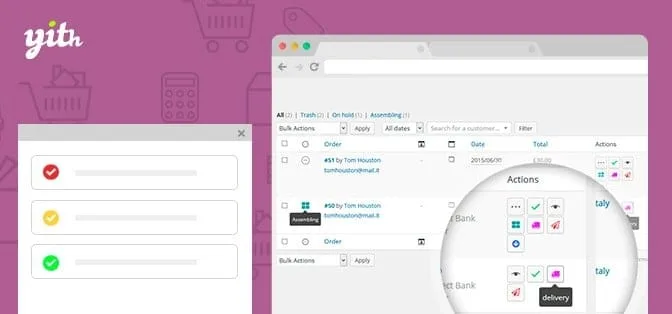
About YITH Woocommerce Custom Order Status Premium
For the store with steps between payment and delivery
Moving an order from “Processing” to “Completed” is enough for someone selling a downloadable file. But if you print, customize, assemble or prepare orders for in-store pickup, your customers spend days looking at a label that says nothing about what is happening. This plugin is for that buyer: the one with real stages after payment who wants to show them.
It is not for you if your flow is pay and download, because the statuses WooCommerce ships with are already enough. Nor is it a carrier tracking system: for shipment tracking there is an integration with YITH WooCommerce Order Tracking, which is a separate plugin.
Why “Completed” confuses someone waiting for a package
WooCommerce marks the order as completed when it leaves your warehouse, and the customer understands it is already at home. With the plugin you can replace the default statuses, including “Processing” and “Completed”, with others such as “Shipped” or “In delivery”, and build your own flow.
When creating each status you indicate which one comes next: for example “Being prepared”, then “Printing”, “Awaiting shipment”, “Awaiting pickup” and “In delivery”. Whoever prepares the packages sees where each order stands, and so does the customer.
YITH WooCommerce Custom Order Status: every status is a rule
What changes the way you work is that a status is not just a label: it decides what the customer can do with their order. For each status you define:
- whether the customer can cancel (useful when you have already printed their customized order);
- whether they can pay (for example, blocking it while you check availability);
- whether the order counts as paid;
- whether they can download the files associated with the order;
- whether stock is returned to inventory, such as when moving to “Canceled”.
This way you avoid cancellations of orders that are already in production without watching them one by one.
Colors, icons and its own email for each step
Each status has a name, a color and an icon, and it also appears in the actions column of the orders table. You can write the email the customer receives when entering that status and choose whether it includes the order details. You also choose which statuses are included in the WooCommerce reports and you can import statuses created with third-party plugins.
It integrates with YITH Desktop Notifications for WooCommerce, for desktop alerts when an order reaches one of your statuses, and with YITH WooCommerce Email Templates, to style those emails. Both are separate plugins.
Common questions before building your flow
Can I change WooCommerce's “Processing” status?
Yes, you can replace the default statuses with your own.
How many statuses can I create?
As many as you need, there is no limit.
Will the emails use my design?
You customize the text and whether it includes the order details. To change the template design it integrates with YITH WooCommerce Email Templates.
Does it track shipments?
Not on its own. For tracking it integrates with YITH WooCommerce Order Tracking.
Topics
Version history
-
v
2.24.0 Current 7 Oct 2026
-
v
2.23.0 25 Aug 2026
-
v
2.19.0 14 Apr 2026
Customer reviews
Sign in to leave a review. Only people who have the product can review it.
No reviews for this product yet.
Frequently asked questions
-
GPL (General Public License) is the license under which WordPress and most premium plugins/themes are distributed. It grants you the right to use, modify and redistribute the software in as many projects as you want, with no domain restrictions.
-
Yes. With membership you get automatic updates via our GPLClub Updater plugin (installed on your WP, detects new versions and applies them). With individual purchase, you get one year of manual updates from your account.
-
Depends on the plan. Monthly: 3 domains. Semi-annual: 7. Annual and Lifetime: 15. Individual purchase: 1 domain.
-
GPLClub offers its own support for installation, configuration and compatibility. For direct support from the original author (feature requests, product-specific bugs), a license purchased from the author is required.