YITH WooCommerce Product Bundles Premium
Antivirus scan
Powered by ClamAV
✅ Verified clean
This product file has passed our security filters.
Want to run a fresh ClamAV scan right now? Takes a few seconds and shows scanner version, signature DB and live result.
This can take 5 to 30 seconds.
Clean file Threat detected
No threats detected in this file.
- File
- Size
- Scanned
- ClamAV
- Signature database
⚡ Powered by ClamAV
Scan could not be completed
Report product
If you detected an issue (broken file, malware, inappropriate content, etc.) let us know and we'll review it ASAP.
Sign in to report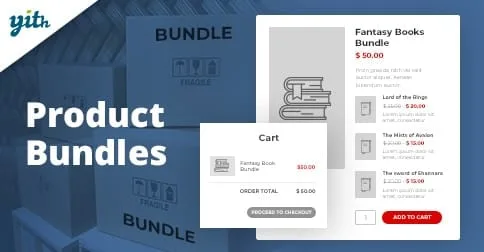
About YITH WooCommerce Product Bundles Premium
Selling the main product without thinking about what goes with it
If you sell a camera, you know that almost every buyer will also need a memory card or a spare battery, yet the shop usually shows each item on its own page and hopes the customer works it out. Many leave without buying the accessory and look for it in another store. YITH WooCommerce Product Bundles Premium lets you group those products into a single offer with its own price.
How to build a bundle with YITH WooCommerce Product Bundles Premium
A bundle is one more product in your catalog, and you add as many items to it as you want. For each one you decide what is shown: image, name and description, which you can leave as they are or replace with your own text. You also set the quantity of each item inside the bundle.
- Variable products: the customer chooses color, size or other options before adding the bundle to the cart.
- Optional products: they appear with a checkbox so the customer can include or exclude them.
- Purchase rules: with optional items, you can require a minimum and a maximum number of selected items, plus quantity limits per product.
Fixed price or sum with a discount: the decision that affects your margin
You can give the bundle a fixed price or let it be the sum of its components' prices, and apply a discount on the total. This is the part worth calculating before you publish: a small discount on every item can eat the profit of the products with the lowest margin. The plugin shows the customer the savings, but it does not calculate whether the offer is profitable for you; that is up to you.
On the shop page you choose how the bundle price is shown: minimum and maximum, only the minimum, a "starting from", or the regular price next to the discounted one.
Shipping, stock and cart: decisions made bundle by bundle
Several decisions affect day-to-day operations:
- Ship everything in a single package with one shipping cost, or ship the products separately.
- If a component runs out, hide the bundle, mark it as out of stock, or show it without the option to buy.
- Show only the bundle in the cart, order and invoices, or the breakdown of products with their prices.
There is also a shortcode to print the bundle's "add to cart" form anywhere and a widget to list your bundles in the sidebar, footer or any widget area. With YITH WooCommerce Quick View, customers can see the details of each product in the bundle in a modal window without leaving the page.
Discounts are not tied to profitability automatically
Here is what the plugin solves and what remains on your side:
- Solved: creating bundles, mixing simple and variable products, marking items as optional, setting a price or discount, managing shipping and stock of the whole, and showing it in the shop, cart and invoices.
- On your own: deciding which products combine well, checking that your margin can take the discount, and writing offers that are easy to understand.
- With another plugin: knowing the real margin requires YITH Cost of Goods, which integrates with bundles; to hide the price and buy button, YITH Catalog Mode; and to pay a deposit, YITH Deposits / Down Payments. These are separate add-ons.
Don't expect guaranteed results either: whether a bundle sells more depends on the combination you offer and the price you set.
Frequently asked questions
Can I include products with variations?
Yes. The customer chooses the options, such as color or size, before adding the bundle to the cart.
Can I let the customer choose what to include?
Yes, by marking products as optional. They will see a checkbox on each one, and you can limit how many they must select, at minimum and maximum.
What happens if a product in the bundle runs out?
You decide: hide the bundle, show it as out of stock, or keep it visible without the option to buy.
Can products be shipped separately?
Yes. You can ship everything together with a single shipping cost or separately.
Do I need other plugins for it to work?
Not to create and sell bundles. Other YITH plugins are only needed for specific features, such as recording product costs or viewing details in a modal window.
Topics
Version history
-
v
2.26.0 Current 24 Jun 2026
-
v
2.25.0 14 Apr 2026
Customer reviews
Sign in to leave a review. Only people who have the product can review it.
No reviews for this product yet.
Frequently asked questions
-
GPL (General Public License) is the license under which WordPress and most premium plugins/themes are distributed. It grants you the right to use, modify and redistribute the software in as many projects as you want, with no domain restrictions.
-
Yes. With membership you get automatic updates via our GPLClub Updater plugin (installed on your WP, detects new versions and applies them). With individual purchase, you get one year of manual updates from your account.
-
Depends on the plan. Monthly: 3 domains. Semi-annual: 7. Annual and Lifetime: 15. Individual purchase: 1 domain.
-
GPLClub offers its own support for installation, configuration and compatibility. For direct support from the original author (feature requests, product-specific bugs), a license purchased from the author is required.