YITH Woocommerce Quick View Premium
Antivirus scan
Powered by ClamAV
✅ Verified clean
This product file has passed our security filters.
Want to run a fresh ClamAV scan right now? Takes a few seconds and shows scanner version, signature DB and live result.
This can take 5 to 30 seconds.
Clean file Threat detected
No threats detected in this file.
- File
- Size
- Scanned
- ClamAV
- Signature database
⚡ Powered by ClamAV
Scan could not be completed
Report product
If you detected an issue (broken file, malware, inappropriate content, etc.) let us know and we'll review it ASAP.
Sign in to reportNewer version out, or a problem?
About YITH Woocommerce Quick View Premium
WooCommerce stores with many products that shoppers browse and compare
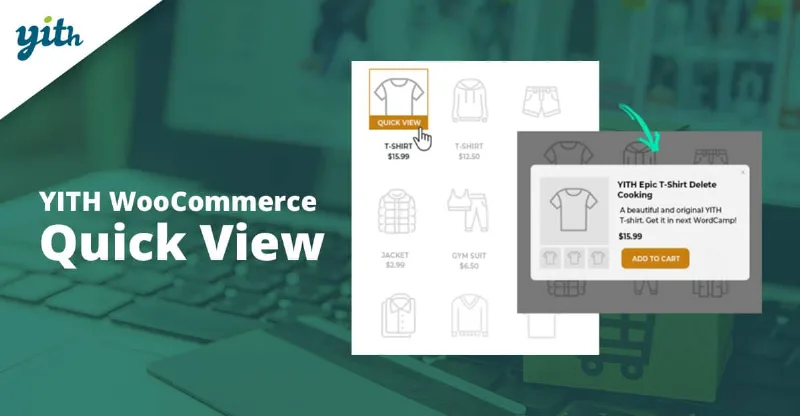
Opening a product page means leaving the listing, reading, going back and finding your place in the catalog again. That back and forth makes shoppers feel they are wasting time when they compare products. YITH WooCommerce Quick View shows product details in a window over the same shop page, without changing pages.
It fits well if you sell many similar items, such as clothing with sizes and colors, or if your customers shop from their phones and need to see the price and the add to cart button without navigating.
It is a WooCommerce add-on, so WooCommerce needs to be installed and active.
Three ways to open the quick view in your shop
The classic option is a modal window over the shop. The second shows the product inside a pop-up section on the page itself. The third is a side panel that slides in from the right of the browser window. You choose the one that best fits your store's design and set the opening animation, height and width of the window.
What the shopper sees in the window and how you decide it
You decide which information appears: the gallery or a slider with all the images, the short or long description, the rating, the price, the meta such as categories or SKUs, the add to cart button, and a link to the full product page.
With cross-product navigation, shoppers move from one product to another without closing the window. You can also enable buttons to share the preview on social media.
Quick view button: where it appears and how it looks
- When hovering over the product image, or below the add to cart button.
- As text or as an icon, in the colors of your store.
With the included shortcode or Gutenberg block you can show the quick view button for a specific product anywhere in the shop, for example in a blog article, a landing page or the header.
Bookings, cart popup and catalog mode with YITH WooCommerce Quick View
The quick view integrates with other YITH plugins. With YITH Booking and Appointment for WooCommerce you can also enable it on bookable products. With YITH WooCommerce Added to Cart Popup, the add to cart button inside the window opens the cart notice. And with YITH WooCommerce Catalog Mode you can hide the price or the add to cart button on one or several products. Each integration needs its plugin installed.
Frequently asked questions about YITH WooCommerce Quick View
Do I need WooCommerce?
Yes. It is a plugin for WooCommerce and needs it installed and active.
Does it look good on mobile?
Yes. It has a layout designed for smartphones and tablets, so the shopper can view the product and add it without leaving the catalog.
Can I change the button to an icon?
Yes, you can show the button with text or with an icon.
What can I customize in the look?
The colors and text of the button, the background overlay color, the color of the close icon, the border radius of the window and the add to cart button.
Topics
Version history
-
v
1.38.0 Current 28 Sep 2025
Customer reviews
Sign in to leave a review. Only people who have the product can review it.
No reviews for this product yet.
Frequently asked questions
-
GPL (General Public License) is the license under which WordPress and most premium plugins/themes are distributed. It grants you the right to use, modify and redistribute the software in as many projects as you want, with no domain restrictions.
-
Yes. With membership you get automatic updates via our GPLClub Updater plugin (installed on your WP, detects new versions and applies them). With individual purchase, you get one year of manual updates from your account.
-
Depends on the plan. Monthly: 3 domains. Semi-annual: 7. Annual and Lifetime: 15. Individual purchase: 1 domain.
-
GPLClub offers its own support for installation, configuration and compatibility. For direct support from the original author (feature requests, product-specific bugs), a license purchased from the author is required.