YITH WooCommerce Terms and Conditions Popup Premium
Antivirus scan
Powered by ClamAV
✅ Verified clean
This product file has passed our security filters.
Want to run a fresh ClamAV scan right now? Takes a few seconds and shows scanner version, signature DB and live result.
This can take 5 to 30 seconds.
Clean file Threat detected
No threats detected in this file.
- File
- Size
- Scanned
- ClamAV
- Signature database
⚡ Powered by ClamAV
Scan could not be completed
Report product
If you detected an issue (broken file, malware, inappropriate content, etc.) let us know and we'll review it ASAP.
Sign in to report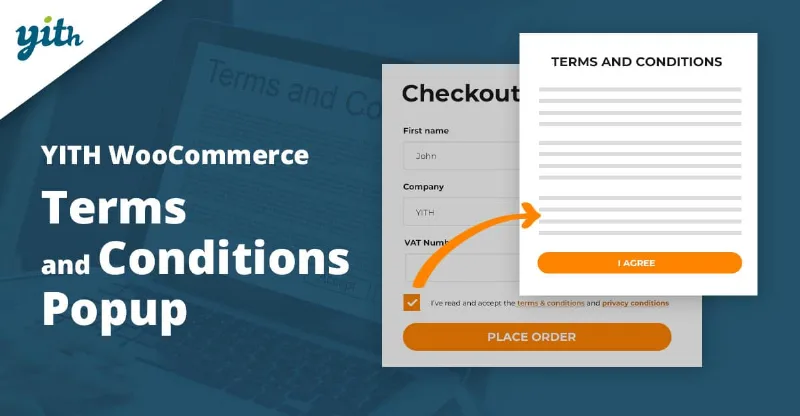
About YITH WooCommerce Terms and Conditions Popup Premium
The customer who opens your terms and never comes back to pay
At checkout, a «Terms and conditions» link that opens another page is an exit door: the customer reads, gets distracted, closes the wrong tab and the cart is left half done. Even so, that text has to be visible right at that point.
There is a deeper problem: sales terms are only looked at when there is a conflict, such as a disputed return, a shipping deadline or an unexpected charge. If at that moment you cannot tell which version the customer accepted, your text loses a lot of value. YITH WooCommerce Terms and Conditions Popup opens the document in a modal window over the payment page itself and records the version that was accepted.
One order step by step with YITH WooCommerce Terms and Conditions Popup
Picture a store with strict return deadlines. This is what the journey would look like:
- You choose the texts. You select the page that acts as «Terms and conditions» and the one for «Privacy policy». There is only one terms document for the whole store, so it must cover every case: you cannot assign different conditions per category or product.
- You decide how it looks. You turn the popup on or off, and adjust its size, its style and the entrance animation. You also choose the position of the checkboxes at checkout.
- The customer reaches checkout. They see the checkbox and the link. When they click it, the text opens in the modal window and the order stays right behind it, with no page change.
- You make them reach the end. You can block acceptance until they have scrolled through the whole document. That ensures they got to the end, not that they understood it: if your text is ten screens of small print, you will notice it in abandonment.
- You separate or combine privacy. You can add an extra checkbox for the privacy policy, manage it apart from the terms or merge them into one, and decide whether they appear already ticked. Ticked boxes speed up checkout, but the customer no longer makes a conscious gesture; if you want them to read, leave them empty.
- A record is kept. When they accept, the plugin records the last update of the document, so you know which version of your terms that customer saw.
Keep in mind that all of this happens only on the checkout page: it is not shown on the new user registration form.
Questions before installing it
Can I force customers to read the terms?
You can block checkout until the customer reaches the end of the document and accepts it. It forces scrolling, nothing more.
Does it work for the registration form?
No. It only appears at checkout.
Can I have different terms per category or product?
No. There is a single document, and it makes sense: if someone buys from several categories in one order, two texts would confuse them. Gather all the cases in one.
Can I know which version the customer accepted?
Yes, the plugin records the date of the last update of the document at the moment of acceptance.
Theme and translations: what to check
The plugin works with WooCommerce and is designed to coexist with the Avada, Divi, Flatsome, Neighborhood, Storefront and X themes, as well as YITH Proteo. One user had a clash with their theme and solved it by switching to Proteo, so test the full checkout, on mobile too, before publishing it on a live store.
If you sell in several languages, it is compatible with WPML and Loco Translate, and it comes translated into English, Italian and Spanish. Even so, the legal texts it displays are those of your own pages: the plugin neither writes nor adapts them for you.
Topics
Version history
-
v
1.56.0 Current 30 May 2026
-
v
1.55.0 3 Apr 2026
Customer reviews
Sign in to leave a review. Only people who have the product can review it.
No reviews for this product yet.
Frequently asked questions
-
GPL (General Public License) is the license under which WordPress and most premium plugins/themes are distributed. It grants you the right to use, modify and redistribute the software in as many projects as you want, with no domain restrictions.
-
Yes. With membership you get automatic updates via our GPLClub Updater plugin (installed on your WP, detects new versions and applies them). With individual purchase, you get one year of manual updates from your account.
-
Depends on the plan. Monthly: 3 domains. Semi-annual: 7. Annual and Lifetime: 15. Individual purchase: 1 domain.
-
GPLClub offers its own support for installation, configuration and compatibility. For direct support from the original author (feature requests, product-specific bugs), a license purchased from the author is required.