Aelia Prices by Country for WooCommerce
Antivirus scan
Powered by ClamAV
✅ Verified clean
This product file has passed our security filters.
Want to run a fresh ClamAV scan right now? Takes a few seconds and shows scanner version, signature DB and live result.
This can take 5 to 30 seconds.
Clean file Threat detected
No threats detected in this file.
- File
- Size
- Scanned
- ClamAV
- Signature database
⚡ Powered by ClamAV
Scan could not be completed
Report product
If you detected an issue (broken file, malware, inappropriate content, etc.) let us know and we'll review it ASAP.
Sign in to report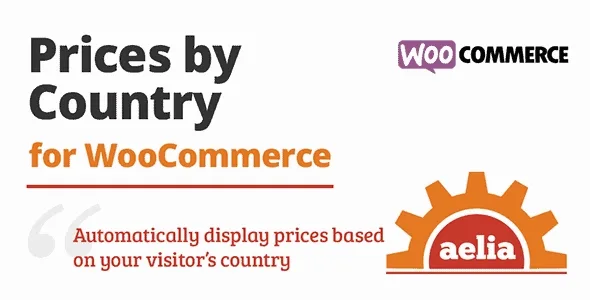
About Aelia Prices by Country for WooCommerce
One product, one price worldwide: that's where the problem starts
Selling to several countries with a single price usually means you're expensive in some markets and giving away margin in others. Adjusting every order by hand doesn't scale, and duplicating the store per country is a maintenance headache. Aelia Prices by Country for WooCommerce solves this inside a single store: each product can have a different price depending on the country the customer buys from.
The underlying idea: someone selling abroad rarely has a translation problem, they have a pricing problem. A customer who sees a number that doesn't fit what their market pays leaves without a word, and you won't spot it by looking at sales.
Regions, price fields and automatic detection in Aelia Prices by Country
The plugin adds a page inside the WooCommerce menu where you define regions. A region is simply a list of countries. Once they exist, each product shows extra price fields, one per region, where you enter what you want to charge in that group of countries.
- Geolocation: detects the visitor's country and shows them the matching prices from the moment they arrive, without waiting for checkout.
- Country widget: lets visitors choose their billing country before they reach payment.
- Unavailable or hidden products: you can make one or more products impossible to buy, or not even visible, for customers from certain countries.
- Product types: works with simple, variable, grouped and external products.
How it fits depending on what you sell
You have one main market and one or two more
You define a region for the second market and fill in only the prices you want to change. It's the simplest use and usually enough.
You sell in several currencies
The plugin is compatible with Aelia Currency Switcher for WooCommerce, from the same developer. Together they let you set prices in several currencies for each configured region. On its own, Prices by Country changes amounts by region, but doesn't convert currencies by itself.
Some products can't be shipped or sold in certain countries
You can hide them or mark them unavailable for those customers, instead of finding out about the problem when an order is already in.
You have a large catalog
Plan ahead here. There's no tool to apply a per-zone multiplier across the whole catalog: the practical route is to export regional prices to CSV, edit them and re-import them.
No per-region multiplier: prices are entered one by one or via CSV
If you expect to say "all EU prices times 1.2" and have it apply automatically, that's not how it works. Regional prices are entered product by product or edited outside and re-imported. With a few products it's trivial; with thousands, set aside time.
It also needs the free Aelia Foundation Classes framework, which the plugin itself can install automatically. If you use other plugins that touch prices, such as subscriptions, test them together in a staging environment before going live.
Frequently asked questions about Aelia Prices by Country for WooCommerce
Does the customer see the price before checkout?
Yes. With geolocation, the visitor sees their country's prices as soon as they arrive, and the widget lets them change country before paying.
Can I charge in another currency?
With this plugin alone, you set prices per region. For prices in several currencies per region, you can combine it with their Currency Switcher.
Does it work with variable products?
Yes, it supports simple, variable, grouped and external products.
Can I hide a product in a specific country?
Yes, you can make it unavailable or hide it completely for customers from specific countries.
Before you decide
If your problem is selling the same catalog to markets with different purchasing power, this goes straight to the point. If all you need is to show converted local currency, look at the Currency Switcher first.
Topics
Version history
-
v
1.12.8.220104 Current 30 May 2024
Customer reviews
Sign in to leave a review. Only people who have the product can review it.
No reviews for this product yet.
Frequently asked questions
-
GPL (General Public License) is the license under which WordPress and most premium plugins/themes are distributed. It grants you the right to use, modify and redistribute the software in as many projects as you want, with no domain restrictions.
-
Yes. With membership you get automatic updates via our GPLClub Updater plugin (installed on your WP, detects new versions and applies them). With individual purchase, you get one year of manual updates from your account.
-
Depends on the plan. Monthly: 3 domains. Semi-annual: 7. Annual and Lifetime: 15. Individual purchase: 1 domain.
-
GPLClub offers its own support for installation, configuration and compatibility. For direct support from the original author (feature requests, product-specific bugs), a license purchased from the author is required.