AI ChatBot for WordPress with OpenAI - ChatGPT
Antivirus scan
Powered by ClamAV
✅ Verified clean
This product file has passed our security filters.
Want to run a fresh ClamAV scan right now? Takes a few seconds and shows scanner version, signature DB and live result.
This can take 5 to 30 seconds.
Clean file Threat detected
No threats detected in this file.
- File
- Size
- Scanned
- ClamAV
- Signature database
⚡ Powered by ClamAV
Scan could not be completed
Report product
If you detected an issue (broken file, malware, inappropriate content, etc.) let us know and we'll review it ASAP.
Sign in to report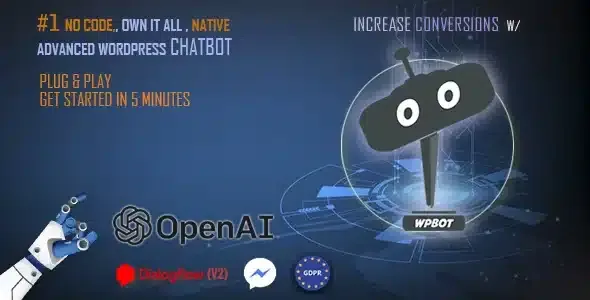
About AI ChatBot for WordPress with OpenAI - ChatGPT
The answer is already on your site; the visitor cannot find it
Almost everything visitors to a small site ask is already written somewhere: the opening hours in the footer, shipping times in the terms. The visitor does not find it, sends an email or leaves, and whoever runs the site ends up answering the same thing every week.
That is why a chatbot's first job is not to think, but to find what you have already written. This AI ChatBot for WordPress, QuantumCloud's WPBot, can work without any artificial intelligence integration: it searches your pages and posts, answers with your FAQ and with replies you write yourself. Artificial intelligence is added later, for what is not written down.
What it answers without artificial intelligence
- Site search: it answers with your pages and posts, with a phrase-matching accuracy you can adjust.
- FAQ area with several questions and answers, which accept HTML.
- Text responses without limit, written from the WordPress dashboard.
- Conversational forms with a free add-on: menu-driven conversations, contact, job applications, lead capture and surveys.
- Emails, call-back requests and feedback: call-back requests reach the administrator by email, and emails can be exported as CSV.
When you connect a model, what you give it to read
It can connect to OpenAI, Gemini, Mistral, OpenRouter and Dialogflow, including Dialogflow CX. What decides whether it answers well is its knowledge base: it is fed with your site's data and with documents you upload, in PDF, CSV, DOCX, XML, sitemaps and Google sheets or docs.
That is where the real work is: with a PDF from three seasons ago, the model repeats old prices with great confidence. Review what you upload as you would review a published page.
It also brings images with DALL-E and GPT assistants. And with a model or Dialogflow connected, the conversation text is sent to that service.
Beyond answering: notices and exit messages
The chatbot can speak first. It shows notices above its icon and has on-site retargeting: messages that appear when the visitor is about to leave, has scrolled down the page or after some time, different on each page.
Use it with restraint. A message on the pricing page offering to clear up doubts usually helps; the same message on every page ends up wearing people out.
One language at a time, and people through Messenger
It does not handle several languages at once. It works in any language, right-to-left ones included, but one at a time. A bilingual site has to choose.
The conversation with a person leaves the chat. Live chat comes through Facebook Messenger as a floating button, through links to services such as Tawk.to and through shortcuts to WhatsApp, Skype, Viber or a phone call. The bot can be scheduled for the hours when nobody is there.
Start with the ten questions you get most
Text responses need MySQL 5.6 or higher.
- Gather the ten questions you receive most often by email.
- Write their answers in the FAQ area, before connecting any model.
- Adjust the site search accuracy and test it with real questions.
- If you connect a model, upload only documents that are up to date.
- Set up the handover to Messenger or another channel for what the bot does not know.
Spending control, or a chat that sells
If you want an artificial intelligence assistant with spending control, AI Engine Pro brings chatbots, a knowledge base with your documentation and usage limits per user and per guest. And if your site is a shop and you want the chat to sell, WoowBot searches products and adds them to the cart from the conversation.
Artificial intelligence, languages and live chat
Does it work without OpenAI?
Yes. It answers with site search, the FAQ and your text responses without any artificial intelligence integration.
Which models can I connect?
OpenAI, Gemini, Mistral, OpenRouter and Dialogflow, including Dialogflow CX.
Can it read my documents?
Yes, through its knowledge base, which accepts PDF, CSV, DOCX and Google documents.
Does it speak several languages at once?
No, one at a time.
Can it hand the conversation to a person?
Through Facebook Messenger as a floating button or through links to services such as Tawk.to.
Does it collect visitors' emails?
Yes, and they can be exported as CSV.
Topics
Version history
-
v
15.2.5 Current 24 Jun 2026
-
v
15.2.1 25 Oct 2025
Customer reviews
Sign in to leave a review. Only people who have the product can review it.
No reviews for this product yet.
Frequently asked questions
-
GPL (General Public License) is the license under which WordPress and most premium plugins/themes are distributed. It grants you the right to use, modify and redistribute the software in as many projects as you want, with no domain restrictions.
-
Yes. With membership you get automatic updates via our GPLClub Updater plugin (installed on your WP, detects new versions and applies them). With individual purchase, you get one year of manual updates from your account.
-
Depends on the plan. Monthly: 3 domains. Semi-annual: 7. Annual and Lifetime: 15. Individual purchase: 1 domain.
-
GPLClub offers its own support for installation, configuration and compatibility. For direct support from the original author (feature requests, product-specific bugs), a license purchased from the author is required.