AIT Quick Comments
Antivirus scan
Powered by ClamAV
✅ Verified clean
This product file has passed our security filters.
Want to run a fresh ClamAV scan right now? Takes a few seconds and shows scanner version, signature DB and live result.
This can take 5 to 30 seconds.
Clean file Threat detected
No threats detected in this file.
- File
- Size
- Scanned
- ClamAV
- Signature database
⚡ Powered by ClamAV
Scan could not be completed
Report product
If you detected an issue (broken file, malware, inappropriate content, etc.) let us know and we'll review it ASAP.
Sign in to report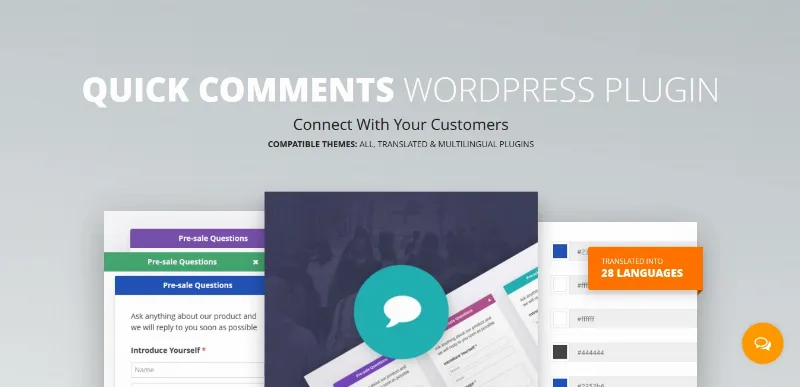
About AIT Quick Comments
Whoever writes from a fixed panel leaves a question tied to a page
A contact form lives on its own page. What someone wants to ask you comes up on another one: in front of a rate, a product page, an article. To write it they have to leave, and the message reaches you without saying which page it came from.
A panel that follows the person across the whole site can store their message on the same page where they wrote it, and that page becomes part of the question.
Quick Comments, by AitThemes, adds a fixed panel to your site, visible in a corner of every page. It relies on the WordPress comment system: it does not create a separate database, and messages are stored as comments.
What the panel does
- Always-visible panel: it sits in a corner of every page, without the visitor having to look for a form.
- WordPress comments: it uses the native system, so it needs no storage of its own.
- On the same page: if the page has comments enabled, the message is stored on that same page.
- Default page: you can set a page where messages that find no destination are stored.
- Private messages: a message can reach you only by email and not be stored publicly.
- Email notices: you receive an email when someone sends a message, and the writer receives another when you answer.
- Customization: texts, colors and icons are adjustable, and the branding can be yours or turned off entirely.
- Newsletter: you can offer a subscription inside the panel itself.
- Personal data: there is a space to explain the purpose for which data is collected.
- MailChimp: the plugin can be connected to a MailChimp account through its API.
A panel with one question per page
Suppose your services rate card is on a page and you have comments enabled there. Someone opens the panel from that page and asks whether the price includes travel. Their message is stored on that page, so when reviewing comments you already see which rate card they were talking about. Take it as a starting point and adapt it to your site.
Messages that are comments
Messages depend on the WordPress comment system, so they behave like any comment on the site. A message from a page without comments enabled is stored on the default page you have chosen. And a private message is not stored publicly.
Among its functions there is no ticketing system or live chat: it is a message panel with email notices. The MailChimp link needs a MailChimp account and access to its API.
Install and set up the panel
- Install and activate the plugin.
- Choose the default page where messages with no destination will be stored.
- Customize the panel's texts, colors and icons, and decide whether to keep or remove the branding.
- If you want newsletter signup, connect your MailChimp account with its API and add the text about data use.
Contact and chat to compare
To compare with other contact and chat approaches, look at Sticky Floating Forms Pro and Chaty Pro. Each has its own page to see what it offers.
Answers about Quick Comments
Where are messages stored?
As WordPress comments, on the same page if it has comments enabled, or on the default page you choose.
Can I receive messages without them being published?
Yes. There are private messages that only reach you by email.
Does it notify the writer when I answer?
Yes, that person receives an email when you reply to their message.
Can I remove the branding?
Yes. You can set your own or turn it off entirely.
Version history
-
v
4.0.2 Current 28 Sep 2025
Customer reviews
Sign in to leave a review. Only people who have the product can review it.
No reviews for this product yet.
Frequently asked questions
-
GPL (General Public License) is the license under which WordPress and most premium plugins/themes are distributed. It grants you the right to use, modify and redistribute the software in as many projects as you want, with no domain restrictions.
-
Yes. With membership you get automatic updates via our GPLClub Updater plugin (installed on your WP, detects new versions and applies them). With individual purchase, you get one year of manual updates from your account.
-
Depends on the plan. Monthly: 3 domains. Semi-annual: 7. Annual and Lifetime: 15. Individual purchase: 1 domain.
-
GPLClub offers its own support for installation, configuration and compatibility. For direct support from the original author (feature requests, product-specific bugs), a license purchased from the author is required.