Backuply Pro
Antivirus scan
Powered by ClamAV
✅ Verified clean
This product file has passed our security filters.
Want to run a fresh ClamAV scan right now? Takes a few seconds and shows scanner version, signature DB and live result.
This can take 5 to 30 seconds.
Clean file Threat detected
No threats detected in this file.
- File
- Size
- Scanned
- ClamAV
- Signature database
⚡ Powered by ClamAV
Scan could not be completed
Report product
If you detected an issue (broken file, malware, inappropriate content, etc.) let us know and we'll review it ASAP.
Sign in to report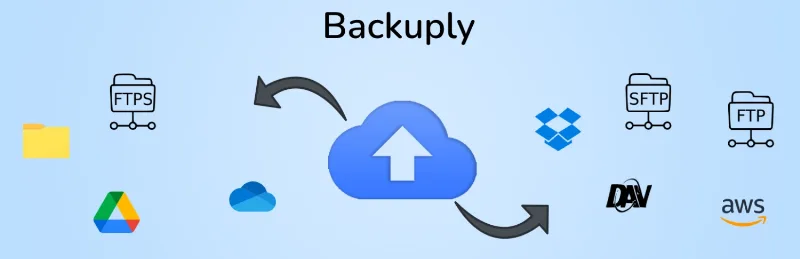
About Backuply Pro
A backup that lives on the same hosting disappears with the hosting
A compromised plugin, an update that leaves the site blank or an accidental deletion can all be fixed with a recent backup. A server failure is different: it takes the site down and also the backups stored on the same disk. People who manage other people's sites usually find this out on the very day they need the backup most.
Backuply Pro extends a backup plugin for WordPress. Its real value comes down to two things: getting the backup off the server and automating it, so it doesn't depend on someone remembering to press a button.
Backuply Pro adds scheduling, more destinations and WP-CLI
The plugin backs up and restores a site with one click. It also migrates and clones between hosts, which helps when you move a site to another server or set up a test copy. The free version is limited to local backups, FTP and Google Drive. Pro adds what turns this into a backup system rather than an emergency button:
- Scheduled backups: schedules are part of Pro.
- More cloud destinations: S3 and Dropbox, plus Backuply Cloud.
- WP-CLI: included in Pro.
Its limits are worth knowing. It works on WordPress sites, one at a time: it is not the backup software for whole servers running cPanel, DirectAdmin or Webuzo, which is a different product in the same family. And you supply the external destinations: to send backups to S3 or Dropbox you need your own account with that service.
Common questions before installing Backuply Pro
Can I use it to move a site to another hosting provider?
Yes. Migrating and cloning between hosts is part of the plugin, and it also lets you create a working copy of a site before you touch it.
Can I store backups on Google Drive without Pro?
Yes, Google Drive, FTP and local storage are already in the free version. Pro makes sense when you want scheduling, S3, Dropbox, WP-CLI or Backuply Cloud.
Does it protect every account on my server?
No. It is a plugin installed on each WordPress site. If you need to back up whole accounts from a hosting panel, look at Backuply's server product, not this plugin.
Restore to a clone before you really need to
A backup that has never been restored is an assumption. The sensible way to start with Backuply Pro is to set up an off-server destination first, run a manual backup and check that it arrives. Then use the cloning function to restore it in a test environment and check that the site starts, the pages load and the forms work.
Once you have verified it, turn on scheduling. If you manage several sites, choose a frequency for each type of site: a store or a site with comments changes daily, while an almost static corporate website doesn't need the same.
Topics
Version history
-
v
1.5.4 Current 7 Sep 2026
-
v
1.5.2 28 Feb 2026
Customer reviews
Sign in to leave a review. Only people who have the product can review it.
No reviews for this product yet.
Frequently asked questions
-
GPL (General Public License) is the license under which WordPress and most premium plugins/themes are distributed. It grants you the right to use, modify and redistribute the software in as many projects as you want, with no domain restrictions.
-
Yes. With membership you get automatic updates via our GPLClub Updater plugin (installed on your WP, detects new versions and applies them). With individual purchase, you get one year of manual updates from your account.
-
Depends on the plan. Monthly: 3 domains. Semi-annual: 7. Annual and Lifetime: 15. Individual purchase: 1 domain.
-
GPLClub offers its own support for installation, configuration and compatibility. For direct support from the original author (feature requests, product-specific bugs), a license purchased from the author is required.