Barn2 Media WooCommerce Quantity Manager
Antivirus scan
Powered by ClamAV
✅ Verified clean
This product file has passed our security filters.
Want to run a fresh ClamAV scan right now? Takes a few seconds and shows scanner version, signature DB and live result.
This can take 5 to 30 seconds.
Clean file Threat detected
No threats detected in this file.
- File
- Size
- Scanned
- ClamAV
- Signature database
⚡ Powered by ClamAV
Scan could not be completed
Report product
If you detected an issue (broken file, malware, inappropriate content, etc.) let us know and we'll review it ASAP.
Sign in to report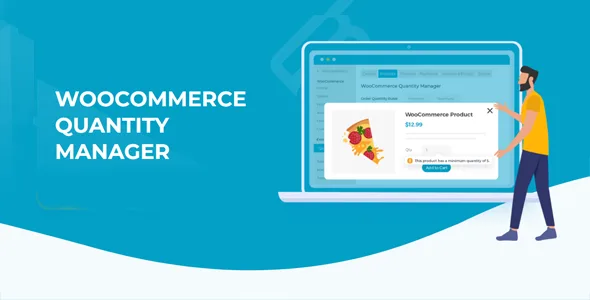
About Barn2 Media WooCommerce Quantity Manager
For sellers of cases and multiples, not for anyone looking for volume pricing
Preparing and shipping a single unit of something that leaves the warehouse in cases of 12 costs almost the same as preparing an order of a hundred. It is the quiet problem of stores with wholesale sales, bundles or products sold in bulk: WooCommerce lets customers buy any quantity, and your margin leaks away in small orders or in quantities that do not fit your logistics.
Barn2 Media WooCommerce Quantity Manager is for you if you need to control how much a customer can buy: minimums, maximums, multiples and order value. It is not for you if you want to change the price based on quantity: the plugin only regulates quantities, not prices. For volume discounts, the developer has another plugin, WooCommerce Discount Manager.
Minimums and maximums, spending included, before checkout
You can set a minimum and maximum quantity per product, and also a minimum and maximum order value. Customers cannot complete their purchase until they meet them. Combining both rules solves typical cases: they must buy at least 10 units and also spend enough so that free shipping does not cost you money.
- Minimum and maximum quantity per product, variation, category or the whole store.
- Minimum and maximum order value.
- Clear error messages that guide customers to the right quantity.
Quantity Manager and multiples: in 6s, in 12s
Step values force customers to buy in groups. With a step of 5, the customer can order 5, 10, 15, 20 and so on. With 6, 12 or 24 you can sell by the half dozen, dozen or case. It is what you need if your supplier delivers in closed bulk packs or if you sell bundles that cannot be split.
Like the rest of the rules, steps are set for the whole store or per category, product or variation.
A starting quantity that nudges people to buy more
WooCommerce's quantity field always starts at 1. Here you can change that starting value per product, to any number, even zero. If you set a starting quantity that your rules make impossible, the lowest allowed quantity will appear instead.
Rules by level and by user role
The rules follow a hierarchy: global ones can be overridden by category ones, and those by product ones, all the way down to the variation. That way you define a general rule and only touch the exceptions.
You also choose which user roles each rule applies to, for example so that a minimum affects wholesalers and not retail customers.
It works with your theme and with other Barn2 plugins
It uses WooCommerce's own styles for error messages and does not change the look of the quantity field, so it works with any well-coded theme without touching templates. It is designed to be translated with plugins such as WPML, WeGlot or TranslatePress. It integrates with WooCommerce Product Table, WooCommerce Bulk Variations, WooCommerce Quick View Pro and WooCommerce Restaurant Ordering Pro.
Questions before you decide
Can I apply a minimum only to wholesalers?
Yes, you can choose the user roles each rule applies to.
What happens if a product has its own rule and its category has another?
The product rule wins: more specific rules override more general ones.
Can I use it for quantity discounts?
No. It only controls how many units can be bought. Volume pricing requires another plugin.
Do I need a developer?
No code or theme template edits are needed to use it.
Topics
Version history
-
v
2.4.4 Current 2 Oct 2026
-
v
2.4.3 13 Sep 2025
Customer reviews
Sign in to leave a review. Only people who have the product can review it.
No reviews for this product yet.
Frequently asked questions
-
GPL (General Public License) is the license under which WordPress and most premium plugins/themes are distributed. It grants you the right to use, modify and redistribute the software in as many projects as you want, with no domain restrictions.
-
Yes. With membership you get automatic updates via our GPLClub Updater plugin (installed on your WP, detects new versions and applies them). With individual purchase, you get one year of manual updates from your account.
-
Depends on the plan. Monthly: 3 domains. Semi-annual: 7. Annual and Lifetime: 15. Individual purchase: 1 domain.
-
GPLClub offers its own support for installation, configuration and compatibility. For direct support from the original author (feature requests, product-specific bugs), a license purchased from the author is required.