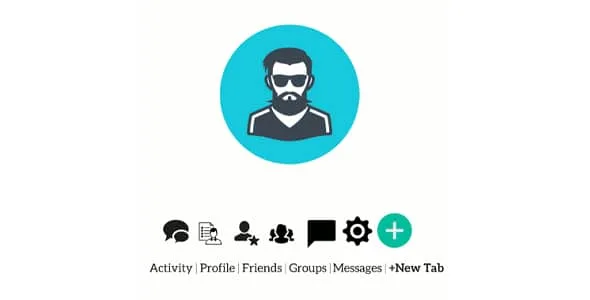
BuddyPress User Profile Tabs Creator Pro
Antivirus scan
Powered by ClamAV
✅ Verified clean
This product file has passed our security filters.
Want to run a fresh ClamAV scan right now? Takes a few seconds and shows scanner version, signature DB and live result.
This can take 5 to 30 seconds.
Clean file Threat detected
No threats detected in this file.
- File
- Size
- Scanned
- ClamAV
- Signature database
⚡ Powered by ClamAV
Scan could not be completed
Report product
If you detected an issue (broken file, malware, inappropriate content, etc.) let us know and we'll review it ASAP.
Sign in to reportNewer version out, or a problem?
About BuddyPress User Profile Tabs Creator Pro
Custom profile tabs for a BuddyPress network without a custom build
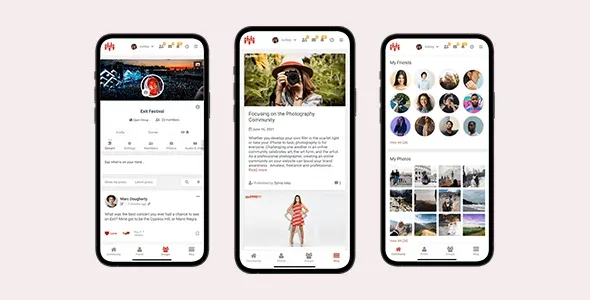
When a BuddyPress community grows, the default profile falls short. Members want to show more than their activity, and the admin ends up commissioning a new tab every time a need appears. This plugin lets you create and manage those tabs from the dashboard, without writing code.
Managing tabs and subtabs from the Users panel
Everything is managed from Users, under Profile Tabs. You add a tab with one click, set its label, choose its position and, if you want, mark it as the default component. The number of tabs and subtabs has no limit, so you can grow as the community asks for it.
You can also edit what already exists. You can change the label or position of a tab added by BuddyPress or by a third-party plugin, and add subtabs to those same tabs. What decides who sees each tab is its visibility: you can limit it by user role, both so it appears on the member's profile and so other members see it when visiting that profile, or make it admin-only.
Three typical situations in a BuddyPress community
Integrating a third-party plugin through a shortcode
If you already have a third-party plugin that works with a shortcode, you can integrate it into a profile tab.
Showing a different screen by role
When you want to show a different screen by role, you create a tab and choose the roles that have it available on their profile.
Adding help inside each component
You can add a help screen for existing components, under the component itself.
What each tab can contain
A tab can display any visible content: text, images, audio, videos, documents or a mix of everything. The rich visual editor helps you write it, and you can work in HTML or text mode if you prefer to control the markup. It also accepts shortcodes to generate dynamic content.
A subtab can also link directly to a specific URL, and the tab text is translatable.
You cannot change a tab's slug or move subtabs between tabs
There are two concrete limits. Neither BuddyPress nor BuddyBoss currently allows changing the slug of a tab or subtab, that is, the part of the address that identifies it. Some top-level slugs can be modified with custom PHP code.
You also cannot move an existing subtab from one tab to another: you can reorder it within its original tab, although you can link to it from other subtabs.
Frequently asked questions about BuddyPress User Profile Tabs Creator Pro
How many tabs can I add?
There is no limit on tabs or subtabs. Add as many as you need.
Can I make a tab visible only to administrators?
Yes. On the add or edit tab screen you can restrict it to administrators.
Can I add subtabs to existing tabs?
Yes, both to tabs added by BuddyPress and to those added by third-party plugins. You can reorder them, change their label and adjust their visibility.
Works on top of BuddyPress or BuddyBoss Platform
This tool needs BuddyPress or BuddyBoss Platform to run, since it extends them and does not work on its own. It is compatible with both. Before creating a tab, think carefully about its slug, because you cannot change it later.
Topics
Version history
-
v
1.4.6 Current 13 Mar 2026
Customer reviews
Sign in to leave a review. Only people who have the product can review it.
No reviews for this product yet.
Frequently asked questions
-
GPL (General Public License) is the license under which WordPress and most premium plugins/themes are distributed. It grants you the right to use, modify and redistribute the software in as many projects as you want, with no domain restrictions.
-
Yes. With membership you get automatic updates via our GPLClub Updater plugin (installed on your WP, detects new versions and applies them). With individual purchase, you get one year of manual updates from your account.
-
Depends on the plan. Monthly: 3 domains. Semi-annual: 7. Annual and Lifetime: 15. Individual purchase: 1 domain.
-
GPLClub offers its own support for installation, configuration and compatibility. For direct support from the original author (feature requests, product-specific bugs), a license purchased from the author is required.