Buttonizer - Smart Floating Action Button (Premium)
Antivirus scan
Powered by ClamAV
✅ Verified clean
This product file has passed our security filters.
Want to run a fresh ClamAV scan right now? Takes a few seconds and shows scanner version, signature DB and live result.
This can take 5 to 30 seconds.
Clean file Threat detected
No threats detected in this file.
- File
- Size
- Scanned
- ClamAV
- Signature database
⚡ Powered by ClamAV
Scan could not be completed
Report product
If you detected an issue (broken file, malware, inappropriate content, etc.) let us know and we'll review it ASAP.
Sign in to report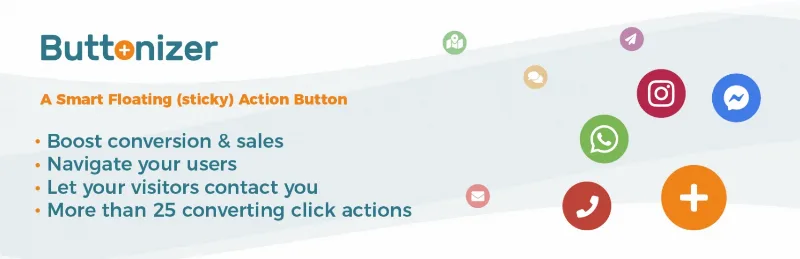
About Buttonizer - Smart Floating Action Button (Premium)
Contact options that get lost in the mobile menu
You have a contact page, a phone number and a WhatsApp, but on mobile all of it sits behind a hamburger menu and two screens of scrolling. The visitor who was ready to write to you gets tired of searching and leaves. Buttonizer keeps one action always within reach, in a corner, while the person keeps reading.
More than 50 actions behind a single button
A floating button is only as good as what it does when tapped. Buttonizer offers more than 50 actions, including:
- Call or send an email with one tap, ideal for people browsing on mobile.
- WhatsApp with custom messages, so the conversation starts with some context.
- Messenger and social sharing.
- Your own JavaScript function, to trigger whatever you already have set up on your site.
- Open a pop-up, with integration for Elementor, Popup Maker and Poptin.
There is also a contact form widget to collect the enquiry without taking the person off the page.
Buttonizer knows when to stay quiet: filters, triggers and styling
A button that appears everywhere at all hours ends up being annoying. Filters let you show or hide it by device (mobile, desktop or both), selected pages or dynamic page rules, user role, time and day. A useful example: the call button only from 09:00 to 17:00, and the WhatsApp or form button the rest of the time.
Triggers add motion based on visitor behavior: browser exit intent, idle visitors, scroll depth or time on page, with 8 button animations. Use them sparingly: a button that jumps around constantly scares people off too.
For design, you can place the button wherever you want, pick from more than 400 icons or upload your own, change the colors of button, icon and text, and choose between 5 floating menu styles. Clicks are tracked automatically in Buttonizer's own analytics dashboard, with up to one month of history.
Is a button enough, or do you need a chat with agents?
Buttonizer takes the person to the action, but it does not answer for you. The WhatsApp button opens the conversation in WhatsApp; it does not install a chat inbox with agents on your site. Pop-up actions depend on you having Elementor, Popup Maker or Poptin to build the window. And the analytics count clicks, not sales: you will know which button gets pressed, not how much revenue it brings.
Can I show a different button on mobile and on desktop?
Yes, the device filters let you decide where each button appears, for example showing the call button only on mobile.
Can I hide it on specific pages?
Yes. You can choose which pages show or hide it, or build more advanced page rules, such as keeping it off the cart or a landing page.
Do I need Elementor to use the pop-ups?
To open a pop-up you need one built with Elementor, Popup Maker or Poptin. To call, email or open WhatsApp you need none of them.
Does it measure the sales it generates?
No: it records clicks on each button. To know whether those clicks end in a sale, you will have to cross them with your own data.
Topics
Version history
-
v
3.3.10 Current 17 May 2024
Customer reviews
Sign in to leave a review. Only people who have the product can review it.
No reviews for this product yet.
Frequently asked questions
-
GPL (General Public License) is the license under which WordPress and most premium plugins/themes are distributed. It grants you the right to use, modify and redistribute the software in as many projects as you want, with no domain restrictions.
-
Yes. With membership you get automatic updates via our GPLClub Updater plugin (installed on your WP, detects new versions and applies them). With individual purchase, you get one year of manual updates from your account.
-
Depends on the plan. Monthly: 3 domains. Semi-annual: 7. Annual and Lifetime: 15. Individual purchase: 1 domain.
-
GPLClub offers its own support for installation, configuration and compatibility. For direct support from the original author (feature requests, product-specific bugs), a license purchased from the author is required.