BWL Advanced FAQ Manager
Antivirus scan
Powered by ClamAV
✅ Verified clean
This product file has passed our security filters.
Want to run a fresh ClamAV scan right now? Takes a few seconds and shows scanner version, signature DB and live result.
This can take 5 to 30 seconds.
Clean file Threat detected
No threats detected in this file.
- File
- Size
- Scanned
- ClamAV
- Signature database
⚡ Powered by ClamAV
Scan could not be completed
Report product
If you detected an issue (broken file, malware, inappropriate content, etc.) let us know and we'll review it ASAP.
Sign in to report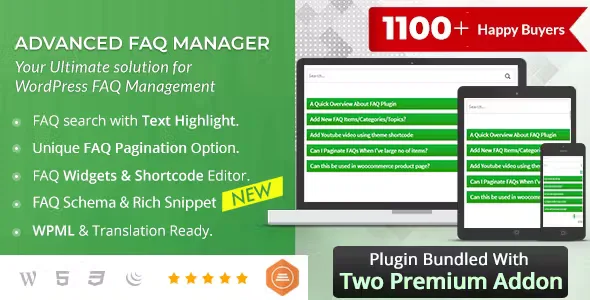
About BWL Advanced FAQ Manager
When the same questions keep arriving by email
Answering the same question about shipping, requirements or how something works for the fifth time is time you never get back. And a list of questions pasted into a page, with no order or search box, is often worse: visitors get tired of scrolling, can't find theirs and end up writing to you anyway. BWL Advanced FAQ Manager helps you take those questions out of your inbox and put them in an organized place that is quick to browse and grows with you.
FAQs are not a text you write once, they are a record of what your customers don't understand. Whoever treats them that way finds out what their website explains badly. This plugin gives you clues for that: questions can be rated with a vote, and in the admin you see a column with the likes of each one, so you know which ones help and which ones need rewriting.
How questions are organized and displayed in BWL Advanced FAQ Manager
Each question is stored as its own WordPress content type, with no custom tables, so it doesn't get mixed up with other plugins' data. You can classify them into categories and topics, and add, edit, delete and reorder them from the admin.
- Shortcode with visual editor: a panel built into the editor lets you insert questions into pages, posts or widget areas without typing the code by hand.
- Expand and collapse: buttons to expand or collapse everything.
- Tabs by category: several categories in one area, even vertical, with a search box inside each tab.
- Pagination: useful for long lists; the number of questions per page is set in the shortcode itself.
- Widgets: three types for the sidebar, including random questions, the most voted and categories with topics.
- Single question: each question can be displayed on its own page.
Search, votes and form: what makes questions work
Live search with a suggestion box saves visitors from going through a long list. The fewer steps they take, the more likely they are to solve their doubt without writing to you.
The front-end form lets users submit their own questions. When one arrives, the administrator gets a notice, reviews it, writes the answer and lets the person know. It's a good way to feed the list with real doubts, but it means someone on the team has to handle it.
To avoid repeated or fake votes, the system filters by IP address. There are visual themes and a custom theme, plus font settings.
Is this the plugin you need for your list of questions?
It fits if your website gets repeated queries and you want a system with search, categories and votes without building anything complicated. It needs almost no configuration: install it and start creating questions.
Before deciding, keep this in mind: the individual page of each question uses your current theme's category.php or archive.php templates, so if you want it to look different you will have to adjust those templates. And it is not a ticketing system or a chatbot: it doesn't answer for you, it only organizes and displays what you write.
Can I create as many questions as I want?
Yes, there is no limit, and pagination keeps the page from becoming endless.
Does it work with Gutenberg?
Yes, the shortcode panel works inside the block editor.
Can visitors vote several times?
The plugin filters by IP to avoid repeated or fake votes from the same user.
Can I use the questions in the sidebar?
Yes, through its widgets, which show random questions, the most voted ones or the categories.
Version history
-
v
3.0.6 Current 9 Oct 2026
-
v
3.0.5 12 Aug 2025
Customer reviews
Sign in to leave a review. Only people who have the product can review it.
No reviews for this product yet.
Frequently asked questions
-
GPL (General Public License) is the license under which WordPress and most premium plugins/themes are distributed. It grants you the right to use, modify and redistribute the software in as many projects as you want, with no domain restrictions.
-
Yes. With membership you get automatic updates via our GPLClub Updater plugin (installed on your WP, detects new versions and applies them). With individual purchase, you get one year of manual updates from your account.
-
Depends on the plan. Monthly: 3 domains. Semi-annual: 7. Annual and Lifetime: 15. Individual purchase: 1 domain.
-
GPLClub offers its own support for installation, configuration and compatibility. For direct support from the original author (feature requests, product-specific bugs), a license purchased from the author is required.