Chimpmatic
Antivirus scan
Powered by ClamAV
✅ Verified clean
This product file has passed our security filters.
Want to run a fresh ClamAV scan right now? Takes a few seconds and shows scanner version, signature DB and live result.
This can take 5 to 30 seconds.
Clean file Threat detected
No threats detected in this file.
- File
- Size
- Scanned
- ClamAV
- Signature database
⚡ Powered by ClamAV
Scan could not be completed
Report product
If you detected an issue (broken file, malware, inappropriate content, etc.) let us know and we'll review it ASAP.
Sign in to report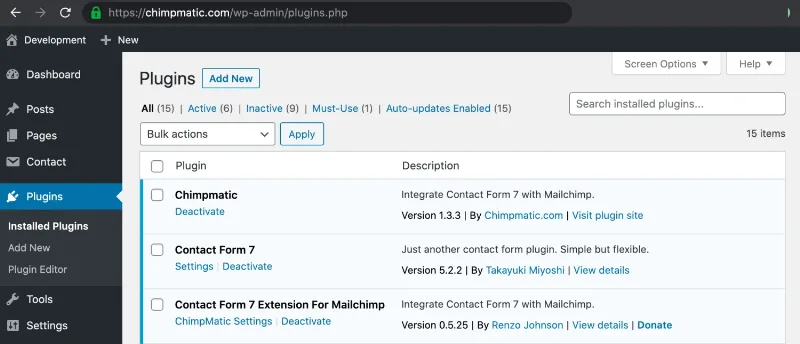
About Chimpmatic
When every subscriber ends up in a CSV
Someone fills in your contact form, you copy their email into a spreadsheet and, days later, upload it to Mailchimp by hand. Along the way contacts get lost, others get duplicated and nobody remembers who agreed to receive emails. Chimpmatic connects Contact Form 7 to your Mailchimp account so that every form submission becomes a contact in your audience with no manual steps.
Here is what almost nobody tells you: a contact form is the most qualified source of subscribers you have, because the person has already raised their hand to talk to you. If that data stays in an inbox, your mailing list only grows when you remember to export.
What Chimpmatic does with form data
You paste your Mailchimp API key once, choose the audience and map your Contact Form 7 fields to the Mailchimp ones. Email is the only required field; first and last name are linked to their equivalents.
- Tags: you can tag the contact with any form value (for example, the subject), so your audience segments itself.
- Groups and custom fields: the Pro version sets no limit on tags, groups or fields.
- Optional double opt-in: you decide whether subscribers are added immediately or after confirming.
- Visitor language and geolocation: they can be captured in the Pro version.
Consent and control over existing contacts
The Pro version includes GDPR consent settings so the subscriber explicitly agrees before entering your list, plus email verification before submission. Having these tools does not exempt you from writing the consent text properly or from complying with the regulations that apply to you: that remains your responsibility.
It also lets you tag and group subscribers who are already in Mailchimp, unsubscribe, archive or permanently delete them, and export WordPress users to your audiences. This is useful if you already have a list and want to tidy it up without leaving the WordPress dashboard.
What to know before choosing Chimpmatic
Chimpmatic does not work on its own: it is built for Contact Form 7 forms, so if you use another form plugin it is no use to you. Nor is it a campaign-sending tool: it only moves contacts into Mailchimp, and you keep sending email from there. In addition, there is a free Lite version with fewer features; several of those mentioned above belong to the Pro version.
Do I need to know how to code?
No. It is set up from a panel in the WordPress admin: API key, audience and field mapping.
Does it work with services other than Mailchimp?
The maker offers integrations for other services such as Brevo, MailerLite, Klaviyo, Campaign Monitor, GetResponse, EmailOctopus and Moosend, but they are separate extensions from this Mailchimp connection.
Does it work on WordPress.com?
Yes, it works on both WordPress.com and self-hosted installations.
Does it limit the number of forms?
The Pro version supports Contact Form 7 forms without limit.
Is it affiliated with Mailchimp?
No: it is an independent plugin, not developed by Mailchimp or linked to the company.
Topics
Version history
-
v
1.3.6 Current 14 May 2024
Customer reviews
Sign in to leave a review. Only people who have the product can review it.
No reviews for this product yet.
Frequently asked questions
-
GPL (General Public License) is the license under which WordPress and most premium plugins/themes are distributed. It grants you the right to use, modify and redistribute the software in as many projects as you want, with no domain restrictions.
-
Yes. With membership you get automatic updates via our GPLClub Updater plugin (installed on your WP, detects new versions and applies them). With individual purchase, you get one year of manual updates from your account.
-
Depends on the plan. Monthly: 3 domains. Semi-annual: 7. Annual and Lifetime: 15. Individual purchase: 1 domain.
-
GPLClub offers its own support for installation, configuration and compatibility. For direct support from the original author (feature requests, product-specific bugs), a license purchased from the author is required.