Codesigner Pro (antes Wooelementor)
Antivirus scan
Powered by ClamAV
✅ Verified clean
This product file has passed our security filters.
Want to run a fresh ClamAV scan right now? Takes a few seconds and shows scanner version, signature DB and live result.
This can take 5 to 30 seconds.
Clean file Threat detected
No threats detected in this file.
- File
- Size
- Scanned
- ClamAV
- Signature database
⚡ Powered by ClamAV
Scan could not be completed
Report product
If you detected an issue (broken file, malware, inappropriate content, etc.) let us know and we'll review it ASAP.
Sign in to report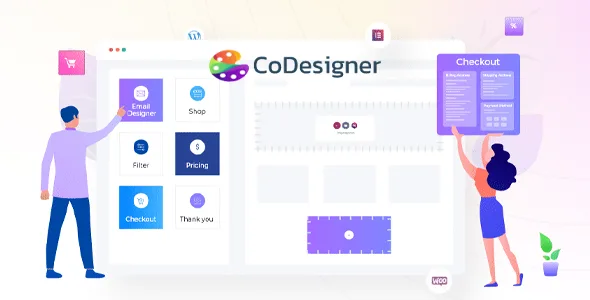
About Codesigner Pro (antes Wooelementor)
Your store has two designs: yours and the cart's
You spent hours on the home page and the product page in Elementor. The customer chooses, clicks buy and lands on a cart and a checkout that look like another website. The journey breaks right where that person is about to type their card details.
The final stretch of a purchase is the one that gets designed least, and it is where you ask for the most trust. That is why CoDesigner's value lies less in its shop styles than in carrying the same design through to the cart, the checkout, the customer account and the emails.
CoDesigner, previously called Woolementor, is a plugin that joins Elementor and WooCommerce: it adds widgets, modules and templates for designing store pages from the Elementor editor, with no coding.
Widgets for each stretch of the purchase
The set goes past 90 widgets, and the Pro version contributes 54 of them.
- Shop: styles such as Standard, Slider, Curvy, Classic, Flip, Smart, Minimal, Shopify, Wix and Beauty.
- Product: variations, tabs, breadcrumbs, barcode and related products in Classic, Standard, Flip, Trendy, Curvy, Accordion and Table designs.
- Filters: horizontal and vertical, also usable with the Elementor Pro shop widget.
- Checkout: billing address, shipping address, order notes, payment methods and Order Pay.
- Account: My Account and My Account Advanced, with a thank you page builder.
- Compare and decide: wishlist, comparison and Ask for Price. From the wishlist, customers can move products to the cart.
- Pricing tables: Advanced, Smart, Basic, Regular and Fancy.
Starting templates in ten categories
The library goes past 130 templates for Elementor. It covers Cart, Checkout, Filter, Footer, Landing Page, Pricing Table, Related Products, Section, Shop and Single Product.
The cart and checkout ones are the first worth opening, because that is where the design jump described above sits. The shop and product ones can wait if those pages already work for you.
Fifteen modules that may overlap your current plugins
- Price and sales: Currency Switcher, Flash Sale, Bulk Purchase Discount, Partial Payment.
- Availability: Preorder and Backorder.
- Product: Variation Swatches, Product Brands, Badges, Add To Cart Text and Single Product Ajax Add To Cart.
- Buying: Skip Cart Page, which lets customers bypass the cart and go straight to checkout, and Checkout Builder.
- Documents: Email Templates, for editing customer emails with Elementor, and Invoice Builder.
Several of these functions often live in separate plugins. If your store already has one for variation swatches or currency switching, enabling the matching module without removing the old one leaves two pieces doing the same job. Decide which one stays and test the result on a copy.
Two plugins you need installed
It needs WooCommerce and Elementor: without them, the widgets and features are unavailable. It works with both the free and the paid version of Elementor. CoDesigner does not replace either of them, since it works on top of both.
- Install and activate WooCommerce and Elementor.
- Install CoDesigner and its Pro version.
- Open the Elementor editor, where you will find the widgets.
- Start with the cart and checkout, using a template or the widgets.
- Enable only the modules you are going to use.
- Run a complete test purchase from start to finish.
Three plugins close to CoDesigner in Elementor
ShopEngine Pro works the same ground: templates for cart, checkout, thank you and My Account, and it also requires Elementor and WooCommerce.
If what your site lacks is the header and menu on every page, ElementsKit centers on the header and footer builder, the mega menu and a design library, with some WooCommerce listing widgets.
Elementor Pro also pairs with CoDesigner, since CoDesigner's filters work with its shop widget.
When moving your store to CoDesigner
Can I keep using free Elementor?
Yes, it works with both the free and the paid version.
Can I design the store emails?
Yes, the Email Templates module lets you edit the emails customers receive with Elementor.
Are there widgets for editing the checkout?
Yes. There are widgets for the checkout page elements, plus templates and the Checkout Builder module.
Is it the same product as Woolementor?
Yes. CoDesigner is the current name of Woolementor.
Topics
Version history
-
v
4.7.6 Current 3 Apr 2025
Customer reviews
Sign in to leave a review. Only people who have the product can review it.
No reviews for this product yet.
Frequently asked questions
-
GPL (General Public License) is the license under which WordPress and most premium plugins/themes are distributed. It grants you the right to use, modify and redistribute the software in as many projects as you want, with no domain restrictions.
-
Yes. With membership you get automatic updates via our GPLClub Updater plugin (installed on your WP, detects new versions and applies them). With individual purchase, you get one year of manual updates from your account.
-
Depends on the plan. Monthly: 3 domains. Semi-annual: 7. Annual and Lifetime: 15. Individual purchase: 1 domain.
-
GPLClub offers its own support for installation, configuration and compatibility. For direct support from the original author (feature requests, product-specific bugs), a license purchased from the author is required.