Divi Accordions Plus
Antivirus scan
Powered by ClamAV
✅ Verified clean
This product file has passed our security filters.
Want to run a fresh ClamAV scan right now? Takes a few seconds and shows scanner version, signature DB and live result.
This can take 5 to 30 seconds.
Clean file Threat detected
No threats detected in this file.
- File
- Size
- Scanned
- ClamAV
- Signature database
⚡ Powered by ClamAV
Scan could not be completed
Report product
If you detected an issue (broken file, malware, inappropriate content, etc.) let us know and we'll review it ASAP.
Sign in to report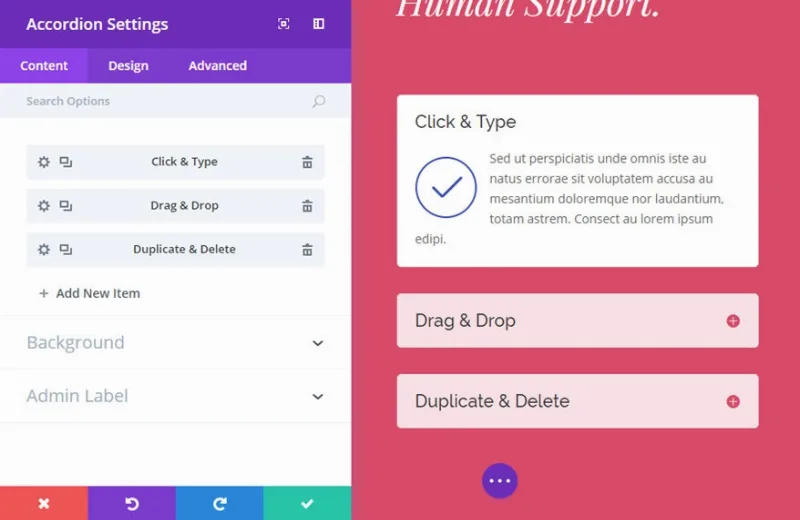
About Divi Accordions Plus
The title of each accordion tab is one more heading on your page
You build an accordion with eight questions and pick its style looking only at the appearance. Each title, however, also takes a place in the page outline, just like a heading written by hand. If the level is not chosen on purpose, neither is the resulting outline.
In Divi Accordions Plus, the title and subtitle of each item have a heading level that you choose, from H1 to H6, and that choice is part of the page structure and not only of its appearance.
Divi Accordions Plus is a module for the Divi builder and the Extra theme that creates accordions. It supports nested accordions, Divi layouts inside each item, subtitles, custom icons and control over each tab's behavior.
What the module offers
- Nested accordions: an accordion can contain others.
- Divi layouts in each item: the content of a tab can be a full layout and not only text.
- Subtitles: each item accepts a subtitle, and both the title and the subtitle accept levels from H1 to H6.
- Icons: built-in font icons or your own images, on the left or the right, with a rotation when the tab opens.
- Visibility per device: icons and subtitles can be shown or hidden depending on the device.
- Behavior: adjustable opening and closing speed, and each tab can load open or closed.
- Style: each element is customizable, including headings, paragraphs, links, lists and quotes.
- Seven demo layouts: you import them, add your content and edit them.
One use: a question page with long answers
A nested accordion works for grouping questions by topic: topics on top and, inside each one, its questions. With Divi layouts in each answer you can include images or buttons, and with subtitles you can add a summary line under each question.
It is a combination of features you should try on a draft page: open each level on mobile and on desktop, and check that the heading level of the topics and of the questions makes sense within the page.
Limits of Divi Accordions Plus
- It needs Divi. It is a module for that theme's builder, or for Extra, and does not work on its own.
- The H1 level is among the options. A page with several H1s depends on what you choose.
- Among its features there is no tool to convert existing content into an accordion automatically.
- There are seven demo layouts; the rest of the look is yours to define.
First steps with Divi Accordions Plus
You need WordPress with the Divi or Extra theme and its builder.
- Install the module with the WordPress installer and activate it.
- Open a page in the Divi Builder and find the module in the list.
- Import one of the seven demo layouts and replace its content with yours.
- Choose the heading level for the title and the subtitle.
- Decide which tabs load open and adjust the opening speed.
- Check the result on different devices before publishing.
Alternatives in the catalog for Divi
To switch between two pieces of content with a toggle in Divi, the catalog has Divi Advanced Content Toggle Module. If you are looking for a broader set of modules, look at Divi Plus or Divi Booster.
Answers about Divi Accordions Plus
Can I put one accordion inside another?
Yes. Accordions can be nested.
Can I put a Divi layout inside a tab?
Yes. Items accept Divi layouts.
Can I choose the heading level?
Yes, from H1 to H6, for both the title and the subtitle.
Does it work with the Extra theme?
Yes. The module is designed for the Divi and Extra themes.
Topics
Version history
-
v
2.0.2 Current 22 Dec 2025
Customer reviews
Sign in to leave a review. Only people who have the product can review it.
No reviews for this product yet.
Frequently asked questions
-
GPL (General Public License) is the license under which WordPress and most premium plugins/themes are distributed. It grants you the right to use, modify and redistribute the software in as many projects as you want, with no domain restrictions.
-
Yes. With membership you get automatic updates via our GPLClub Updater plugin (installed on your WP, detects new versions and applies them). With individual purchase, you get one year of manual updates from your account.
-
Depends on the plan. Monthly: 3 domains. Semi-annual: 7. Annual and Lifetime: 15. Individual purchase: 1 domain.
-
GPLClub offers its own support for installation, configuration and compatibility. For direct support from the original author (feature requests, product-specific bugs), a license purchased from the author is required.