Everest Forms - Cloud Storage
Antivirus scan
Powered by ClamAV
✅ Verified clean
This product file has passed our security filters.
Want to run a fresh ClamAV scan right now? Takes a few seconds and shows scanner version, signature DB and live result.
This can take 5 to 30 seconds.
Clean file Threat detected
No threats detected in this file.
- File
- Size
- Scanned
- ClamAV
- Signature database
⚡ Powered by ClamAV
Scan could not be completed
Report product
If you detected an issue (broken file, malware, inappropriate content, etc.) let us know and we'll review it ASAP.
Sign in to report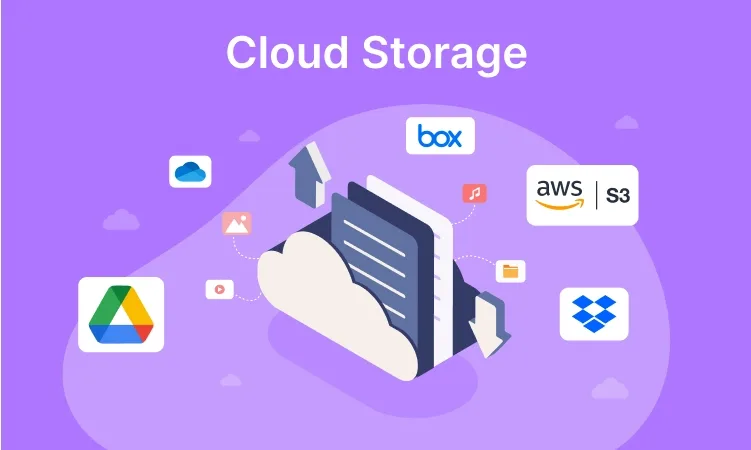
About Everest Forms - Cloud Storage
When a form receives files or data that matter (résumés, quotes, client documents), the problem is not just receiving them: they end up piled on your website's server, mixed with everything else and with no copy outside it. If the hosting fails or someone cleans the wrong folder, those submissions are lost.
Why take submissions off your website's server
Everest Forms - Cloud Storage is an Everest Forms add-on that sends whatever arrives through your forms to a cloud storage platform. The practical advantage is separating two things that usually go together: the website that publishes and the place where documents are kept. People who receive requests, orders or material from users tend to notice that difference the day they need to recover an old file and cannot find it.
Amazon S3 and OneDrive, even at the same time
The add-on connects with two platforms: Amazon S3 and OneDrive.
You can decide, form by form, whether it is integrated with a storage platform or not. You can also connect several accounts: the files and entries of a given form can be sent to your OneDrive account and your Amazon S3 account at once, so the data is kept in more than one place.
Entries saved as PDF
Another useful feature is uploading form entries to the cloud as PDFs.
It needs Everest Forms and its premium plan
Here it is worth setting expectations. This is what the add-on solves and what you will have to cover yourself:
- It solves: connecting forms with Amazon S3 and OneDrive, choosing which forms are integrated, using several accounts and uploading entries as PDFs.
- You cover: installing Everest Forms, which is the base plugin (this add-on does not work alone); having your own Amazon S3 or OneDrive account; and deciding how to organize those files and who can access them in the cloud.
- It is not a form builder: it does not create fields or design forms; Everest Forms does that.
If your forms collect personal or sensitive data, also check who has access to the storage account and how the service you choose handles that data.
Frequently asked questions about Everest Forms - Cloud Storage
Does it work without Everest Forms?
No. It is an add-on and needs Everest Forms installed to work.
Can I use Amazon S3 and OneDrive at the same time?
Yes. You can connect more than one account and send a form's files and entries to both, so you have the data in more than one place.
Do I have to enable it on every form?
No. You choose whether each form is integrated with the storage platform.
Can entries be saved as PDFs?
Yes, entries can be uploaded to your cloud storage as PDFs.
Topics
Version history
-
v
1.0.6 Current 9 Sep 2026
-
v
1.0.5 19 Jun 2026
-
v
1.0.4 17 Apr 2026
Customer reviews
Sign in to leave a review. Only people who have the product can review it.
No reviews for this product yet.
Frequently asked questions
-
GPL (General Public License) is the license under which WordPress and most premium plugins/themes are distributed. It grants you the right to use, modify and redistribute the software in as many projects as you want, with no domain restrictions.
-
Yes. With membership you get automatic updates via our GPLClub Updater plugin (installed on your WP, detects new versions and applies them). With individual purchase, you get one year of manual updates from your account.
-
Depends on the plan. Monthly: 3 domains. Semi-annual: 7. Annual and Lifetime: 15. Individual purchase: 1 domain.
-
GPLClub offers its own support for installation, configuration and compatibility. For direct support from the original author (feature requests, product-specific bugs), a license purchased from the author is required.