GeoDirectory Claim Listings
Antivirus scan
Powered by ClamAV
✅ Verified clean
This product file has passed our security filters.
Want to run a fresh ClamAV scan right now? Takes a few seconds and shows scanner version, signature DB and live result.
This can take 5 to 30 seconds.
Clean file Threat detected
No threats detected in this file.
- File
- Size
- Scanned
- ClamAV
- Signature database
⚡ Powered by ClamAV
Scan could not be completed
Report product
If you detected an issue (broken file, malware, inappropriate content, etc.) let us know and we'll review it ASAP.
Sign in to report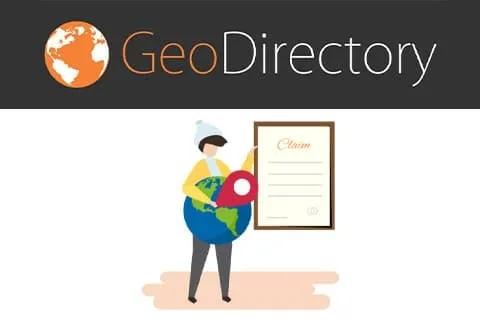
About GeoDirectory Claim Listings
A directory full of listings with no owner
A newly built directory has a problem the demo never shows: you created the listings yourself, or someone imported them, and none of them has an owner. Phone numbers change, opening hours go stale, and nobody touches up the descriptions. And the one who cares most about a listing being right is exactly the business that appears in it.
GeoDirectory Claim Listings turns that problem into a simple process. The business claims its listing, you check that it is who it says it is and, once approved, it becomes the owner and takes care of keeping it up to date. You stop being the editor who fixes other people's data and become the one who verifies. It is an add-on for GeoDirectory: it does not work on its own, it needs the core plugin.
From the claim button to the change of owner, step by step
1. The owner finds their listing and clicks claim
You can place the button wherever you like with a shortcode, a widget or a Gutenberg block. The form opens in a popup without leaving the page, or you can show it in a tab on the details page.
2. They fill in the form
If the basic form falls short, you can customize it and even create several different forms, but for that you need Ninja Forms (the free version is enough).
3. You decide how it gets verified
There are two paths: approve automatically through email verification (or when a payment is received), or review each request yourself before approving or rejecting it. Be clear about what each one proves: email verification only shows that the person controls that address, not that they own the business. If impersonation is a risk in your sector, manual review is the safer choice. You will get an email alert for each new claim, and the applicant receives another when you resolve it. You can adjust how all of those emails work.
4. Approve, reject, delete or undo
- Approve: changes the listing's owner to the user, marks it as claimed and notifies them.
- Reject: moves the request to rejected claims and notifies them by email; the user can submit another, more detailed one.
- Delete: removes the claim without sending any email, whatever its status.
- Undo: if you approved by mistake or for a dubious reason, you can reverse a claim that was already approved.
The management screen shows the key details of each request in a table, and everything the user submitted opens in a popup.
5. Pay to claim requires more pieces
Charging for claims does not come with this plugin alone: you need the Pricing Manager add-on, with GetPaid or WooCommerce as the payment system. With that combination you can publish free listings with minimal content and let the owner pay to unlock more features.
Questions before opening up claims
Does it work without GeoDirectory? No. It is an add-on for the core GeoDirectory plugin.
Can I charge to claim a listing? Yes, but combined with Pricing Manager and GetPaid or WooCommerce.
What if I approve the wrong person? You can undo the approved claim.
Can I show only verified businesses in searches? Yes, by adding the claimed custom field to the search filters, but for that you need the Advanced Search add-on.
The verified badge as the case for Claim Listings
Once there are claimed listings, visitors should be able to notice it. You can show a verified listing badge anywhere with the post badge widget, a shortcode or a block.
The claimed field also works in the drag and drop sorting builder: you can list only verified listings first or use it as one more ranking factor within other criteria. That gives owners a real reason to claim: their listing appears better placed and with a trust badge.
Topics
Version history
-
v
2.3.5 Current 19 Aug 2025
Customer reviews
Sign in to leave a review. Only people who have the product can review it.
No reviews for this product yet.
Frequently asked questions
-
GPL (General Public License) is the license under which WordPress and most premium plugins/themes are distributed. It grants you the right to use, modify and redistribute the software in as many projects as you want, with no domain restrictions.
-
Yes. With membership you get automatic updates via our GPLClub Updater plugin (installed on your WP, detects new versions and applies them). With individual purchase, you get one year of manual updates from your account.
-
Depends on the plan. Monthly: 3 domains. Semi-annual: 7. Annual and Lifetime: 15. Individual purchase: 1 domain.
-
GPLClub offers its own support for installation, configuration and compatibility. For direct support from the original author (feature requests, product-specific bugs), a license purchased from the author is required.