GeoDirectory Save Search Notifications
Antivirus scan
Powered by ClamAV
✅ Verified clean
This product file has passed our security filters.
Want to run a fresh ClamAV scan right now? Takes a few seconds and shows scanner version, signature DB and live result.
This can take 5 to 30 seconds.
Clean file Threat detected
No threats detected in this file.
- File
- Size
- Scanned
- ClamAV
- Signature database
⚡ Powered by ClamAV
Scan could not be completed
Report product
If you detected an issue (broken file, malware, inappropriate content, etc.) let us know and we'll review it ASAP.
Sign in to report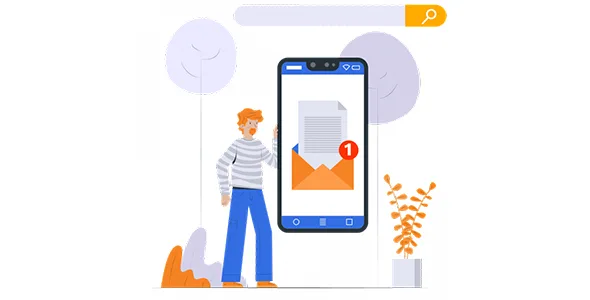
About GeoDirectory Save Search Notifications
If your directory gets new listings every week and visitors leave without coming back
A visitor searches for a flat, a job or a service, finds nothing convincing and closes the tab. What would have suited them is published two days later, when they are no longer around. That is the gap GeoDirectory Save Search Notifications fills: the user saves their search and receives a notification when a listing that matches their criteria is added.
It suits you if your directory adds listings regularly and the people searching have a specific need: job boards, real estate sites, classifieds or any catalog where the good items are published and gone quickly. It does not suit you if your directory is almost static and listings are created once and last for years: there will be no news to announce.
- It is an add-on for GeoDirectory: it does not work without the core plugin.
- It also needs the Advanced Search addon to work.
- It does not create listings or bring in new traffic: it works on visitors who have already searched on your site.
Nobody repeats yesterday's search
In a directory, most people repeat a search once or twice and then get tired. Your site's inventory may improve every day and the user never finds out because they have stopped looking. Saving the search changes the visitor's role: they no longer have to remember to come back, they wait for the notification instead.
For you, that means a concrete reason to return to the site: not a generic newsletter, but a notice about something that person has already said they wanted.
How users experience GeoDirectory Save Search Notifications
The flow is simple: the user runs a search, saves it and from then on receives a notification every time a listing that meets their request is added. They can then manage their notifications from an interface designed to be simple.
A clear example: someone looking for a job in their city with specific conditions finds out when a matching offer is published; someone looking for a home with certain features, when something similar appears. In both cases the notice comes from criteria the user chose.
The quality of the alert depends on the search you have built
Before buying, check whether your search lets people refine what your audience really wants to refine (area, category, type of offer).
Also check in the demo how the save-search option looks and where users manage their notifications, to judge whether it fits your site's design.
Frequently asked questions about GeoDirectory Save Search Notifications
Does it work without Advanced Search?
No. It needs the Advanced Search addon and, of course, the GeoDirectory plugin.
Is it suitable for any type of directory?
Technically yes, but it pays off in those that receive new listings often and where users look for something specific, such as jobs or property. In a directory that barely changes, it will add little.
Do I have to notify each user myself?
No. The notification is generated when a listing matching the saved search is added.
Can users manage their alerts?
Yes. They can save their searches and manage their notifications from a simple interface.
Topics
Version history
-
v
2.1.7 Current 18 Sep 2026
-
v
2.1.6 2 May 2026
Customer reviews
Sign in to leave a review. Only people who have the product can review it.
No reviews for this product yet.
Frequently asked questions
-
GPL (General Public License) is the license under which WordPress and most premium plugins/themes are distributed. It grants you the right to use, modify and redistribute the software in as many projects as you want, with no domain restrictions.
-
Yes. With membership you get automatic updates via our GPLClub Updater plugin (installed on your WP, detects new versions and applies them). With individual purchase, you get one year of manual updates from your account.
-
Depends on the plan. Monthly: 3 domains. Semi-annual: 7. Annual and Lifetime: 15. Individual purchase: 1 domain.
-
GPLClub offers its own support for installation, configuration and compatibility. For direct support from the original author (feature requests, product-specific bugs), a license purchased from the author is required.