Gravity Forms User Registration
Antivirus scan
Powered by ClamAV
✅ Verified clean
This product file has passed our security filters.
Want to run a fresh ClamAV scan right now? Takes a few seconds and shows scanner version, signature DB and live result.
This can take 5 to 30 seconds.
Clean file Threat detected
No threats detected in this file.
- File
- Size
- Scanned
- ClamAV
- Signature database
⚡ Powered by ClamAV
Scan could not be completed
Report product
If you detected an issue (broken file, malware, inappropriate content, etc.) let us know and we'll review it ASAP.
Sign in to report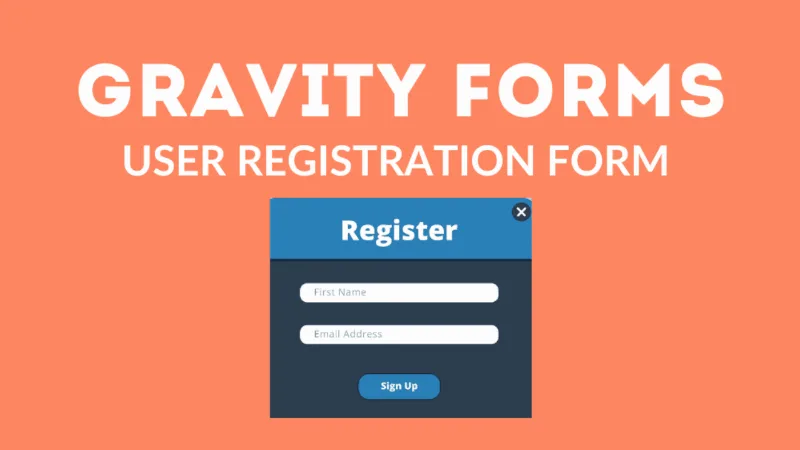
About Gravity Forms User Registration
Anyone building a membership or course site tends to end up with two separate steps: a form to collect the data and, elsewhere, someone creating the account by hand or a WordPress registration that asks nothing useful. Gravity Forms User Registration brings both together: the form you already design creates the WordPress user as soon as it is submitted.
Creating the account is the easy part; what comes after is what gets neglected
On a membership site, creating the account is only the beginning. What decides whether the business works is what that person can see and do once inside, and this add-on does not cover that. It is worth being clear before buying: it solves the front door, not the house.
Gravity Forms User Registration: what it does when the form is submitted
- Creates the account automatically: you map the form's Username and Email fields to the WordPress user data and enable user creation.
- Registration template included: you can start from it or turn an existing form into a registration form by adding a username field and an email field.
- Payment in the same step: it connects with Stripe, PayPal or Square to charge for a membership or course access. The account can be created only once payment is confirmed, so you don't pile up unpaid users.
- Login widget: you can embed a login form on any page so users sign in from the front end, without going through the WordPress dashboard.
- Existing roles: you can assign a WordPress role, such as Subscriber, Contributor or a custom one.
- Multisite: on a multisite network, each sign-up can generate a new site for that user, useful for communities where each member has their own space.
What it does not include
It does not create new roles or capabilities, and it does not restrict content: it does not hide pages or posts from people who haven't paid. For that you need another plugin for roles and content restriction (the vendor itself recommends Members). It is also a Gravity Forms add-on, so the main plugin must be installed.
Questions from people about to use it
Can I charge before granting access?
Yes, with Stripe, PayPal or Square. The account can be created only after payment is confirmed.
Does it work for a course site?
Yes: it registers the student, charges for access and creates their account when the form is submitted. Protecting each course is the job of another plugin.
Can I choose the new user's role?
Yes, among the roles that already exist in your WordPress, including custom ones.
Do I have to start from scratch?
No. Any existing form can become a registration form if it has the username and email fields.
Does it work without Gravity Forms?
No. It is an add-on and depends on the main plugin.
A registration form and a login form are two different pieces
They are easy to confuse. The registration form creates the account once; the login form, which comes from the login widget, will be used by members every time they return. Consider placing the latter somewhere visible, such as the account page or the menu, so people who already registered don't fill in the sign-up again.
Start from the registration template and test a complete sign-up
The sensible approach is to start from the included template, map the fields and run a test registration from start to finish: submission, payment if there is one, account creation and first login with the widget. If you charge, repeat the test with a confirmed payment and with a failed one to check that the account only appears when it should. Then add the content restriction plugin you choose and check with a test user what each role sees.
Topics
Version history
-
v
5.5.2.1 Current 14 Oct 2026
-
v
5.5.2 2 Oct 2026
-
v
5.5.1.1 30 Sep 2026
-
v
5.5.1 5 Sep 2026
-
v
5.5.0.1 4 Aug 2026
-
v
5.4.1 11 Sep 2025
Customer reviews
Sign in to leave a review. Only people who have the product can review it.
No reviews for this product yet.
Frequently asked questions
-
GPL (General Public License) is the license under which WordPress and most premium plugins/themes are distributed. It grants you the right to use, modify and redistribute the software in as many projects as you want, with no domain restrictions.
-
Yes. With membership you get automatic updates via our GPLClub Updater plugin (installed on your WP, detects new versions and applies them). With individual purchase, you get one year of manual updates from your account.
-
Depends on the plan. Monthly: 3 domains. Semi-annual: 7. Annual and Lifetime: 15. Individual purchase: 1 domain.
-
GPLClub offers its own support for installation, configuration and compatibility. For direct support from the original author (feature requests, product-specific bugs), a license purchased from the author is required.