Groups Plus for LearnDash
Antivirus scan
Powered by ClamAV
✅ Verified clean
This product file has passed our security filters.
Want to run a fresh ClamAV scan right now? Takes a few seconds and shows scanner version, signature DB and live result.
This can take 5 to 30 seconds.
Clean file Threat detected
No threats detected in this file.
- File
- Size
- Scanned
- ClamAV
- Signature database
⚡ Powered by ClamAV
Scan could not be completed
Report product
If you detected an issue (broken file, malware, inappropriate content, etc.) let us know and we'll review it ASAP.
Sign in to report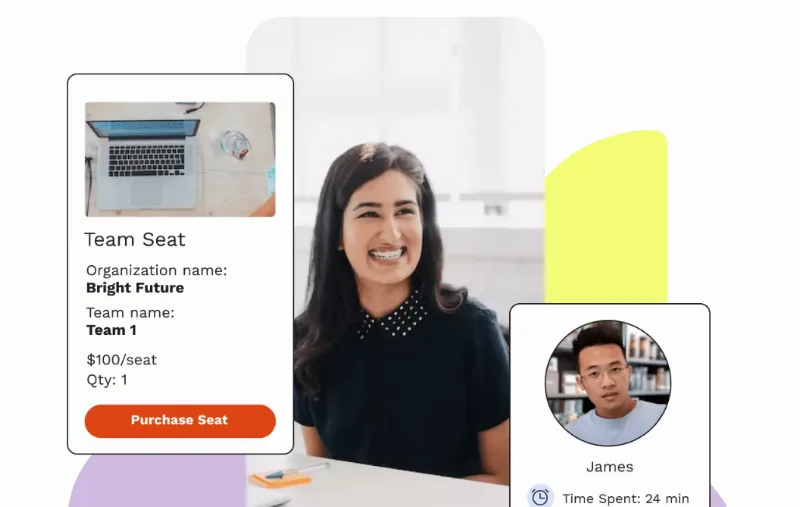
About Groups Plus for LearnDash
Selling training to companies and ending up enrolling by hand
When a company buys training for its staff, the order is the easy part. The hard part comes after: who signs up, who is left without a seat, who leaves the company and needs replacing, and the HR manager who writes to you asking for a report. If every one of those tasks goes through you, each corporate client turns you into their training secretary.
Groups Plus for LearnDash moves that work to the client: they buy course seats, share them out among their people and follow progress from a front-end dashboard, without entering the WordPress admin.
Organizations and Teams: the hierarchy Groups Plus adds to LearnDash
LearnDash groups gather users into cohorts, teams or classrooms. Groups Plus adds levels: a large group can be split into Organizations and Teams, each with its own leaders. That matters when your client is not a class but a company with departments.
From the front-end dashboard, the owner of an Organization or their Lead Organizer can:
- Create child Teams and assign leaders to them.
- Enroll, invite or remove members.
- Buy additional seats when needed.
- View course progress, quiz reports and activity.
- Grade assignments and essays.
- Communicate with team members through the message board.
Three buyers, three ways to get the most out of it
The company that buys seats at checkout
It purchases several seats at once and distributes them among its employees, without you having to manage each enrollment.
The team leader who just wants to know who is progressing
They have their own dashboard. They can pull a report for any member and course, with completed lessons, time spent and quiz scores, and print it for their records.
The large client with agreed terms
You can create a private Organization manually from LearnDash LMS > Groups > Add New, assign it courses, seats and Lead Organizers, and keep it out of public checkout. It works for closed deals with a specific company.
Questions before setting up seat sales
Does it work without LearnDash?
No. It is an add-on that extends LearnDash groups with Organizations, Teams and seat purchasing.
Does my client need access to the WordPress admin?
No. Invitations, seats, teams and tracking are managed from their front-end dashboard.
Can I create an Organization that is not sold publicly?
Yes, manually from the admin, assigning it courses, seats and Lead Organizers.
Can I review and grade learners' work?
Yes: the owner or Lead Organizer can grade assignments and essays, and view quiz reports and activity.
It coexists with your membership plugin, but does not depend on it
It can live on the same site as a membership plugin, but it works separately. Seats, course access and hierarchies are managed through WooCommerce products and LearnDash group logic. If you expected your membership plugin to control each company's seats, it will not. Check in the demo how the seat products are configured before shaping your corporate offer.
Topics
Version history
-
v
2.2.1 Current 29 Jun 2026
-
v
2.0.0 8 Jan 2025
Customer reviews
Sign in to leave a review. Only people who have the product can review it.
No reviews for this product yet.
Frequently asked questions
-
GPL (General Public License) is the license under which WordPress and most premium plugins/themes are distributed. It grants you the right to use, modify and redistribute the software in as many projects as you want, with no domain restrictions.
-
Yes. With membership you get automatic updates via our GPLClub Updater plugin (installed on your WP, detects new versions and applies them). With individual purchase, you get one year of manual updates from your account.
-
Depends on the plan. Monthly: 3 domains. Semi-annual: 7. Annual and Lifetime: 15. Individual purchase: 1 domain.
-
GPLClub offers its own support for installation, configuration and compatibility. For direct support from the original author (feature requests, product-specific bugs), a license purchased from the author is required.