Hotel Booking Payment Request
Antivirus scan
Powered by ClamAV
✅ Verified clean
This product file has passed our security filters.
Want to run a fresh ClamAV scan right now? Takes a few seconds and shows scanner version, signature DB and live result.
This can take 5 to 30 seconds.
Clean file Threat detected
No threats detected in this file.
- File
- Size
- Scanned
- ClamAV
- Signature database
⚡ Powered by ClamAV
Scan could not be completed
Report product
If you detected an issue (broken file, malware, inappropriate content, etc.) let us know and we'll review it ASAP.
Sign in to report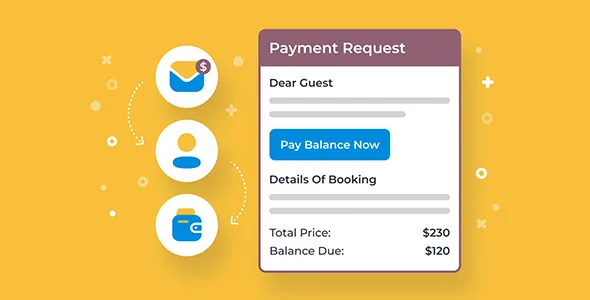
About Hotel Booking Payment Request
A balance collected at the front desk opens a second set of books
The guest left a deposit on your website and arrives with the rest still due. You collect it at the counter, by card terminal, cash or bank transfer, and then someone has to write it down. Until that happens, the booking says one thing and the till says another.
Every balance collected outside the website is a figure someone must reconcile by hand with its booking.
Hotel Booking Payment Request is an add-on for MotoPress Hotel Booking that asks for that money before arrival. The guest gets an email with a link, returns to your website, pays through the gateways you have configured, and the payment is saved to the database. It does not work alone: it needs the Hotel Booking plugin installed and active.
What it automates and what it records
- Automatic reminders for the balance, sent the number of days before check-in you choose.
- Manual sending with the "Send reminder now" button or by copying the payment link, also for bookings excluded from automatic ones.
- A guest payment page showing the booking details and payment history.
- Editable emails with macros: booking data, house rules, coupons or promotions, and whether payment is required before arrival.
- Payment notifications to the customer and the admin, with several recipients possible.
- An activity log: status changes, deposit amounts, reminders sent and payments received.
How it acts in each confirmation mode
You confirm. Once you set the booking to "Confirmed", you can send the link right away with a button or let it go out on its own before check-in.
The customer confirms by email. The booking becomes confirmed automatically and the balance request goes out the days before that you set. The link can also be sent by hand.
The deposit confirms. Paying the deposit confirms the booking, the add-on calculates what remains and requests it before arrival, or whenever you send it.
The Confirmed status and the step that stays with the guest
Follow-up reminders go out only for bookings with "Confirmed" status. If you work with manual approval, a booking still waiting for your review will not get those reminders.
The guest completes the payment: they open the link and pay. If they do not, the money does not come in. Its features do not include automatic charges to a saved card.
It brings no gateways of its own either. It works with the methods enabled in Hotel Booking, such as PayPal, 2Checkout, Stripe or Beanstream/Bambora, and others can be added through the Hotel Booking WooCommerce Payments add-on.
Sending the first balance request
It needs the Hotel Booking plugin active and at least one enabled gateway. These steps lead to the first send:
- Activate the add-on on a site running Hotel Booking and check which gateways are enabled.
- Decide how many days before check-in the balance request goes out.
- Edit the email with the macros and add your payment terms and rules.
- Make a test booking with a test gateway and check that the email arrives, the link opens your website and the payment is recorded.
Collecting and notifying with other tools
MotoPress Hotel Booking is the booking engine this add-on needs; on its own it accepts full or deposit payments, fixed or percentage.
Hotel Booking Notifier schedules emails a number of days before or after check-in or check-out. It suits arrival instructions or review requests; it is not a collection system.
If you sell through WooCommerce rather than this engine, Deposits & Partial Payments for WooCommerce Pro splits the price into deposits and payment plans, with balance reminders.
Questions about the balance and the payment link
Does it work without MotoPress Hotel Booking?
No. It is an add-on for that plugin and needs it installed and active.
Can I request the balance from a specific guest early?
Yes. You can send it with "Send reminder now" or copy the payment link and send it through the channel you prefer.
Does it work for bookings with no deposit?
Yes. The reminders cover both the full amount and the balance remaining after a deposit.
How do I know who has paid?
The payment is saved to the database automatically, and the activity log records payments, reminders and status changes. Notifications also reach the customer and the admin.
Topics
Version history
-
v
2.3.2 Current 5 Sep 2026
-
v
2.3.0 5 May 2026
Customer reviews
Sign in to leave a review. Only people who have the product can review it.
No reviews for this product yet.
Frequently asked questions
-
GPL (General Public License) is the license under which WordPress and most premium plugins/themes are distributed. It grants you the right to use, modify and redistribute the software in as many projects as you want, with no domain restrictions.
-
Yes. With membership you get automatic updates via our GPLClub Updater plugin (installed on your WP, detects new versions and applies them). With individual purchase, you get one year of manual updates from your account.
-
Depends on the plan. Monthly: 3 domains. Semi-annual: 7. Annual and Lifetime: 15. Individual purchase: 1 domain.
-
GPLClub offers its own support for installation, configuration and compatibility. For direct support from the original author (feature requests, product-specific bugs), a license purchased from the author is required.