Image Hover Elements for Elementor
Antivirus scan
Powered by ClamAV
✅ Verified clean
This product file has passed our security filters.
Want to run a fresh ClamAV scan right now? Takes a few seconds and shows scanner version, signature DB and live result.
This can take 5 to 30 seconds.
Clean file Threat detected
No threats detected in this file.
- File
- Size
- Scanned
- ClamAV
- Signature database
⚡ Powered by ClamAV
Scan could not be completed
Report product
If you detected an issue (broken file, malware, inappropriate content, etc.) let us know and we'll review it ASAP.
Sign in to report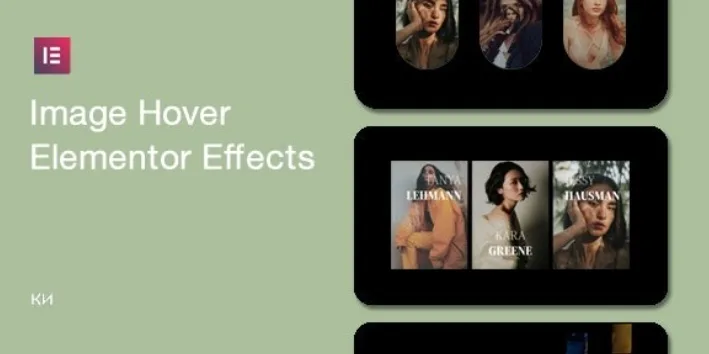
About Image Hover Elements for Elementor
An image gallery that doesn't react to the mouse looks unfinished
Anyone who shows photos on their website (a photography studio, an agency, a store with a visual catalog) usually settles for a static grid. The visitor moves over it, nothing happens, and the image stays a plain file. A hover effect doesn't change the photo, but it does tell the person that the element is alive and can be interacted with. Image Hover Elements for Elementor adds that layer without writing CSS from scratch.
Four families of effects for images
The plugin groups its effects into four categories, used as widgets inside Elementor:
- Repetition Hover: repeated layers of the same image that scale up and down. It is an eye-catching and fun effect, with about 5 styles.
- Double Image: clip-path animations that reveal the same image, with more than 10 effects.
- Tilt Hover: tilt animations, with more than 8 effects. Colors can be changed by adding your own code.
- Image Hover: subtle, modern effects built with current CSS techniques, including 3D translate and pseudo-elements, with more than 10 elements.
In total there are more than 34 effects, and the collection keeps growing.
What to expect from Image Hover Elements for Elementor before buying it
It is an Elementor add-on, so it doesn't work without it. It is designed for clean, minimalist galleries. There is no limit on galleries on a single page, and the design responds on mobile and touch screens. However, remember that a hover effect is designed with the mouse in mind: on a touch screen there is no hovering, so don't count on the effect being the only way to convey information.
If you want other colors in the tilt effects, you will have to add custom CSS. It is not a panel with a color picker for everything. Don't expect to change the animation logic without touching code either.
It uses HTML5 and CSS3, and it is compatible with WPML if your site is multilingual.
Frequently asked questions
Do I need Elementor Pro?
Check in the demo whether the widgets appear in your version of the page builder before building a full design.
Can I put several galleries on the same page?
Yes, there is no limit on galleries per page.
Does it work on mobile?
It is optimized for mobile and touch devices. Even so, keep in mind that hover as such doesn't exist with a finger: check in the demo how each effect behaves when tapped.
Can I change the colors?
In the tilt effects, yes, by adding custom code. For the rest, check what options each widget offers.
Is it suitable for a multilingual site?
It is compatible with WPML.
Choose the effect in the demo before laying out the page
With more than 34 effects, the practical approach is not to test them blindly on your final design. Look at the preview, pick one or two families and use them consistently across the site: mixing four different styles on one page tires people more than it attracts them.
Try it with your own photos before deciding, because the clip-path and tilt effects look very different depending on the image's proportions and contrast. The package includes an installation guide and detailed documentation, and after purchase the product requires an activation registration that may take time to validate, so don't leave it until the last day of a project with a delivery date.
Version history
-
v
1.0.1 Current 8 Apr 2024
Customer reviews
Sign in to leave a review. Only people who have the product can review it.
No reviews for this product yet.
Frequently asked questions
-
GPL (General Public License) is the license under which WordPress and most premium plugins/themes are distributed. It grants you the right to use, modify and redistribute the software in as many projects as you want, with no domain restrictions.
-
Yes. With membership you get automatic updates via our GPLClub Updater plugin (installed on your WP, detects new versions and applies them). With individual purchase, you get one year of manual updates from your account.
-
Depends on the plan. Monthly: 3 domains. Semi-annual: 7. Annual and Lifetime: 15. Individual purchase: 1 domain.
-
GPLClub offers its own support for installation, configuration and compatibility. For direct support from the original author (feature requests, product-specific bugs), a license purchased from the author is required.