Interlinks Manager
Antivirus scan
Powered by ClamAV
✅ Verified clean
This product file has passed our security filters.
Want to run a fresh ClamAV scan right now? Takes a few seconds and shows scanner version, signature DB and live result.
This can take 5 to 30 seconds.
Clean file Threat detected
No threats detected in this file.
- File
- Size
- Scanned
- ClamAV
- Signature database
⚡ Powered by ClamAV
Scan could not be completed
Report product
If you detected an issue (broken file, malware, inappropriate content, etc.) let us know and we'll review it ASAP.
Sign in to report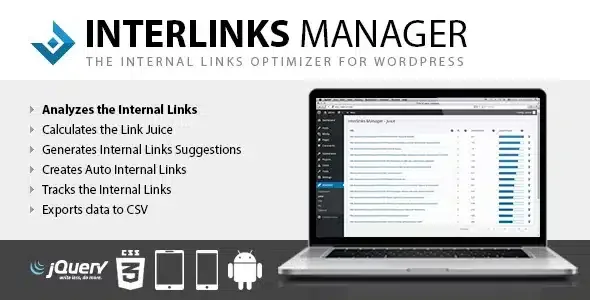
About Interlinks Manager
A blog with hundreds of articles usually has the same flaw: internal links were decided when each text was written and nobody has reviewed them since. Old articles don't point to new ones, pages that sell receive few links and others accumulate more than they need. Interlinks Manager helps you see that distribution and fix it methodically.
Measure your internal links before touching any
The dashboard shows, for each post, how many manual internal links and how many automatic ones it has, how many visits those links generate (through click tracking) and its optimization status. That way you know where links are excessive and where they are missing, instead of judging by eye.
The Juice menu goes a step further: it shows how link juice flows to each URL and, for each one, the list of individual links that contribute to that total. It helps you understand why an important page carries little weight: perhaps only two forgotten articles link to it.
Link suggestions while you write
The editor includes a suggestions box that proposes articles related to the one you are writing. The algorithm gives priority to those sharing words with the title and lets you prioritize, include or exclude content by category, tag or custom post type. Its behavior can be adjusted from the plugin options.
It saves you the manual search, but it remains a suggestion: you decide whether the link makes sense for the reader.
Auto links: from glossary to sales page
The AIL menu turns specific words or phrases into internal links: you enter the expression and the destination URL, and the plugin does the rest. Three clear uses:
- Glossary: each term in an SEO glossary links to the article that defines it.
- Sales pages: expressions such as 'our products', 'my book' or 'the newsletter' lead to the page where you convert.
- Best articles: phrases such as 'CentOS guide' point to the text you want to strengthen.
The delicate part of auto links is overdoing it: too many annoy readers and can hurt SEO. Choose few, very specific expressions and check the result in the dashboard.
Interlinks Manager or Link Manager: which to install today
Interlinks Manager has been superseded by Link Manager, a plugin with a broader scope that includes all its features and adds others. Interlinks Manager no longer gets new features: development is concentrated in Link Manager. If you only need to manage internal links, this one covers that ground; if you want complete link management, look at Link Manager. Either way, it won't write links for you without you configuring the expressions, and it doesn't replace a content strategy.
Can I link a keyword to any page?
Yes: in the AIL menu you enter the word or phrase and the destination path, and it becomes an internal link.
Does it tell me whether links generate visits?
Yes, through click tracking the plugin reports the number of visits generated by your internal links.
Can the article suggestions be fine-tuned?
Yes, from the options you can modify the algorithm's behavior to fit your case.
Does it also manage external links?
No, it focuses on internal links. The broader scope belongs to Link Manager.
Topics
Version history
-
v
1.43 Current 16 May 2026
-
v
1.42 11 Mar 2026
Customer reviews
Sign in to leave a review. Only people who have the product can review it.
No reviews for this product yet.
Frequently asked questions
-
GPL (General Public License) is the license under which WordPress and most premium plugins/themes are distributed. It grants you the right to use, modify and redistribute the software in as many projects as you want, with no domain restrictions.
-
Yes. With membership you get automatic updates via our GPLClub Updater plugin (installed on your WP, detects new versions and applies them). With individual purchase, you get one year of manual updates from your account.
-
Depends on the plan. Monthly: 3 domains. Semi-annual: 7. Annual and Lifetime: 15. Individual purchase: 1 domain.
-
GPLClub offers its own support for installation, configuration and compatibility. For direct support from the original author (feature requests, product-specific bugs), a license purchased from the author is required.