Lottier – Lottie Animated Images for Elementor
Antivirus scan
Powered by ClamAV
✅ Verified clean
This product file has passed our security filters.
Want to run a fresh ClamAV scan right now? Takes a few seconds and shows scanner version, signature DB and live result.
This can take 5 to 30 seconds.
Clean file Threat detected
No threats detected in this file.
- File
- Size
- Scanned
- ClamAV
- Signature database
⚡ Powered by ClamAV
Scan could not be completed
Report product
If you detected an issue (broken file, malware, inappropriate content, etc.) let us know and we'll review it ASAP.
Sign in to report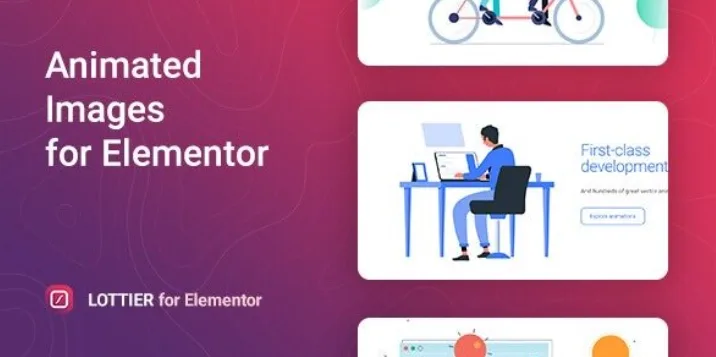
About Lottier – Lottie Animated Images for Elementor
For people who build with Elementor and are tired of heavy GIFs
Adding movement to a page usually ends up as a GIF of several megabytes, a looping video that slows loading, or a custom animation nobody knows how to edit. Lottier solves that problem with Lottie animations inside Elementor.
There is a rule of the trade here: animation is decoration, not content. A figure that moves nonstop next to the contact button competes with the button. Use it to guide the eye, not to fill gaps.
It suits you if:
- You build with Elementor and want animated icons, illustrations or headers without resorting to video.
- Your clients ask for "something with life" but don't want a slow site.
It is not for you if you work with another page builder (it is an Elementor widget), if you want video with sound, or if you expect to create animations from scratch inside WordPress: the plugin places and adjusts ready-made animations, and creating them happens elsewhere.
Why a Lottier animation weighs less than a GIF
Lottie animations are described in JSON code and drawn as vector shapes (SVG). That is why they take up far less space than an animated image or a video, and they do not look blurry or pixelated when scaled up. On a page with several animations, that difference shows in loading.
Lottier reads the JSON format and also supports dotLottie animations. They look the same in Chrome, Firefox, Opera, Safari and Edge.
Two clicks from the library and settings inside Elementor
The plugin connects to the LottieFiles library, with over a thousand free animations made by professional designers. You pick one and place it on the page. If you would rather not start from zero, it comes with 5 templates already styled as a starting point.
From the Elementor panel itself you control:
- Size and position of the animation.
- Playback speed.
- Loop or single playback.
- Playback mode.
You also get screen adaptation settings, and the block supports fonts, colors, borders, backgrounds and gradients. It includes a translation file and works with right-to-left languages.
Changing an animation's colors happens outside WordPress
The colors of the inner layers are edited in the online editor on the LottieFiles site, not inside Lottier. The flow is: pick the animation, tweak it there and bring it in. If you have your own animation, you can also upload it.
With Elementor-based themes there should be no friction, since that is the environment it is designed for. If your theme does not use Elementor for layout, the plugin has nowhere to act.
Frequently asked questions about Lottier
Do I need animation skills to use it?
No. You pick an animation from the library and adjust size, speed and loop from Elementor. You only need design skills if you want to create your own, and that is done elsewhere.
Can I upload my own animation?
Yes, you can upload your own instead of using the library.
Does it work in every browser?
It is designed for the main ones: Chrome, Firefox, Opera, Safari and Edge, on desktop and mobile.
Can it replace a background video?
For light decorative movement, yes. For real video, with people, sound or filmed scenes, no: Lottie is vector animation.
Version history
-
v
1.0.10 Current 7 Sep 2026
-
v
1.0.9 24 Feb 2025
Customer reviews
Sign in to leave a review. Only people who have the product can review it.
No reviews for this product yet.
Frequently asked questions
-
GPL (General Public License) is the license under which WordPress and most premium plugins/themes are distributed. It grants you the right to use, modify and redistribute the software in as many projects as you want, with no domain restrictions.
-
Yes. With membership you get automatic updates via our GPLClub Updater plugin (installed on your WP, detects new versions and applies them). With individual purchase, you get one year of manual updates from your account.
-
Depends on the plan. Monthly: 3 domains. Semi-annual: 7. Annual and Lifetime: 15. Individual purchase: 1 domain.
-
GPLClub offers its own support for installation, configuration and compatibility. For direct support from the original author (feature requests, product-specific bugs), a license purchased from the author is required.