Luchiana – Cosmetics Beauty Shop Theme
Antivirus scan
Powered by ClamAV
✅ Verified clean
This product file has passed our security filters.
Want to run a fresh ClamAV scan right now? Takes a few seconds and shows scanner version, signature DB and live result.
This can take 5 to 30 seconds.
Clean file Threat detected
No threats detected in this file.
- File
- Size
- Scanned
- ClamAV
- Signature database
⚡ Powered by ClamAV
Scan could not be completed
Report product
If you detected an issue (broken file, malware, inappropriate content, etc.) let us know and we'll review it ASAP.
Sign in to report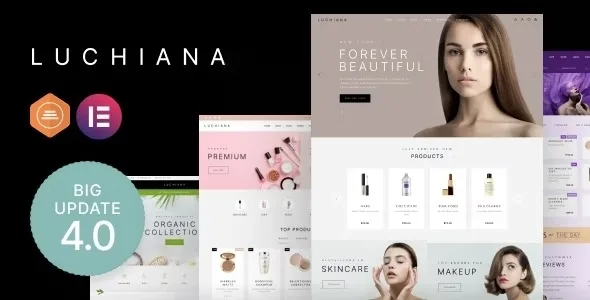
About Luchiana – Cosmetics Beauty Shop Theme
The shade filter works only if every product has its shade loaded
A lipstick cannot be tried on over the internet. The buyer decides with what the shop offers: shade, size, brand and price. The Luchiana demo reflects this in its sidebar, with filters for price, color, capacity in milliliters and brand.
That picture hides the real work of a cosmetics shop. A capacity filter only helps if each product has its capacity written the same way as the others. If one says 30 mL, another 30ml and a third nothing, the filter shows duplicate options and leaves products out. Tidy attributes weigh more than the home page you choose, and that part is yours.
Luchiana is a WooCommerce theme for cosmetics and beauty shops assembled with Elementor.
The shop: catalog, product page and purchase
- Three catalog grids: three per row, four per row or compact.
- Four product templates, among them the standard one with thumbnails and slider, and a full-width one for big pictures.
- Quick view and modal gallery, switched on or off from the Customizer.
- Star ratings and product badges.
- Wishlist, with an option to share it.
- Product video from a YouTube link.
- Live search for products and content.
- Large menu with images, products, categories and other widgets.
Home pages are built with the theme's own Elementor widgets: WooCommerce Carousel, Product Carousel, Banners, Luchiana Countdown, Gift Certificates, Reviews Carousel, Instagram Photo Gallery, Team Members, Services and Pricing, among others. The footer comes from editable HTML blocks, and the accent color and fonts are set in the Customizer.
Sort out your attributes before opening the shop
Do this before loading the first product:
- Fix one way of writing each value. Decide whether it is mL or ml and keep it across the catalog.
- Use global WooCommerce attributes for shade, size and brand, not loose text on each product.
- Name shades for the customer. A name that describes the color reads better in a filter than an internal code.
- Prepare photos with the same framing so the grid looks even.
What the theme leaves in your hands
It does not fill in your products. It brings the place where data is shown, but shades, sizes, texts and photos are yours.
It does not set an exact total per page. Catalog products come from multiplying rows by columns.
Booking is separate. Among its widgets there are Services and Pricing, but no booking widget. If you run a salon and live from appointments, plan that piece separately.
Translating and tweaking take their own steps. Translation is done with the free Loco Translate plugin, and changes to theme files go in a child theme so they are not lost on update.
Its own plugin, the demo and a child theme
It works with WooCommerce and Elementor, and also uses its own plugin, Luchiana Theme Functionality, which must be kept updated along with the theme. The route is this:
- Upload luchiana.zip from Appearance, Themes, and activate it.
- Click Continue to install and activate the required plugins.
- Go to Appearance, Import Demo Content, choose a demo, check All and Import attachments, and wait a few minutes.
- Enable the three checkboxes in the performance panel.
- Create the child theme before touching any file.
Salons, other shops and color swatches
For a salon rather than a shop, Cherie focuses on gallery, services with prices, team profiles and visible opening hours. Among cosmetics shops, the catalog also includes Iva and Hara.
To reinforce the work with attributes, Variation Swatches for WooCommerce Pro turns variation dropdowns into color, image or button swatches, and YITH WooCommerce Ajax Product Filter adds filters by price, attributes, brands, rating and stock.
Elementor, video and quick view in Luchiana
Does it need Elementor?
Yes for its widgets, which are used by dragging them onto the page inside that editor.
Can I show videos on the product page?
Yes, from a YouTube link.
Can quick view be removed?
Yes. It is switched on or off in the WooCommerce settings of the Customizer.
Can I set how many products appear per page?
You decide it with rows and columns: the total is one multiplied by the other.
Topics
Version history
-
v
4.31 Current 8 Jan 2025
Customer reviews
Sign in to leave a review. Only people who have the product can review it.
-
S
Suresh Raval
not work
Frequently asked questions
-
GPL (General Public License) is the license under which WordPress and most premium plugins/themes are distributed. It grants you the right to use, modify and redistribute the software in as many projects as you want, with no domain restrictions.
-
Yes. With membership you get automatic updates via our GPLClub Updater plugin (installed on your WP, detects new versions and applies them). With individual purchase, you get one year of manual updates from your account.
-
Depends on the plan. Monthly: 3 domains. Semi-annual: 7. Annual and Lifetime: 15. Individual purchase: 1 domain.
-
GPLClub offers its own support for installation, configuration and compatibility. For direct support from the original author (feature requests, product-specific bugs), a license purchased from the author is required.
Related products

Uprex – Education Multipurpose Modern WordPress Elementor Theme WordPress Theme

Revieweb – Review WordPress Theme

Flaksi Modern Easy Multipurpose Consulting WordPress Theme