Marketplace for WooCommerce
Antivirus scan
Powered by ClamAV
✅ Verified clean
This product file has passed our security filters.
Want to run a fresh ClamAV scan right now? Takes a few seconds and shows scanner version, signature DB and live result.
This can take 5 to 30 seconds.
Clean file Threat detected
No threats detected in this file.
- File
- Size
- Scanned
- ClamAV
- Signature database
⚡ Powered by ClamAV
Scan could not be completed
Report product
If you detected an issue (broken file, malware, inappropriate content, etc.) let us know and we'll review it ASAP.
Sign in to report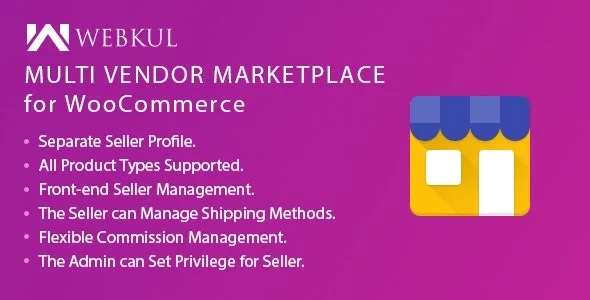
About Marketplace for WooCommerce
Marketplace for WooCommerce: when the catalog is no longer just yours
Opening a store with outside sellers usually starts with spreadsheets, emails to register every product and commissions calculated by hand. With ten sellers, nobody can keep up. Marketplace for WooCommerce turns your WooCommerce store into a marketplace where each seller has a profile and a dashboard of their own to upload and manage products.
There is something people who build a marketplace find out late: the product you manage is not what is sold, but the criteria you use to let sellers in. A fake listing or an absurd price scares off the buyer, and the buyer is who generates your commission. That is why this plugin puts the weight on administrator control.
Different commissions for each vendor
You set a global commission percentage for all vendors, but you can also assign a different one to each. It is useful for lowering the commission for those who sell a lot.
Approve by hand or let it through: you set the pace
- Automatic approval of new vendors, or manual review of each application.
- Automatic publishing of products, so you do not have to validate every new listing.
- Approve or disapprove a vendor or a product whenever you want: for fraud, poor service, a fake product or a wrong price.
- Turn an existing customer into a vendor by changing their role, without waiting for them to apply.
- Create a vendor profile yourself and assign products to it, which speeds up setting up accounts.
- Edit or delete any product in the marketplace.
A practical tip: start with manual approval and switch to automatic once you know your community of vendors.
What vendors do in their dashboard without asking you for help
Each vendor enters a dashboard of their own, from which they can:
- View and edit their profile information.
- Check their product list, search it, edit or delete products, and add new ones.
- Review their transactions, reports and sales charts.
- See the history of all their orders.
- Change their password and ask you questions as administrator.
They can add any of the product types WooCommerce includes by default. In addition, customers can rate and review the vendor, which rewards those who offer good products and good shipping.
Compatibility with your stack
It works with WPML, with the WooCommerce Cart and Checkout blocks and with HPOS. With Elementor, you can create the vendor page with a shortcode widget and the [marketplace] shortcode: the vendor registration, login and profile appear there.
The contract with your vendors and the design are up to you
The plugin covers the operational side. The rest depends on you:
- Already solved: vendor registration, profiles, dashboard, per-vendor commissions, approvals, reviews and the vendor name on the product.
- You cover it: the legal terms between your marketplace and the vendors, the returns policy and the handling of disputes with buyers.
- With a professional: taxes and invoicing of commissions, depending on your country.
- On your own: recruiting vendors and taking care of the design. The demo uses the Fashion Ethereal theme, which is sold separately and is not required.
Check in the demo how a vendor's transactions are displayed before deciding how you will organize their payouts.
Frequently asked questions about Marketplace for WooCommerce
Does it work with any theme?
It is compatible with standard WooCommerce themes. You do not need the demo theme to use it.
Can I charge a different commission to each vendor?
Yes. There is a global percentage and you can change it for specific vendors.
Do I have to approve every product they upload?
Not necessarily. You can turn on automatic publishing or review them one by one.
Can a customer become a vendor?
Yes: they can apply, or you change their role from the admin.
Topics
Version history
-
v
6.2.0 Current 7 Sep 2026
-
v
5.6.0 8 Jan 2025
Customer reviews
Sign in to leave a review. Only people who have the product can review it.
No reviews for this product yet.
Frequently asked questions
-
GPL (General Public License) is the license under which WordPress and most premium plugins/themes are distributed. It grants you the right to use, modify and redistribute the software in as many projects as you want, with no domain restrictions.
-
Yes. With membership you get automatic updates via our GPLClub Updater plugin (installed on your WP, detects new versions and applies them). With individual purchase, you get one year of manual updates from your account.
-
Depends on the plan. Monthly: 3 domains. Semi-annual: 7. Annual and Lifetime: 15. Individual purchase: 1 domain.
-
GPLClub offers its own support for installation, configuration and compatibility. For direct support from the original author (feature requests, product-specific bugs), a license purchased from the author is required.